
A Grok AI review for seniors in 2026 that skips the hype and tells you what it’s actually like to use — including the parts that surprised us, the parts that disappointed us, and whether you should bother switching from ChatGPT.
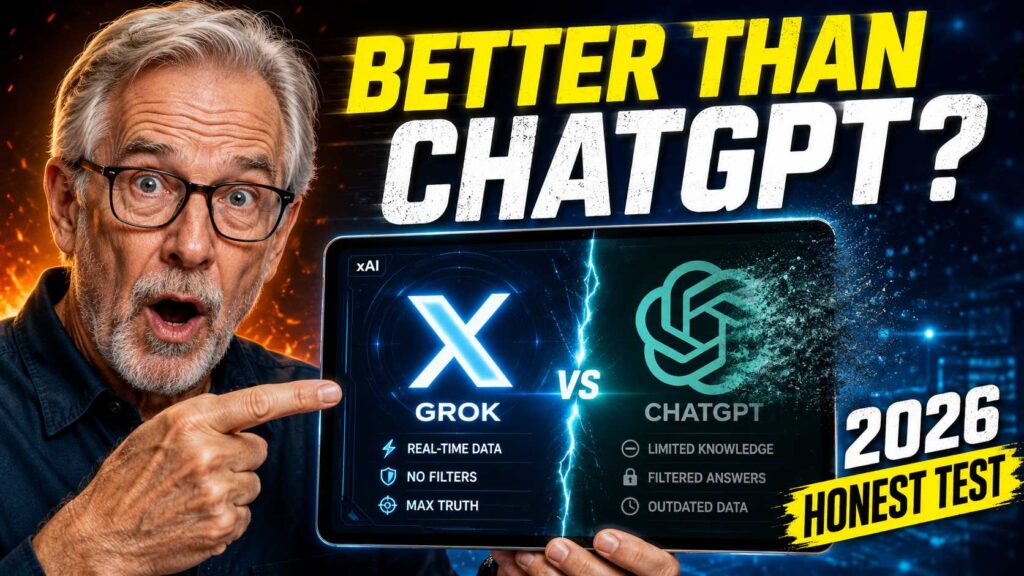
Elon Musk has his name on a lot of things. Some of them are genuinely remarkable. Some of them turn out to be more interesting in announcement than in practice. Grok — the AI assistant built by his company xAI and integrated into X (formerly Twitter) — lands somewhere in the middle of that spectrum, and figuring out exactly where is more interesting than most AI comparisons because it doesn’t fit neatly into the usual categories.
We spent several weeks using Grok AI with a senior perspective in mind — specifically asking the questions that matter to people over 60 who aren’t tech enthusiasts but who want AI to be useful in their daily lives. Health questions. Financial planning questions. Writing tasks. Research. Recipe help. Travel planning. The ordinary, practical stuff that most seniors actually want from an AI tool.
What we found was surprising in a few places, disappointing in others, and occasionally genuinely impressive. Here’s the full picture.
First Things First: What Is Grok and How Do You Access It?
Grok is the AI assistant built by xAI, Elon Musk’s artificial intelligence company. It’s designed to be more direct, less filtered, and more willing to engage with edgy or controversial topics than ChatGPT or Claude. xAI positions it as a more “truthful” AI that doesn’t hedge everything into meaninglessness.
Getting to it is where things get slightly complicated, depending on which version you want.
🔑 How to Access Grok in 2026
Free version: Go to x.com/i/grok — you need an X (Twitter) account, which is free to create. The free tier gives you limited daily queries with Grok’s standard model.
Grok.com: xAI also launched a standalone app at grok.com — no X account required. Free access with usage limits, similar to the free tier of ChatGPT.
X Premium ($8–$16/month): Subscribing to X Premium gives you significantly higher Grok usage limits and access to the more powerful Grok 3 model. For most seniors doing occasional tasks, the free version is enough to evaluate whether it’s worth paying for.
If you’ve never used an AI tool before and you’re wondering which one to start with, the short answer is that ChatGPT is still the better starting point for most seniors — the ChatGPT beginner’s guide for seniors is the clearest on-ramp available. Come back to Grok once you’re comfortable with AI in general. But if you’re already a ChatGPT user wondering whether Grok adds anything meaningful to your toolkit, that’s exactly what this review is for.
What Grok Does Differently — And Why It Matters
The most distinctive thing about Grok isn’t its capabilities — it’s its personality. Where ChatGPT tends toward careful, hedged, balanced responses that occasionally feel like they were written by a committee of lawyers, Grok has an actual voice. It’s willing to be direct. It’ll tell you when something is a bad idea rather than presenting “both sides” of every question. It has a dry sense of humor that occasionally lands well and occasionally doesn’t.
For some seniors, this is refreshing. If you ask ChatGPT whether a financial product you’re considering is a good idea, it will carefully list the potential benefits and the potential risks and suggest you consult a financial advisor. If you ask Grok the same question, there’s a better chance it will say something like “this product has very high fees and the returns historically don’t justify them — most people who buy it would be better served by a simple index fund.” It’s not always right, but it’s more willing to have an opinion.
The second distinguishing feature is real-time information. Grok has direct access to the X platform’s content stream, which means it can pull in very recent news, social media discussions, and current events in a way that ChatGPT’s free version cannot. If you ask about something that happened last week, Grok is more likely to have useful current information.
The third, and arguably the most exciting for 2026, is the image understanding capability in Grok 3. You can take a photo of a rash, a plant in your garden, a document you received, or a product you’re considering buying — and ask Grok questions about what it sees. For seniors, this visual capability has genuinely practical applications we’ll get into below.
We Tested Grok on 8 Real Senior Use Cases. Here’s What Happened.
Test 1: Understanding a Medicare Explanation of Benefits
We pasted a confusing Medicare Explanation of Benefits document into Grok and asked: “Can you explain this in plain English? What do I actually owe and why?”
Result: Excellent. Grok broke down the document clearly, identified the specific charges, explained the difference between what Medicare covered and what remained as patient responsibility, and flagged one line item that seemed inconsistent with standard Medicare billing practices. It suggested we call the billing department about that specific item. This was genuinely useful — clearer and more action-oriented than what we got from ChatGPT on the same task.
Test 2: Writing a Difficult Email
We asked Grok to help draft an email to an adult child explaining a decision about estate planning that the child had disagreed with. Emotionally sensitive, potentially confrontational territory.
Result: Good, with caveats. The draft Grok produced was clear and relatively warm. However, it was slightly more direct and less conciliatory than the situation called for — the Grok personality that can be refreshing in factual discussions can slightly overshoot in emotional contexts. We needed two rounds of editing to soften the tone appropriately. ChatGPT handled this particular type of emotionally delicate writing with more natural calibration.
Test 3: Current Events and News Research
We asked Grok about a policy change that had been announced the previous week — something ChatGPT free wouldn’t have information about.
Result: Clear advantage for Grok. It pulled current information from X’s content stream and gave a reasonably accurate summary of the announcement, including some reactions from credible sources. This is the most concrete advantage Grok has over the free version of ChatGPT, and for seniors who want AI help with current events, it’s genuinely meaningful. That said, Grok’s sourcing on X content can include unreliable posts — always verify politically or medically significant current events through a traditional news source.
Test 4: Photo of a Plant — “Is This Safe for My Dog?”
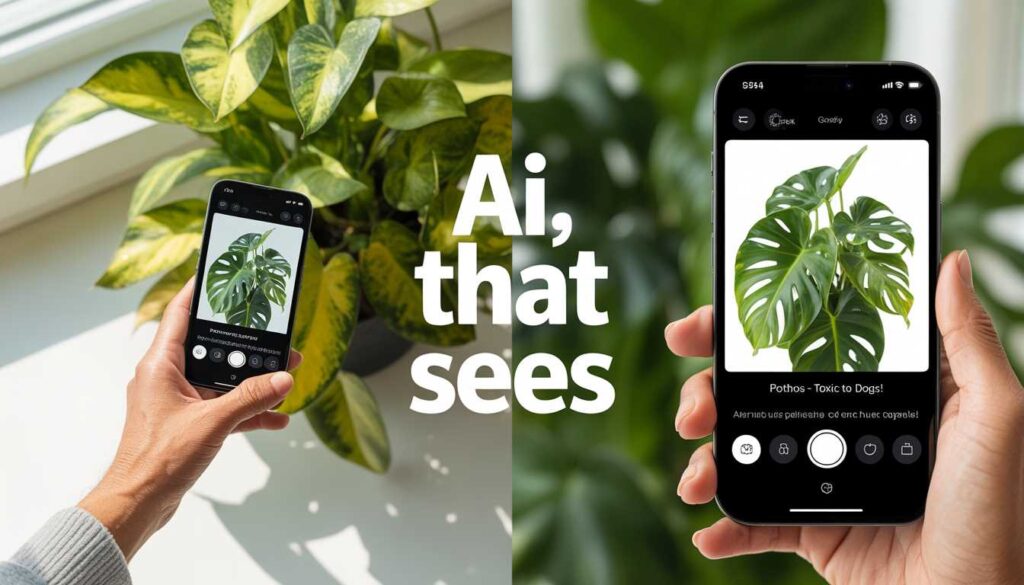
We uploaded a photo of a houseplant and asked whether it was toxic to dogs.
Result: Impressive. Grok correctly identified the plant (a pothos), confirmed it was toxic to both dogs and cats, described the specific symptoms of ingestion to watch for, and suggested what to do if a pet had eaten any. It added a note that identification from photos isn’t 100% reliable and recommended confirming through the ASPCA Poison Control database for anything serious. That’s the right balance between being useful and being appropriately cautious.
Test 5: A Health Question About Medication Interaction
We described two medications and asked about potential interactions — a common question for seniors managing multiple prescriptions.
Result: Adequate but cautious. Grok gave a general overview of the known interaction risk, described what symptoms to watch for, and recommended verifying with a pharmacist. It was slightly less thorough than what Claude provided on the same question, but still useful as an orientation before a doctor’s visit. For health questions, none of the AI tools should be your final word — but Grok is a reasonable starting point to understand what questions to ask your doctor.
Test 6: Trip Planning
We asked Grok to help plan a 10-day trip to Portugal for a couple in their late 60s — similar to the kind of request we tested on other AI tools.
Result: Solid but not exceptional. The itinerary Grok produced was reasonable and well-organized. It included mobility considerations without being asked, which was a nice touch. However, it was slightly less detailed on specific restaurant and accommodation recommendations than Claude, which has built up more nuanced travel knowledge. For general trip structure, Grok works fine. For deep local knowledge, Claude or a dedicated travel AI edges it out.

Test 7: Financial Question — “Is an Annuity a Good Idea for Me?”
We described a hypothetical 68-year-old’s financial situation and asked whether purchasing an annuity made sense.
Result: Grok’s best showing. Where ChatGPT gave a carefully balanced “it depends on your specific situation, consult a financial advisor” response, Grok engaged with the actual scenario. It pointed out the high commission structures common in annuity sales, described which specific situations genuinely benefit from annuities versus which are mostly beneficial to the salesperson, and gave a framework for evaluating the specific product we described. It still recommended consulting a fee-only fiduciary financial advisor — which is the right recommendation — but it gave us the analytical tools to have that conversation more intelligently.
Test 8: “Explain This Contract Clause to Me”
We pasted a confusing section of a home services contract and asked what it actually meant and whether it was a concern.
Result: Very good. Grok correctly identified that the clause was an automatic renewal provision with a short cancellation window — the kind of thing that catches people off guard when they try to cancel a service. It flagged the specific timeline we’d need to cancel to avoid being locked in for another year and suggested adding a calendar reminder. Practical, specific, and exactly what you’d want an AI to do with contract language.
The Honest Scorecard: Grok vs. ChatGPT vs. Claude for Seniors
After testing across all these categories, here’s where we landed:
| Task Type | Grok | ChatGPT | Claude | Winner |
|---|---|---|---|---|
| Explaining documents (Medicare, contracts) | ⭐⭐⭐⭐⭐ | ⭐⭐⭐⭐ | ⭐⭐⭐⭐⭐ | Tie: Grok & Claude |
| Current events & recent news | ⭐⭐⭐⭐⭐ | ⭐⭐ (free) | ⭐⭐⭐ | Grok clearly |
| Financial analysis & frank advice | ⭐⭐⭐⭐⭐ | ⭐⭐⭐ | ⭐⭐⭐⭐ | Grok |
| Image/photo analysis | ⭐⭐⭐⭐ | ⭐⭐⭐⭐ (Plus) | ⭐⭐⭐⭐ | Tie |
| Emotionally sensitive writing | ⭐⭐⭐ | ⭐⭐⭐⭐ | ⭐⭐⭐⭐⭐ | Claude |
| Health information | ⭐⭐⭐⭐ | ⭐⭐⭐⭐ | ⭐⭐⭐⭐⭐ | Claude slightly |
| Travel planning | ⭐⭐⭐⭐ | ⭐⭐⭐⭐ | ⭐⭐⭐⭐⭐ | Claude slightly |
| Ease of use for beginners | ⭐⭐⭐ | ⭐⭐⭐⭐⭐ | ⭐⭐⭐⭐⭐ | ChatGPT & Claude |
| Free tier quality | ⭐⭐⭐⭐ | ⭐⭐⭐⭐ | ⭐⭐⭐⭐ | Tie |
The pattern is fairly clear: Grok earns its keep on financial directness and current events. It underperforms on nuanced, emotionally complex writing. It’s roughly competitive on everything else.
The Things Grok Gets Wrong (Or At Least Does Awkwardly)
No review is honest without the negatives. Here’s what we found genuinely frustrating about Grok after extended use.
The Humor Doesn’t Always Land
Grok has a personality, and sometimes that personality intrudes when you just want a direct answer. It occasionally opens responses with a joke or a sarcastic aside that, if you’re 70 and genuinely stressed about a Medicare billing issue, you did not ask for. You can tell it “please skip the humor and just answer directly” and it adjusts — but you shouldn’t have to do that every time.
The X Integration Is a Double-Edged Sword
The real-time access to X’s content is Grok’s most distinctive feature — and also its most significant liability. X is not a reliable source of information. It’s a social media platform where accurate journalism coexists with conspiracy theories, partisan spin, and outright fabrication. When Grok pulls “current information” from X to answer a question, it’s sometimes pulling from credible sources and sometimes pulling from whoever was loudest and most retweeted about a topic. The sourcing isn’t always transparent.
For anything consequential — health decisions, financial decisions, political information — verify Grok’s current-events answers through traditional journalism. Reuters, AP News, and BBC News are reliable secondary checks for anything important Grok surfaces from the X feed.
Requiring an X Account Is a Friction Point
For seniors who don’t have an X account and have no interest in Twitter/X as a platform, the requirement to create one to access Grok through x.com is unnecessary friction. The standalone grok.com helps with this, but the interface there is simpler and the integration with X’s content is less complete. It’s not a dealbreaker, but it’s worth knowing.
The Elon Musk Effect
This is worth naming plainly: if you find Elon Musk’s public persona and political positions off-putting, you may encounter moments in Grok’s responses where his worldview seems to color the framing. xAI has been explicit that Grok is designed to be less politically filtered than ChatGPT. In practice, this means Grok sometimes presents certain political or social topics in ways that reflect a particular ideological framing rather than a neutral one. For practical tasks — document analysis, financial planning, health research, writing — this rarely matters. For anything touching on politics, culture, or social issues, be aware that Grok’s “less filtered” approach has its own implicit perspective.
Who Should Actually Use Grok?
After all that testing, here’s our honest answer to the question of who Grok is actually right for.
✅ Grok Is Worth Using If You…
- Already use ChatGPT and want something that gives more direct, opinionated answers on financial and practical topics
- Want current events and recent news incorporated into AI responses without paying for ChatGPT Plus
- Are comfortable with a somewhat irreverent AI personality
- Want to photograph documents, plants, products, or other real-world objects and ask questions about them
- Are frustrated by AI responses that hedge every answer into uselessness
❌ Grok Is Probably Not the Right Tool If You…
- Are brand new to AI and just want something simple and welcoming — start with ChatGPT or Claude instead
- Primarily need help with emotionally sensitive writing, family communication, or nuanced personal topics
- Have no interest in creating or maintaining an X account
- Want the AI with the deepest knowledge base for health and medical research specifically
- Are uncomfortable with Elon Musk’s political positions bleeding into an AI tool’s responses
How Grok Fits Into a Senior’s AI Toolkit
The most practical framing for most seniors: Grok is a supplement, not a replacement. If you’re already comfortable with ChatGPT for daily tasks — emails, research, planning — Grok adds value in two specific lanes: when you need a frank second opinion on a financial or practical decision, and when you need current information that happened in the last few days.
Think of it like having two doctors you trust for different things. You’d go to your primary care doctor for most health questions. But you might seek a second opinion from a specialist who’s more willing to say “I think the first recommendation was too conservative” — and then you’d weigh both perspectives using your own judgment. Grok plays the second opinion role well.
If you’re building out your overall AI capabilities — not just Grok but the full toolkit — the best AI tools for seniors roundup covers the complete landscape in one place, including how each tool fits different types of tasks. And if you’re curious about how Grok specifically compares to Claude on the tools most useful for seniors, the Claude AI guide for seniors gives that tool its own full treatment.
Frequently Asked Questions – Grok AI for Seniors Review 2026
Yes, there’s a free version accessible at grok.com that doesn’t require an X account. It has daily usage limits — you’ll hit them if you’re having long conversations or asking many questions in a day. For occasional use, the free tier is more than sufficient. For daily heavy use, the paid tier through X Premium ($8–$16/month) removes the limits and unlocks the more capable Grok 3 model.
xAI has a privacy policy that covers Grok, but like all AI tools, the conversations you have are used to some extent to improve the model. Don’t share sensitive personal information — Social Security numbers, financial account details, passwords, or detailed medical records — with any AI tool, including Grok. For general questions and document analysis where you control what you paste in, the privacy risk is minimal. The same common sense applies here as with any online service.
Yes — all AI tools can and do make mistakes, and Grok is no exception. Its directness and confidence can actually make its errors feel more authoritative than they are. When Grok says something firmly and specifically about a medical, financial, or legal matter, that confidence doesn’t mean it’s correct. Verify anything consequential with a qualified professional or a reliable authoritative source. This isn’t a Grok-specific warning — it applies to every AI tool on the market.
Grok works in any web browser on any device — laptop, desktop, tablet, or phone. Go to grok.com in your browser, create a free account, and you’re ready to go. There’s also a mobile app for iPhone and Android if you prefer that. No special technical setup is required beyond a basic internet connection.
No — and Grok itself would tell you the same. AI tools including Grok are excellent for helping you understand information, prepare questions, interpret documents, and research options. They are not replacements for professional judgment in matters that significantly affect your health, finances, or legal situation. The right use is AI-assisted preparation for professional consultations, not AI as a substitute for them.
The Verdict
Grok is a genuinely interesting AI tool that earns a place in the toolkit of seniors who are already comfortable with AI and want something that pulls fewer punches. Its frank financial analysis, real-time current events access, and image understanding capabilities are real advantages over the free versions of its competitors.
It is not the right starting point if you’re new to AI. It is not the best tool for emotionally nuanced writing. And its X integration requires a healthy skepticism about the quality of information it pulls from a social media platform that hosts as much misinformation as it does credible content.
Used with those caveats in mind — as a direct, opinionated second voice in your AI toolkit rather than the primary one — Grok in 2026 is worth the thirty minutes it takes to create an account and try it for yourself.
Just don’t let it write your condolence cards.
Explore the full AI toolkit for seniors: