
You’ve heard everyone talking about it, but is ChatGPT for seniors actually useful or just another tech fad? In 2026, the answer is clear: it is a patient, 24-hour assistant designed to simplify your life. Whether you want to manage your health, connect with family, or explore new income opportunities, mastering artificial intelligence for retirees is the most practical skill you can learn today
Your grandkids use it. You’ve seen it in the news. And you’ve probably wondered: “Is this actually useful for someone like me? Or is it just another thing I’ll never figure out?”
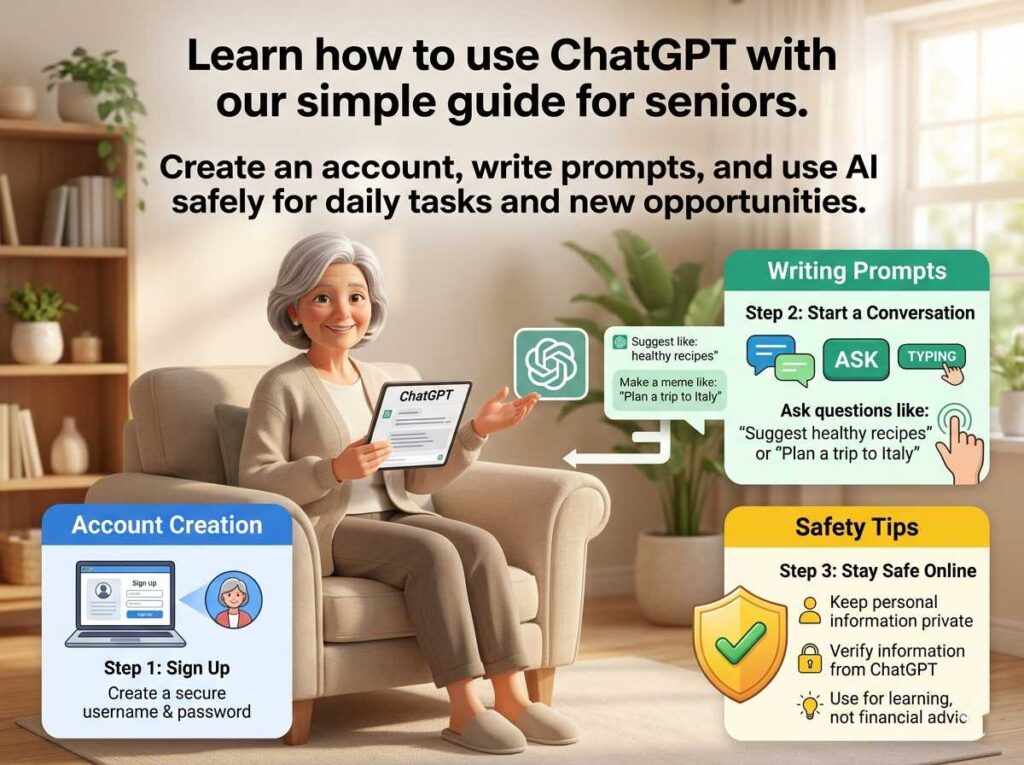
Here’s the honest answer: ChatGPT is one of the most genuinely useful tools available to seniors in 2026 — not because it’s impressive technology, but because it acts like a patient, knowledgeable assistant who is available 24 hours a day, never gets tired of your questions, and explains things in whatever way works best for you.
This guide is different from most ChatGPT guides for seniors. It doesn’t just tell you what ChatGPT is. It shows you exactly what to say to it — with real prompts you can copy, paste, and use right now.
What Is ChatGPT? (In Plain English)
ChatGPT is a free program made by a company called OpenAI. You access it through any web browser — just go to chat.openai.com — or download the free app on your phone.
You type a question or request. ChatGPT types back an answer. That’s it.
It’s not a search engine like Google. It doesn’t just find pages on the internet. Instead, it reads what you wrote, understands what you’re asking, and writes a response specifically for you — like a real conversation.
Think of it as a brilliant friend who happens to know about medicine, travel, cooking, finances, writing, history, technology, and almost everything else — and who answers immediately, patiently, and without judgment.
The basic version is completely free. You don’t need to put in a credit card to start.
Getting Started: Your First 3 Minutes
Step 1: Open your browser (Chrome, Safari, Edge — any of them work) and type chat.openai.com in the address bar.
Step 2: Click “Sign up” and create a free account with your email address. Or click “Log in” if you already have one.
Step 3: You’ll see a text box at the bottom of the screen with the words “Message ChatGPT.” Click there and type your first question.
Your very first prompt to try:
“Hello! I’m new to ChatGPT. Can you explain in simple terms what you can help me with?”
ChatGPT will introduce itself and list its capabilities. From there, you can explore anything on this page.
One important rule before we begin: Never share your Social Security number, bank account details, passwords, or full date of birth with ChatGPT. For everything else — health questions, travel, writing, recipes, general information — it’s safe and helpful. Our full cyber safety for seniors guide covers online safety in detail.
ChatGPT for seniors — ready-to-use prompt library by category
Ready-to-use ChatGPT prompts for seniors
Pick a category, then copy any prompt directly into ChatGPT.
Part 1: ChatGPT for Everyday Life
This is where most seniors find ChatGPT immediately useful — the daily tasks that used to require a phone call, a trip to the library, or pestering a family member.
Health and Medical Information
ChatGPT can explain medical terms, help you prepare questions for your doctor, and summarize health information in plain language. It is not a doctor and cannot diagnose you — but it is outstanding at translating medical jargon into plain English.
Prompts to try:
“My doctor mentioned I have ‘atrial fibrillation.’ Can you explain what this means in simple terms, what causes it, and what questions I should ask at my next appointment?”
“I’ve been prescribed metformin. What is it for, what are the common side effects I should watch for, and can you give me a list of questions to ask my pharmacist?”
“Can you create a weekly anti-inflammatory meal plan for a 68-year-old with arthritis? Please keep it simple with ingredients I can find at any grocery store.”
For research on specific health topics for seniors, also see our anti-inflammatory diet for seniors and high-protein breakfast for seniors guides.
Writing Help: Emails, Letters, and Messages
One of the most popular uses of ChatGPT for seniors is help with writing. Whether it’s a difficult email to a family member, a formal complaint letter to a company, a birthday message for a grandchild, or a thank-you note — ChatGPT drafts it quickly and well.
Prompts to try:
“Help me write a warm birthday message for my 8-year-old granddaughter. She loves horses and recently started taking riding lessons.”
“I need to write a formal complaint letter to my health insurance company. They denied a claim for a procedure my doctor said was necessary. Can you help me write a professional but firm letter?”
“My neighbor has been very kind to me since my husband passed away. Can you help me write a heartfelt thank-you note?”
“Can you help me write a simple email to my doctor’s office asking to reschedule my appointment from Thursday at 10am to sometime next week?”
Travel Planning
ChatGPT is an extraordinary travel planning assistant. It knows destinations, can suggest itineraries, and tailors recommendations specifically to your needs — including mobility considerations, budget, and interests.
Prompts to try:
“I’m a 71-year-old traveling solo to Lisbon, Portugal for 10 days in October. I walk slowly and need to avoid steep hills. Can you create a day-by-day itinerary with gentle, senior-friendly activities?”
“What are the most beautiful but affordable European cities for American retirees in 2026? I want to avoid tourist crowds and prefer good food and walkable neighborhoods.”
“Can you help me pack for a 2-week trip to Portugal in October? I tend to overpack. I’m a woman in my 60s who likes comfortable but presentable clothes.”
For destination-specific guides on our site, see our Lisbon travel guide for seniors, Algarve guide for US retirees, Krakow travel guide for seniors, and budget-friendly European destinations.
Recipes and Cooking
Tell ChatGPT what’s in your fridge and it will suggest a recipe. Ask for modifications to fit dietary restrictions. Request step-by-step instructions for any dish at any skill level.
Prompts to try:
“I have chicken thighs, sweet potatoes, and spinach in my fridge. Can you suggest a healthy, easy dinner recipe that takes under 45 minutes?”
“Can you give me 5 simple high-protein breakfast ideas for a senior with type 2 diabetes? Nothing that requires more than 15 minutes to prepare.”
“My late mother used to make a Hungarian chicken paprikash. I don’t have the recipe. Can you give me a traditional version with step-by-step instructions written for a home cook?”
Tech Troubleshooting
One of the biggest surprises for new ChatGPT users: it’s an outstanding tech support assistant. Describe your problem in plain English and it walks you through the solution step by step.
Prompts to try:
“My iPhone keeps showing a red battery icon even when I just charged it. What might be causing this and how do I fix it?”
“How do I video call my daughter on her Android phone from my iPad? Please explain it step by step as if I’ve never done this before.”
“My Wi-Fi keeps disconnecting every hour. I have a Comcast router. What are the most common causes and what should I try first?”
Part 2: ChatGPT for Mental Sharpness and Entertainment
Brain health matters. ChatGPT is one of the most engaging and flexible tools available for keeping your mind active.
Games and puzzles:
“Let’s play 20 questions. You think of a famous historical figure and I’ll ask yes/no questions to guess who it is.”
“Give me a medium-difficulty crossword clue about American history from the 1960s.”
“Quiz me on geography. Ask me 10 questions about world capitals, one at a time, and tell me if I’m right or wrong.”
Learning something new:
“I want to learn basic Italian before my trip to Rome. Can you teach me the 20 most useful phrases a tourist needs, with pronunciation guides?”
“Explain how the stock market works as if I’m a smart person who has just never learned about it.”
“I’ve been watching the news about Medicare changes in 2026. Can you explain in plain English what the main changes are and how they might affect me?”
Creative writing:
“Help me start writing my memoirs. I grew up on a farm in Iowa in the 1950s and had an unusual childhood. Can you give me a compelling opening paragraph and some questions to help me remember details?”
“Write a funny short story for my grandchildren about a squirrel who tries to steal cookies from a bakery.”
Part 3: ChatGPT for Making Money — The Part Most Guides Skip
This is the section that most “ChatGPT for seniors” guides completely ignore. And it’s arguably the most valuable part.
ChatGPT is not just a helpful assistant for daily life. For seniors who want to earn income online, it is a powerful tool that can multiply your productivity, reduce your learning curve, and help you compete with people half your age.
Here’s how seniors are using ChatGPT to earn money right now:
Writing and Editing Faster
Freelance writers use ChatGPT to research topics quickly, create outlines, draft first versions, and edit their own work. A piece that used to take five hours now takes ninety minutes. More articles per week = more income.
“I’m writing a 1,000-word article about the best exercises for seniors with arthritis. Can you give me a detailed outline with key points for each section?”
“Here is my draft article. Can you edit it for clarity, fix any awkward sentences, and suggest a stronger headline?” [paste your draft]
Our AI copywriting guide for senior consultants and make money with ChatGPT as a freelance editor go deeper on this income path.
Writing Consulting Proposals
If you do any consulting work, ChatGPT can help you write professional proposals that win clients — in minutes instead of hours.
“Help me write a consulting proposal for a small medical practice that needs help improving their patient communication process. I have 20 years of healthcare administration experience. Keep it professional but not overly formal.”
Our using ChatGPT for consulting proposals guide covers this in detail. For the full consulting path, see our how to start consulting for seniors guide.
Creating Digital Products
ChatGPT can help you write ebooks, guides, checklists, and templates to sell on platforms like Etsy, Gumroad, or Amazon KDP. You provide the expertise and idea; ChatGPT helps with the writing.
“Help me create an outline for a 30-page ebook about downsizing your home after retirement. I want to cover emotional aspects, practical checklists, and tips for selling items. I’m writing this from personal experience.”
See our selling digital products with AI for retirees and Amazon KDP for seniors guides.
AI Content Reviewing
Companies pay $20–$28/hour for experienced people to review AI-generated content. ChatGPT knowledge helps you understand what good AI output looks like — making you better at this job from day one.
Our AI content editing jobs for seniors and profitable ChatGPT jobs for seniors guides cover all the income opportunities in this space.
Building a Substack Newsletter
ChatGPT can help you brainstorm topics, write drafts, polish your prose, and create consistent content for a paid newsletter. Seniors with specific expertise — gardening, travel, health, finance, cooking, history — have built loyal reader bases this way.
“I want to start a Substack newsletter about budget travel for American retirees in Europe. Can you help me brainstorm 20 newsletter topic ideas and suggest a name for the newsletter?”
Our Substack for seniors guide walks you through the full setup.
ChatGPT vs. Other AI Tools: Which Should You Use?
ChatGPT is the most popular AI assistant, but it’s not the only one. Here’s a quick comparison to help you choose:
| Tool | Best For | Free? |
|---|---|---|
| ChatGPT (OpenAI) | Writing, research, everyday tasks, income | Yes (basic) |
| Claude (Anthropic) | Long documents, nuanced writing, analysis | Yes (basic) |
| Gemini (Google) | Google integration, quick research | Yes |
| Perplexity AI | Research with web sources cited | Yes |
| Notion AI | Note-taking, organizing information | Paid add-on |
For senior-specific reviews of each: our ChatGPT vs Claude for seniors, Claude AI for seniors, Gemini AI for retirees guide, Perplexity AI for seniors, and Notion AI for seniors guides each cover one tool in depth.
For a broader overview, see our best AI tools for seniors and AI for seniors tools roundups.
10 Common Mistakes Seniors Make With ChatGPT (And How to Avoid Them)
Getting the Best Results
1. Asking questions that are too vague. “Tell me about health” gets a generic answer. “Explain the pros and cons of taking low-dose aspirin daily for someone aged 70 with high blood pressure” gets a specific, useful answer. The more detail you provide, the better the response.
2. Accepting the first answer without asking for more. You can always say “explain that more simply,” “give me more detail on the second point,” or “can you make it shorter?”. ChatGPT adjusts immediately.
8. Giving up after one try. If the first answer isn’t quite right, say “that’s not quite what I meant” and explain further. It learns within the conversation.
Privacy and Accuracy
3. Trusting health and financial information without verification. ChatGPT is a starting point, not a final authority. Always confirm medical or financial advice with a professional.
7. Sharing sensitive personal information. Never share your SSN, bank details, passwords, or full financial information. Treat it like a public conversation.
Understanding How the AI Works
4. Forgetting that ChatGPT doesn’t remember past conversations. Each new conversation starts fresh. If you want it to remember something, tell it at the start: “I’m 68 years old with arthritis and diabetes. Keep this in mind for all your answers”.
5. Being too formal. You don’t need to be polite or use complete sentences. “best restaurants Rome near Colosseum budget” works just as well as a formal question.
Missing Out on Key Features
6. Not using it for writing. Many seniors say “I’m not a writer” and skip this feature entirely. ChatGPT writes the draft — you just review and adjust. It removes most of the blank-page anxiety.
9. Not knowing about voice input. On mobile, you can speak instead of type. Tap the microphone icon in the text box. This is especially helpful for seniors who find typing difficult.
10. Not exploring the paid version. The free version is genuinely excellent. But ChatGPT Plus ($20/month) gives you access to more powerful models, image generation, and faster responses.
Your 30-Day ChatGPT Starter Plan
You don’t need to learn everything at once. Here’s a gentle progression:
Daily Life –Week 1 : Use ChatGPT once a day for something practical. Ask it to explain a medical term, suggest a recipe, or draft a message.
Entertainment–Week 2 : Try the trivia games, ask it to recommend books or movies, have it quiz you on a subject you love.
Writing–Week 3 : Let it help you write something — a letter, an email, a note to a friend, or the first paragraph of a story.
Income (if interested)–Week 4 : Explore one income path — whether it’s writing, consulting, or AI reviewing — using our make money with AI for seniors and best AI side hustles for beginners over 50 guides.
For building these habits into a real routine, our time management for seniors and work from home schedule for seniors guides are helpful companions.
Frequently Asked Questions
Yes. The basic version is entirely free. Go to chat.openai.com and sign up with just your email address.
No. If you can type a text message or send an email, you can use ChatGPT. There are no complicated menus or settings to learn.
It’s safe for general use. Never share financial information, passwords, or your Social Security number. For full safety guidance, see our cyber safety for seniors guide.
Sometimes. ChatGPT can make mistakes, especially on very recent news or highly specific medical and legal details. Always verify important information with a professional.
Yes. Search “ChatGPT” in the App Store (iPhone) or Google Play Store (Android). The official app is free and includes voice input.
Both are AI assistants. ChatGPT is more widely known; Claude is often better for long documents and nuanced analysis. Our ChatGPT vs Claude for seniors guide compares them side by side.
Ready to Go Deeper?
- AI prompt engineering guide for seniors — how to ask better questions and get dramatically better answers
- Mastering AI: the competitive edge for seniors in 2026 — how AI transforms senior income potential
- Best AI tools for senior freelancers 2026 — the complete toolkit for earning online
- AI work from home for seniors 2026 — remote income opportunities powered by AI
- Digital collaboration tools for seniors — working effectively with clients and teams online
Last updated: April 2026 | Senior Gig Guide — technology, remote work, and retirement income for experienced adults.