

You spent 30 years building a career that most people would envy. You know things. You’ve solved problems that would make a 28-year-old project manager break into a cold sweat. And yet — here you are, staring at a blank document, wondering how on earth to squeeze three decades of experience onto two pages. This is where ai resume writing for seniors becomes a game-changer, helping you modernize your professional story without sounding like you’re writing your own eulogy.
Sound familiar? You’re not alone. AI resume writing for seniors is one of the fastest-growing searches among job seekers over 50, and honestly, it makes complete sense. The resume rules changed while you were busy being good at your actual job. Keywords, ATS systems, digital formatting — it’s a whole new language out there.
Here’s the good news: the same AI tools that feel intimidating at first glance are actually perfect for people like you. They’re patient. They don’t judge a career gap. They don’t care how old your last resume template is. And with the right guidance, you can use them to build something genuinely impressive — in an afternoon, not a week.
This guide walks you through exactly how to do it, step by step, with real examples and plain language. No jargon. No fluff. Just what works.
Why AI Resume Writing for Seniors Actually Works in Today’s Job Market
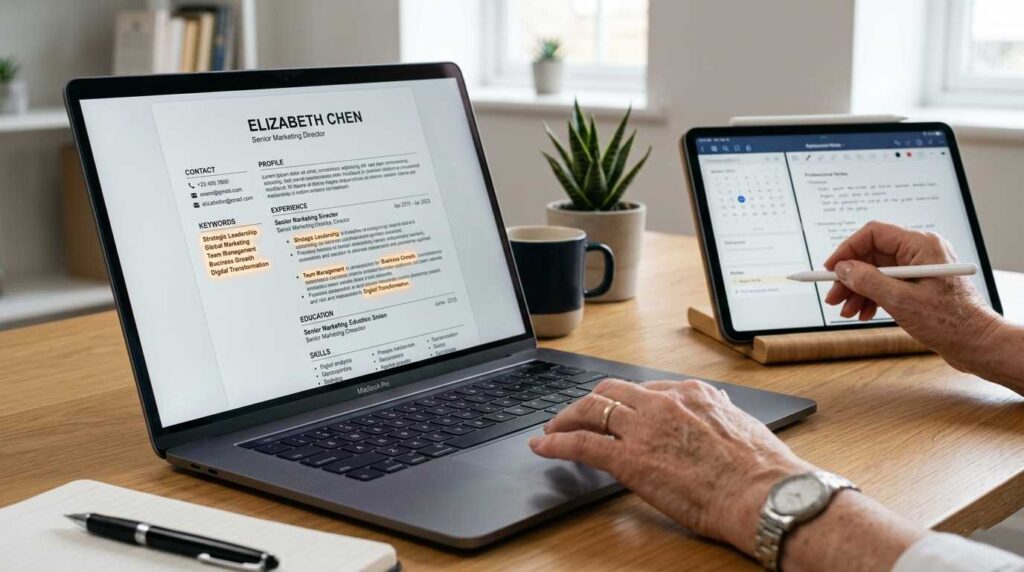
Let’s be honest about something most career coaches won’t say out loud: writing your own resume when you’re over 50 is hard in a very specific way. It’s not that you lack experience — it’s that you have too much of it. You don’t know what to cut. You don’t want to look overqualified. And somewhere in the back of your mind, you’re wondering if the hiring manager on the other end is 24 years old and already skeptical of your LinkedIn photo.
AI doesn’t carry any of that weight. When you paste your experience into ChatGPT or Claude and ask it to help you rewrite a bullet point, it just does the job. It has no preconceptions. It won’t suggest you remove the year you graduated college because it “dates you” with a hint of judgment — it’ll just quietly restructure the section if you ask it to.
More practically, modern hiring is dominated by Applicant Tracking Systems (ATS) — software that scans your resume before a human ever sees it. These systems look for specific keywords pulled directly from the job description. If your resume doesn’t include them, it gets filtered out automatically, no matter how qualified you are. AI tools are remarkably good at identifying those keywords and weaving them into your resume naturally.
According to a report from the AARP Work & Jobs Data Series, more than 60% of workers over 50 who used AI-assisted tools in their job search reported shorter time-to-interview compared to traditional methods.
Before You Open Any AI Tool: Gather These 5 Things
One of the most common mistakes people make is jumping straight into ChatGPT without the raw material ready. The AI can only work with what you give it. Spend 20 minutes gathering these five things first, and the whole process becomes dramatically smoother.
1. Your Old Resume (Even If It’s Ancient)
Dig it out. Even if it’s from 2009 and formatted in a font that no longer exists, it’s a starting point. Your job titles, dates, and company names are all there. Don’t throw away what’s already done.
2. A List of Your Biggest Wins
Think of three to five moments in your career where something genuinely improved because of you. Revenue went up. Costs went down. A team you led hit a goal nobody expected. A client stayed because of how you handled a problem. These are your gold. Write them down in any format — bullet points, rambling sentences, whatever comes out. The AI will help you polish them later.
3. The Job Description You’re Targeting
If you have a specific role in mind, copy the full text of that job listing and save it. If you’re writing a general resume first, find two or three job postings in your target field and save those. You’ll use them to align your language with what employers are actually searching for.
4. Your LinkedIn Profile (If You Have One)
LinkedIn profiles often contain summaries and descriptions you wrote when you weren’t stressed about a specific application. That relaxed, natural language is useful raw material. If you don’t have a LinkedIn yet, that’s worth fixing — but it’s a separate project. For now, just use what you have.
5. A Rough Idea of the Role Level You’re Targeting
Are you looking for full-time work, part-time, contract, or consulting? Are you stepping into a role similar to what you had before, stepping back deliberately, or pivoting to something new? The AI needs direction. The more specific you can be, the better the output.
The 6-Step Process: AI Resume Writing for Seniors
This process works with ChatGPT, Claude, or any other major AI assistant. The steps are the same regardless of which tool you use. If you’re not sure which AI to start with, this comparison of ChatGPT vs. Claude for seniors covers the key differences in plain English.
Step 1: Feed the AI Your Raw Material
Open your AI tool of choice and start a new conversation. Then type something like this:
“I’m a 58-year-old professional with 25 years of experience in [your field]. I’m updating my resume to apply for [type of role]. Here is my old resume: [paste it in]. Here is the job description I’m targeting: [paste it in]. Please help me modernize this resume, highlight my key achievements, and make sure it’s optimized for ATS systems. Ask me any clarifying questions before you start.”
That last sentence — “ask me any clarifying questions” — is important. It tells the AI to slow down and make sure it understands your situation before generating anything. Good AI responses start with good questions.
Step 2: Rewrite Your Professional Summary Together
The professional summary is the two-to-four sentence paragraph at the top of your resume. It’s also the section that most seniors either skip entirely or fill with generic phrases like “results-oriented professional with extensive experience.” Nobody reads that because it says nothing specific. Effective ai resume writing for seniors focuses on replacing these empty phrases with high-impact, data-driven achievements.
Ask the AI specifically:
“Now let’s focus on my professional summary. I want it to immediately communicate my value to a hiring manager over 50+ who may only spend 6 seconds on my resume. Make it specific, energetic, and about 3 sentences. Avoid clichés like ‘results-oriented’ or ‘team player.'”
Then review what it gives you. Read it out loud. If it sounds like you — if a colleague from your old job would recognize that voice — you’re in good shape. If it sounds stiff or corporate, tell the AI: “That’s a bit formal for me. Can you make it sound more natural, like I’m speaking to someone directly?”
Step 3: Transform Duties Into Achievements
This is where most resumes fall flat, and it’s where the AI earns its keep. Instead of listing what you were responsible for (“Managed a team of 12”), a modern resume shows what happened because of you (“Led a team of 12 through a company merger, retaining 94% of staff and hitting Q3 targets two weeks ahead of schedule”).
For each role in your history, prompt the AI like this:
“Here’s what I did in my role as [job title] at [company]: [describe it plainly, including any numbers, percentages, or outcomes you remember]. Please rewrite this as 3-4 resume bullet points that lead with strong action verbs and quantify results wherever possible. If I’m missing numbers, suggest what questions I should ask myself to find them.”
That last instruction is a lifesaver. Many people don’t remember the exact numbers from a job they left 10 years ago. The AI will prompt you with questions like “Do you know approximately how many clients you managed?” or “Was there a measurable improvement in customer satisfaction scores?” — questions that jog your memory without making you feel stuck.
Step 4: Handle the “Too Much Experience” Problem
If you have 25 or 30 years of work history, you don’t need to include all of it. Conventional wisdom says to go back no more than 15 years for most roles. But the AI can help you decide what to keep and what to condense.
Ask it:
“I have work experience going back to 1995. I don’t want my resume to seem dated, but I also don’t want to hide a significant part of my career. How should I handle roles from before 2010? Can you suggest a way to acknowledge my full career trajectory without filling up the page with old job listings?”
A common solution is an “Early Career” section at the bottom that simply lists company names and job titles without dates. It tells the story without inviting age-related bias. The AI will explain this and offer to implement it for you.
Step 5: Keyword Optimization for ATS
Now paste in the job description you saved earlier and ask:
“Here is the job description for the role I’m applying to: [paste it]. Please identify the top 10 keywords and phrases this employer is looking for. Then review my resume draft and tell me which of these keywords are missing or underrepresented. Suggest specific places to add them naturally.”
The AI will scan both documents and give you a specific action list. This step alone can dramatically increase the chances your resume makes it past automated screening. For a deeper look at how AI tools can support your job search in other ways, the guide on AI work from home opportunities for seniors in 2026 has some useful context on how these systems work together.
Step 6: Final Polish and Formatting Check
Once you’re happy with the content, ask the AI for a final review:
“Please review the complete resume one more time and check for: consistency in tense (past tense for old roles, present tense for current), any remaining clichés or filler phrases, bullet points that are too long (ideally one to two lines each), and anything that might raise a red flag for a hiring manager.”
Then take that feedback, make the edits, and read the whole thing one more time yourself. Remember, while ai resume writing for seniors provides a powerful starting point, the AI is a collaborator, not the final author. Your personal touch is what seals the deal. Your judgment matters at the end.
Which AI Tool Is Best for Resume Writing After 50?
You don’t need to spend money to do this well. Here’s a quick, honest rundown of your main options:
| AI Tool | Cost | Best For | Ease of Use |
|---|---|---|---|
| ChatGPT (Free) | Free / $20/mo for Plus | First-time users, quick drafts | ⭐⭐⭐⭐⭐ |
| Claude (Anthropic) | Free / $20/mo for Pro | Longer resumes, nuanced writing | ⭐⭐⭐⭐⭐ |
| Gemini (Google) | Free | Google Docs integration | ⭐⭐⭐⭐ |
| Resume.io / Kickresume | Free tier available | Built-in templates + AI writing | ⭐⭐⭐⭐ |
| Teal HQ | Free / $29/mo | ATS optimization + job tracking | ⭐⭐⭐⭐ |
For most seniors starting out, ChatGPT free or Claude free is more than enough. You don’t need to pay for anything to get a dramatically improved resume. If you want a more detailed comparison, the complete ChatGPT guide for seniors walks through the basics in a way that’s easy to follow even if you’ve never used AI before.
5 Common Mistakes Seniors Make When Using AI for Resumes
The AI does a lot of heavy lifting, but it can also lead you astray if you’re not careful. These are the mistakes worth knowing about before you start.
- Mistake 1: Accepting the First Draft Without Editing
AI-generated text has a rhythm to it. After a while, hiring managers start to recognize it. Your job is to take that draft and make it sound like you — your actual voice, your specific achievements, your personality. Add the detail only you know. Change the sentence structure if it doesn’t feel natural. The draft is a starting point, not a finished product.
- Mistake 2: Including Every Job You’ve Ever Had
Relevance matters more than completeness. A hiring manager for a remote customer service role does not need to know about the retail position you held in 1997. AI will often include everything you give it unless you specifically tell it to be selective. Be explicit: “Only include roles from the last 15 years unless an earlier role is directly relevant.”
- Mistake 3: Ignoring Formatting After Copying the AI’s Output
When you copy text from an AI tool into a Word document or Google Doc, the formatting often goes sideways. Fonts change, spacing collapses, bullet points turn into dashes. Always do a careful formatting pass at the end. Use a clean, readable font (Calibri, Georgia, or Garamond all work well). Keep margins at one inch. Make sure section headers stand out clearly.
- Mistake 4: Using the Same Resume for Every Application
This is one area where AI saves you enormous time if you use it correctly. For each application, take your base resume back to the AI and say: “Here is a new job description. What changes should I make to this resume to better match this specific role?” It takes five minutes and can make a meaningful difference in whether you get a call.
- Mistake 5: Forgetting the Cover Letter
The cover letter is where your personality lives. AI can write a solid first draft here too — just tell it the tone you want. Something like: “Write a cover letter for this position that sounds warm and direct. I want it to briefly mention why I’m genuinely excited about this specific company, acknowledge that I’m making a career transition, and close with confidence. Keep it under 250 words.” Then rewrite any sentence that doesn’t sound like you.

Real-Life Example: Before and After AI Resume Rewriting
Here’s a concrete example of what this process actually produces. The “before” version is the kind of language that ends up on most senior resumes. The “after” is what happens when you work through the steps above with a good AI prompt.
Before (Typical Senior Resume Language):
“Responsible for managing the customer service team and ensuring customer satisfaction. Worked with various departments to resolve issues.”
After (AI-Assisted, Human-Refined):
“Led a 14-person customer service team across three time zones, reducing average resolution time from 4.2 days to 1.8 days over 18 months. Introduced a cross-department escalation protocol that decreased repeat complaints by 31%.”
Same job. Same person. Completely different impression. The second version tells a story, shows scale, and gives numbers. That’s what AI helps you find — the numbers and specifics that were buried in your memory under a pile of vague job descriptions.
Beyond the Resume: What Comes Next
A strong resume is the foundation, but it’s one piece of a larger puzzle. Once you have it ready, here are a few natural next steps worth exploring:
- Update your LinkedIn profile to match your new resume language. Recruiters search LinkedIn constantly, and consistency between the two makes you look organized and intentional.
- Prepare for remote interviews — if you’re targeting work-from-home roles, the remote job interview tips for seniors guide covers everything from camera setup to handling the age question gracefully.
- Know where to apply. Not all job boards are equal for seniors. Some are significantly better than others for finding flexible, legitimate roles — the Seniors4Hire vs. AARP job board comparison breaks down the key differences.
- Consider freelancing or consulting as an alternative to traditional employment. If you have specialized expertise, your resume can also serve as the foundation for a consulting profile. The guide to starting consulting as a senior walks through exactly how that works.
Frequently Asked Questions – Ai Resume Writing For Seniors
Not at all. Using AI for resume writing is the equivalent of using spell-check, a thesaurus, or hiring a resume coach — all of which are completely standard. You’re still the one providing your real experience, your real achievements, and your real judgment about what to keep or cut. AI is a tool, not a ghost writer. The resume still represents you; it just looks a lot more polished.
Only if you don’t edit it. Unedited AI output tends to sound slightly generic and over-structured. If you follow Step 6 and make the language sound like your natural voice, no recruiter is going to flag it. Plenty of people use resume coaches, writing services, and templates — AI is simply a faster, more accessible version of the same kind of help.
Yes, and this is actually the best time to do it. When you need a resume urgently — because a good opportunity appeared suddenly — is the worst time to start from scratch. Updating it while you’re not under pressure means you can take your time, think through your best stories, and get the AI to help you structure things properly. Then it’s ready when you need it.
Absolutely. In fact, older resumes often contain more detailed job descriptions than people write today — which gives the AI more raw material to work with. The main job will be removing outdated language and formatting, adding ATS keywords, and converting responsibilities into achievements. All of that is completely manageable using the process in this guide.
Yes, with one adjustment: tell the AI your specific situation upfront. Say: “I’m 67, recently retired, and looking for part-time or flexible work. I don’t want this resume to look like I’m chasing a senior executive role — I want it to look like someone who wants to contribute in a focused way without the pressure of full-time leadership.” AI responds well to that kind of specific framing, and the result will match your actual goals much better. For more ideas on the kinds of flexible roles available, the guide to remote jobs for seniors with no experience required is worth a look.
You Already Have Everything the AI Needs
Here’s the thing about AI resume writing for seniors that doesn’t get said enough: the AI isn’t doing the impressive part. You are. You’re the one who managed that team, navigated that merger, built that client relationship from scratch, or turned around that department no one thought could be saved.
The AI just helps you say it clearly by cleaning up your sentences and identifying the right keywords. Instead of worrying about formatting bullets or managing tedious structural work, you can focus on the part that’s uniquely yours — your story.
That story, told well, is exactly what the right employer is looking for. Go tell it.