

Margaret is 71 and lives alone in Tucson, where she manages her own finances while staying in touch with four grandchildren scattered across three time zones. Between volunteering twice a week at a local food bank and handling her daily routine, she is, by any reasonable definition, a busy person.
Her journey with AI started eight months ago after her grandson showed her how to write a polite email to her HOA. What began as a single message has evolved into a daily habit, helping her with tasks she never imagined a computer could handle. “It’s like having a very smart friend who never gets annoyed with me,” she says, noting that she can ask the same question three different ways until she gets the answer she needs.
Margaret’s story is a perfect example of the evolving debate around AI vs human writing for seniors. While some fear technology might replace our personal touch, the reality is more about collaboration and efficiency. Using AI for daily tasks doesn’t mean losing your voice; instead, it gives your human experience a faster way to communicate in the modern world.
That’s exactly what AI vs human writing seniors focus looks like in practice: using a tool to make ordinary things easier while keeping the wisdom that only a human can provide. This guide is full of real examples, copy-paste prompts, and honest assessments of where ChatGPT daily tasks for seniors genuinely help versus where they fall short. Let’s get into it.
Before We Start: The One Thing That Changes AI vs Human Writing for Seniors
Most people who try ChatGPT and come away unimpressed made the same mistake: they asked it vague questions and got vague answers. The secret to getting genuinely useful responses is specificity. The more context you give it, the better it performs.
🔑 The Golden Rule of ChatGPT Prompts
Instead of: “Help me write an email.”
Try: “Help me write a polite but firm email to my insurance company. They denied my claim for a hearing aid. I’m 68, the device was prescribed by my audiologist, and I’ve been a customer for 22 years. I want to appeal the decision without sounding aggressive.”
Same tool. Completely different result.
Keep that principle in mind as you read through the examples below. Every prompt I’ve included is specific for a reason — feel free to swap in your own details and use them directly.
10 Daily Tasks Where AI vs Human Writing Seniors Focus Excels
1. Writing Emails You’ve Been Putting Off
We all have them. The email to the difficult neighbor. The follow-up to the doctor’s office that hasn’t called back. The message to a family member about something sensitive. These emails sit in the mental to-do list for days sometimes because we can’t quite find the right words, or we’re worried about the tone.
ChatGPT is exceptionally good at this. You describe the situation, you describe the tone you want, and it gives you a draft. You edit it until it sounds like you, and you send it. The whole thing takes ten minutes instead of two days of dreading it.
Writing emails becomes a seamless ai vs human writing seniors collaboration: AI drafts the structure, you add the heart.
📋 Try This Prompt:
“Write me an email to my Medicare supplement insurance provider. I received a bill for $340 that I believe was already paid in March. I want to ask them to review my account and send me an itemized statement. Keep it polite and professional, under 150 words.”
2. Understanding Medical Information
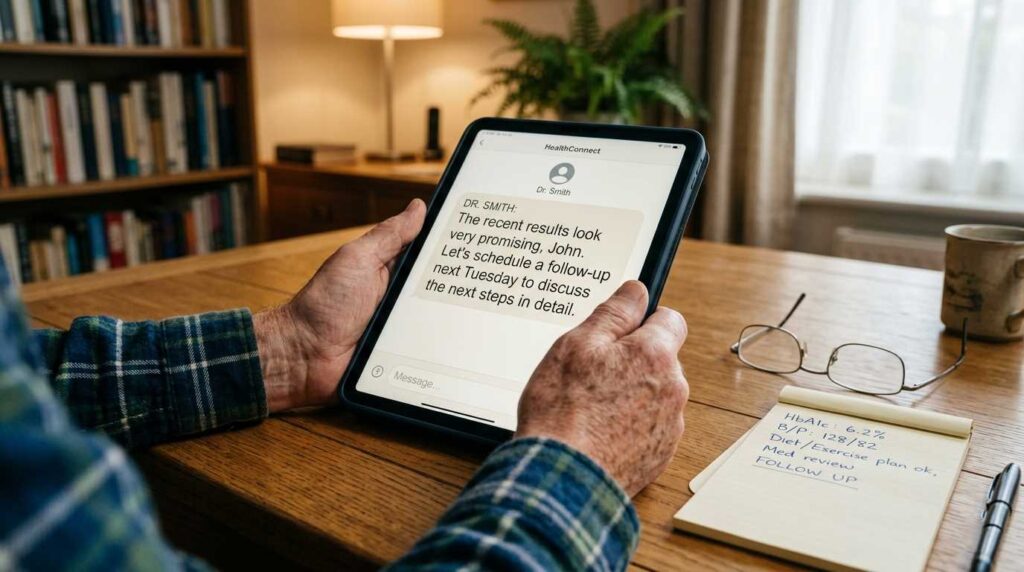
After leaving the doctor’s office, it is common to feel overwhelmed by a new diagnosis, a new medication, or a referral to a specialist. Because most appointments last only 15 minutes, writing everything down fast enough is nearly impossible. Once you get home, the realization often hits that at least five important questions were left unasked.
ChatGPT won’t replace your doctor. Say that clearly. But it will explain what “atrial fibrillation” actually means in plain English, walk you through what questions to ask at your cardiology appointment, and help you understand what a medication’s common side effects are before you fill the prescription. That preparation makes the next appointment far more productive.
In health matters, the ai vs human writing seniors dynamic ensures you get clear explanations while relying on your doctor’s final word.
📋 Try This Prompt:
“My doctor mentioned I have mild stenosis of the carotid artery. Explain what this means in simple terms — what it is, what causes it, what the risks are, and what questions I should ask at my follow-up appointment next week. I’m 74 and otherwise in good health.”
Always verify anything important with your doctor. ChatGPT explains well — it doesn’t diagnose.
3. Planning Meals for the Week
This one surprises people. Tell ChatGPT your dietary restrictions, how many people you’re cooking for, how much time you want to spend in the kitchen, and what’s already in your refrigerator — and it will build you a full week of meals with a shopping list. It’ll even adjust the plan if you tell it you hate a particular ingredient or can’t eat something for health reasons.
📋 Try This Prompt:
“I’m 69 and cooking for one. I follow an anti-inflammatory diet and try to limit sodium. I have chicken thighs, canned chickpeas, spinach, olive oil, and most basic pantry staples already. I want simple meals — nothing that takes more than 30 minutes. Can you plan five dinners for this week and give me a short shopping list for what I still need?”
If the anti-inflammatory diet is something you’re exploring, the anti-inflammatory diet guide for seniors has a solid foundation to start from — and you can feed those principles directly into your ChatGPT meal planning prompts.
4. Drafting Letters That Need the Right Tone
Formal letters are a different animal from emails. A letter to an attorney. A complaint to a government agency. A hardship request to a creditor. These require a specific formality that most people find hard to strike on their own — too aggressive and you alienate the reader, too passive and you get ignored.
ChatGPT is particularly good at calibrating tone on request. Tell it exactly how you want to come across, and it adjusts accordingly.
📋 Try This Prompt:
“Write a formal letter requesting a fee waiver from my bank. I’ve been a customer for 31 years, I’m on a fixed income, and I was charged $35 overdraft fees twice this month due to a delayed Social Security deposit. I want to sound respectful but also make clear this is a longtime customer relationship worth protecting.”
5. Staying on Top of Technology
New app updates. New phone features. New settings that appeared overnight and you have no idea what they do. Technology moves fast, and even people who consider themselves reasonably tech-savvy can feel lost sometimes.
ChatGPT is a remarkably patient technology tutor. You can describe exactly what you’re seeing on your screen — “there’s a blue circle with an arrow in the corner of my iPhone screen and I don’t know what it is” — and it will explain it clearly. You can ask it to walk you through any process step by step, and if you get lost, you tell it where you got lost and it picks up from there.
6. Planning Trips

Tell ChatGPT where you want to go, how long you have, your approximate budget, whether you prefer a slow pace or like to cover a lot of ground, and any mobility or health considerations — and it builds you a complete travel itinerary. Day by day, with realistic timing, restaurant suggestions, and notes on what to book in advance.
Planning trips shows the best of ai vs human writing seniors synergy—logistics handled by tech, preferences handled by you
📋 Try This Prompt:
“I want to spend 10 days in Portugal in October. I’m 66, traveling with my husband who uses a cane. We love good food, historical sites, and slow afternoons in cafés. We’d rather stay in two places than rush through eight cities. Budget is moderate — not luxury, but not backpacker hostels either. Build us an itinerary and tell us what to book ahead of time.”
7. Summarizing Long Documents
Insurance policies. Medicare explanations of benefits. HOA bylaws. Legal agreements. These documents are written specifically to be comprehensive rather than readable, and wading through 40 pages of fine print to find one answer is nobody’s idea of an afternoon well spent.
Paste the text into ChatGPT (or upload a document if you’re using the paid version), tell it what you’re looking for, and ask for a plain-English summary of the relevant parts. This alone saves many people hours every month.
8. Helping With Grandchildren and Family
This one is underrated. Grandchildren are wonderful and also sometimes baffling. What is a Minecraft server? What does “lowkey” mean? What is your granddaughter talking about when she mentions “the algorithm”? ChatGPT will explain all of it without making you feel out of the loop.
It also helps with the emotional side of family communication. Drafting a message to an estranged sibling. Finding the right words for a condolence note. Helping you write something meaningful in a graduation card when “congratulations, I’m proud of you” doesn’t feel like enough.
9. Learning New Skills
Whatever you want to learn — watercolor painting, pickleball strategy, Spanish, basic investing, how to use Zoom better — ChatGPT will teach you at your own pace. It gives you a beginner’s overview, answers every follow-up question, recommends what to learn next, and never, ever makes you feel silly for not knowing something already.
10. Thinking Through Decisions
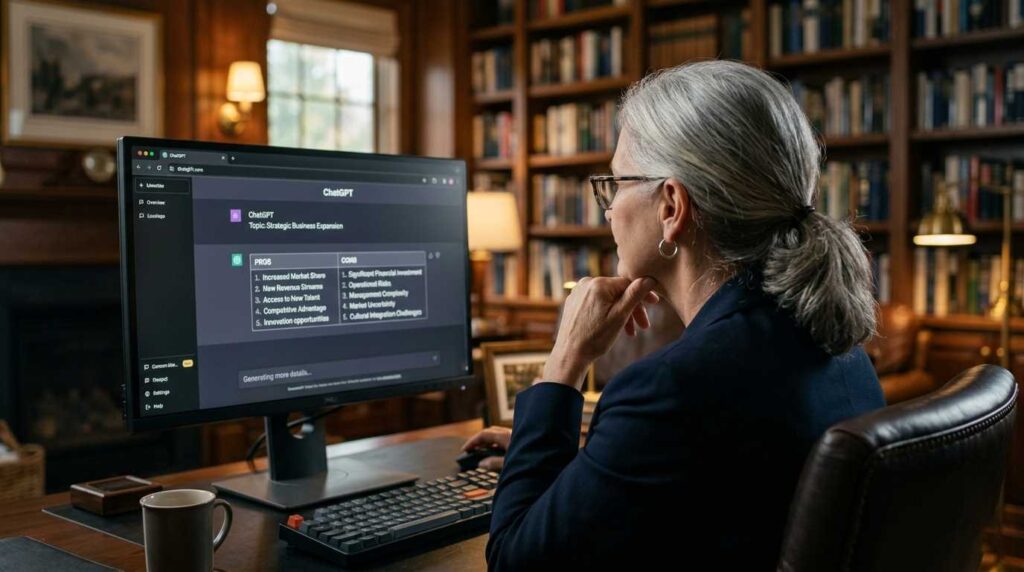
This one took people by surprise when they first discovered it. ChatGPT is surprisingly good at helping you think through a decision by laying out the considerations clearly. Should you downsize your house? Should you take the part-time job offer? Should you move closer to your kids or stay where your community is? It won’t make the decision for you — but it will help you organize your thinking in a way that makes the decision clearer.
📋 Try This Prompt:
“Help me think through a decision. I’m 68 and considering whether to sell my home of 22 years and move into a 55+ community 20 miles away. Pros of moving: less maintenance, built-in social life, single-story layout. Cons: leaving my neighborhood, higher monthly fees, distance from my regular doctor. I keep going back and forth. Help me structure my thinking.”
Quick Reference: ChatGPT Tasks at a Glance
| Task | How Well It Works | One Thing to Remember |
|---|---|---|
| Writing emails and letters | ⭐⭐⭐⭐⭐ | Always edit to add your own voice |
| Explaining medical information | ⭐⭐⭐⭐⭐ | Verify everything with your doctor |
| Meal planning | ⭐⭐⭐⭐⭐ | Give it your restrictions upfront |
| Trip planning | ⭐⭐⭐⭐⭐ | Double-check opening hours and prices |
| Summarizing documents | ⭐⭐⭐⭐⭐ | Paste the full text, not just a description |
| Learning new skills | ⭐⭐⭐⭐⭐ | Ask follow-up questions freely |
| Technology help | ⭐⭐⭐⭐ | Describe exactly what you see on screen |
| Decision-making support | ⭐⭐⭐⭐ | It organizes thinking, not makes decisions |
| Current news and live prices | ⭐⭐ | Use a news site for real-time information |
| Legal or financial advice | ⭐⭐ | Background only — always consult a professional |
Free vs. Paid ChatGPT: Do You Actually Need to Pay?
Short answer: probably not, at least not yet. The free version of ChatGPT handles everything in this guide perfectly well. Here’s where the paid version (ChatGPT Plus, $20/month) makes a genuine difference — and where it doesn’t.
| Feature | Free | Paid ($20/mo) |
|---|---|---|
| Writing emails and letters | ✅ | ✅ |
| Meal planning and recipes | ✅ | ✅ |
| Trip planning | ✅ | ✅ |
| Uploading and analyzing documents | ❌ | ✅ |
| Web browsing for current info | Limited | ✅ |
| Faster response times | ❌ | ✅ |
| Image generation (DALL-E) | ❌ | ✅ |
| Access during peak hours | Sometimes slow | Priority access |
💡 Recommendation: Start with the free version for at least a month. Use it daily for the tasks in this guide. If you hit the usage limit regularly, or if you want to upload documents, that’s when $20/month starts making sense. Don’t pay before you know you’ll use it.
A Real Day of AI vs Human Writing for Seniors in Practice
Let’s make this completely concrete. Here’s how a typical day might look for a senior who’s integrated ChatGPT into their routine — not in a “tech obsessed” way, just in a “this saves me time” way.
- Morning:
Over coffee, drafts a message to her son explaining why she doesn’t want to sell the beach house. She’s been putting it off for three weeks because she doesn’t want it to come out wrong. Fifteen minutes with ChatGPT gives her a first draft that sounds like her on a good day. She edits two sentences and sends it.
- Mid-morning:
Copies the summary-of-benefits document from her new Medicare Advantage plan into ChatGPT and asks: “What are my out-of-pocket maximums for 2026, and does this plan cover hearing aids?” Gets a clear answer in 30 seconds instead of reading 28 pages.
- Afternoon:
Asks ChatGPT to help plan a vegetable garden for her backyard. She gives it her location, her yard’s sun exposure, and the fact that she wants things she can actually eat. It gives her a seasonal planting guide with specific vegetables for her climate.
- Evening:
Her granddaughter mentioned she’s applying for a scholarship and needs help with the essay. She pastes the essay into ChatGPT and asks it to give feedback on structure and tone — not to rewrite it, just to flag where the argument gets weak. She calls her granddaughter with three specific suggestions.
That’s four tasks. None of them required any technical expertise. None of them took more than 20 minutes. All of them would have taken significantly longer, or simply stayed on the to-do list, without the tool.
Taking It Further: From Daily Tasks to Real Income
Once you’re comfortable using ChatGPT for daily life, a natural next step is using it to generate income. The same skills that help you write better emails help you write better consulting proposals. The same research skills that help you understand a diagnosis help you research a business idea.
The guide to profitable ChatGPT jobs for seniors covers the specific ways people are turning their ChatGPT fluency into actual money — from content creation to AI-assisted consulting to virtual assistant work. And if the consulting path interests you specifically, the guide to using ChatGPT for consulting proposals is practical and immediately usable.
But that’s the next chapter. For right now, pick one task from the list above — one real thing you’ve been putting off or that takes you longer than it should — and bring it to ChatGPT today. That’s how every useful habit starts.
Frequently Asked Questions
Yes, and it works extremely well. The ChatGPT app is available for both iPhone and Android, it’s free to download, and it’s arguably easier to use on a phone than in a browser. You can even tap the microphone icon and speak your prompt instead of typing it — which many seniors find much more natural.
Not by default. Each new conversation starts fresh. If you’re doing ongoing work — like a multi-part project or a letter that needs several rounds of editing — do it all in the same conversation window. The paid version has a memory feature that carries context between sessions, but the free version does not.
It happens, especially with specific facts, dates, statistics, and anything in the medical or legal realm. Treat ChatGPT’s output the way you’d treat advice from a well-read friend — useful input, but worth checking before you act on it. For anything consequential, always verify through an authoritative source.
Use reasonable caution. You can share general context — “I’m 68, I have diabetes, I’m trying to understand my coverage” — without sharing your Social Security number, insurance ID, bank details, or passwords. For the kind of everyday tasks in this guide, you don’t need to share anything sensitive. General context is almost always enough.
That’s a thoughtful question and worth sitting with. The short answer: ChatGPT is a tool, not a relationship. It doesn’t know you, it doesn’t care about you, and it cannot replace the warmth of a real conversation with someone who does. What it can do is handle the friction of everyday tasks so that more of your time and energy goes to the things and people that actually matter. Used that way, it’s a net positive for human connection, not a replacement for it.
The Simplest Possible Starting Point
Go to chat.openai.com right now. Create a free account. Then type this, exactly:
“Hi — I’m [your age] years old and I’ve never used an AI tool before. I’d like you to help me with [one specific thing you’ve been putting off]. Here’s the situation: [describe it in two or three sentences].”
Press Enter. Read what comes back. Ask a follow-up if you need one.
That’s the whole beginning. Everything else follows from there.