
Nancy had never considered herself an artist until she discovered Midjourney for Seniors. She spent 29 years as a marketing director for a regional grocery chain in Wisconsin. She was organized, strategic, and commercially minded—but artistic? Not particularly, or so she thought before AI changed everything.
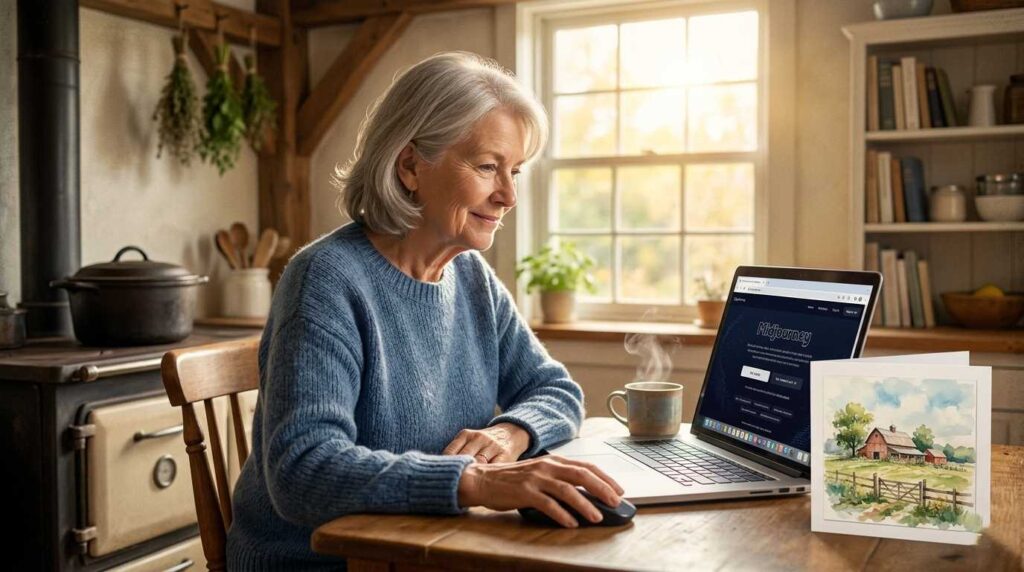
A friend showed her Midjourney at a dinner party in the fall of 2024. Nancy typed a description of a scene she’d been imagining for years — a farmhouse kitchen at golden hour, steam rising from a cast iron pot, warm light through old windows. Midjourney generated it in about 45 seconds.
“I burst into tears,” she says. “Not because it was mine — the AI made it. But because it was exactly what I saw in my head, and I’d never been able to get it out before.”
Nancy now runs a print-on-demand shop on Etsy selling kitchen prints, farmhouse art, and seasonal greeting cards featuring images she creates with Midjourney. Last December, her shop generated $2,100 in a single month.
She is 64 years old. She had never made anything she’d call art before age 63.
This guide explains exactly what Midjourney is, how it works step by step — assuming you’ve never used it before — what you can legally sell with it, and how to turn AI-generated images into a real income stream.
🎨 What Is Midjourney? A Complete Beginner’s Explanation
Midjourney for Seniors functions as a powerful AI image generator. By typing a description of an image you want—known as a “prompt”—the system creates that visual in about 30 to 60 seconds. Drawing skills are completely unnecessary since the AI handles the artistic execution for you. Once you describe what you want to see, the technology brings your mental image to life.
Think of it this way: you’ve always had images in your mind — places you’ve seen, things you’ve imagined, moods you’ve wanted to capture. For most of human history, turning those mental images into actual pictures required drawing or painting skills that most people don’t have. Midjourney removes that barrier entirely. If you can describe what you want in words, you can create an image.
What Does Midjourney Actually Produce?
Midjourney produces high-resolution images suitable for:
- Printing on canvas, paper, and products
- Digital downloads sold on Etsy or your own website
- Print-on-demand products (mugs, t-shirts, tote bags, wall art)
- Book covers and illustrations
- Blog and website graphics
- Greeting cards and stationery
- Social media content for businesses
The quality in 2026 is genuinely striking. Images created by Midjourney are regularly mistaken for professional photography or hand-painted artwork — depending on the style you choose.
How Is Midjourney Different From Other AI Image Tools?
Several AI image generators exist — DALL-E (built into ChatGPT), Adobe Firefly, Stable Diffusion, and others. Midjourney consistently produces the highest aesthetic quality, particularly for art-style images, illustrations, and atmospheric scenes. It is the tool most used by professional designers and artists working with AI — and for seniors interested in creating images to sell, it’s the best place to start.
⚙️ How to Access and Set Up Midjourney (Step by Step)
Midjourney works through a platform called Discord. If you’ve never heard of Discord, don’t worry — we’ll explain it completely. You need to set up both a Midjourney account and a Discord account to use it.
💡 What is Discord?
Discord is a free communication app — similar to email or text messaging, but organized into channels where people type messages and share images. Midjourney runs inside Discord: you type your image prompts as messages, and the AI responds with generated images in the same channel. You access Discord in your web browser (no download required) or through a free app on your phone or computer.
🖥️ Step 1: Create a Discord Account
- Go to discord.com in your web browser
- Click “Open Discord in your browser” — you don’t need to download anything
- Click “Register” and create a free account with your email address
- Verify your email when Discord sends you a confirmation message
🖥️ Step 2 : Subscribe to Midjourney
- Go to midjourney.com
- Click “Sign In” and connect with your Discord account
- Choose a subscription plan (Basic plan: $10/month — start here)
- Complete payment — your Midjourney subscription is now active
🖥️ Step 3: Access the Midjourney Bot on Discord
- After subscribing, you’ll be invited to join the Midjourney Discord server
- Once inside, look for channels labeled “newbies” in the left sidebar
- Click on any newbie channel — this is where you’ll type your first image prompts
⚠️ Tip for seniors: The first time you open Discord and Midjourney, it can feel overwhelming — lots of channels, lots of other people’s images scrolling past. Don’t panic. Focus only on finding a “newbie” channel, typing the command /imagine, and writing your first description. Ignore everything else until you get comfortable. It gets much easier after your first five or six images.
✍️ How to Write Midjourney Prompts That Actually Work
A prompt is the description you type to tell Midjourney what image to create. Learning to write good prompts is the most important skill in using Midjourney — and it’s simpler than it sounds.
The Basic Prompt Structure
To generate an image in Midjourney, you type:
/imagine [your description here]
The /imagine command tells Midjourney you want to create an image. Everything after it is your description.
What Makes a Good Prompt?
Effective Midjourney prompts include four types of information:
- Subject: What is the main thing in the image? (“a golden retriever,” “a mountain lake at sunset,” “an elderly woman reading by a fireplace”)
- Style: What does it look like artistically? (“oil painting,” “watercolor illustration,” “photorealistic,” “pencil sketch,” “vintage poster”)
- Mood or atmosphere: How does it feel? (“warm and cozy,” “dramatic and moody,” “peaceful and serene,” “vibrant and joyful”)
- Technical details: Lighting, perspective, detail level. (“soft morning light,” “bird’s eye view,” “highly detailed,” “cinematic lighting”)
📝 Real Prompt Examples That Work Well
Farmhouse kitchen prints thrive with descriptive detail: /imagine a cozy farmhouse kitchen at golden hour, cast iron cookware on a vintage stove, herbs hanging from wooden beams, warm afternoon light through old windows, watercolor illustration style, soft and inviting atmosphere
Creating nature wall art requires a focus on mood: /imagine a misty mountain lake at dawn, pine trees reflected in still water, a small wooden dock in the foreground, oil painting style, peaceful and serene, highly detailed, soft morning light
Greeting cards benefit from bright, joyful aesthetics: /imagine a cheerful garden in full bloom, colorful wildflowers, a white picket fence, a cottage in the background, bright and joyful, flat illustration style, suitable for a birthday card
Professional headshots or avatars look best with clean lighting: /imagine a professional portrait of a mature woman with gray hair, natural studio lighting, warm smile, clean white background, photorealistic, high resolution
How to Improve an Image You Almost Like
Midjourney generates four image variations for every prompt. Below each set of four images, you’ll see buttons labeled U1, U2, U3, U4 (Upscale — makes one image larger and more detailed) and V1, V2, V3, V4 (Variation — creates new versions similar to that image).
If you like image 2 but want to see similar options: click V2. If image 3 is exactly what you want: click U3 to get the full-resolution version. This iterative process — generate, evaluate, refine — is how experienced Midjourney users get from a good image to a great one.
💰 What Can Seniors Legally Sell With Midjourney Images?
This is the question most guides skip or answer vaguely. Let’s be completely clear.
✅ On a paid Midjourney subscription, you own the images you create and can sell them commercially. This includes print-on-demand products, digital downloads, book covers, stock images, and client work.
⚠️ Important exceptions:
- The free trial does not grant commercial rights — you must be on a paid plan
- You cannot sell images that depict specific living people in misleading contexts
- You cannot recreate copyrighted characters or brand logos
- Midjourney’s full terms of service are at docs.midjourney.com — review them before selling
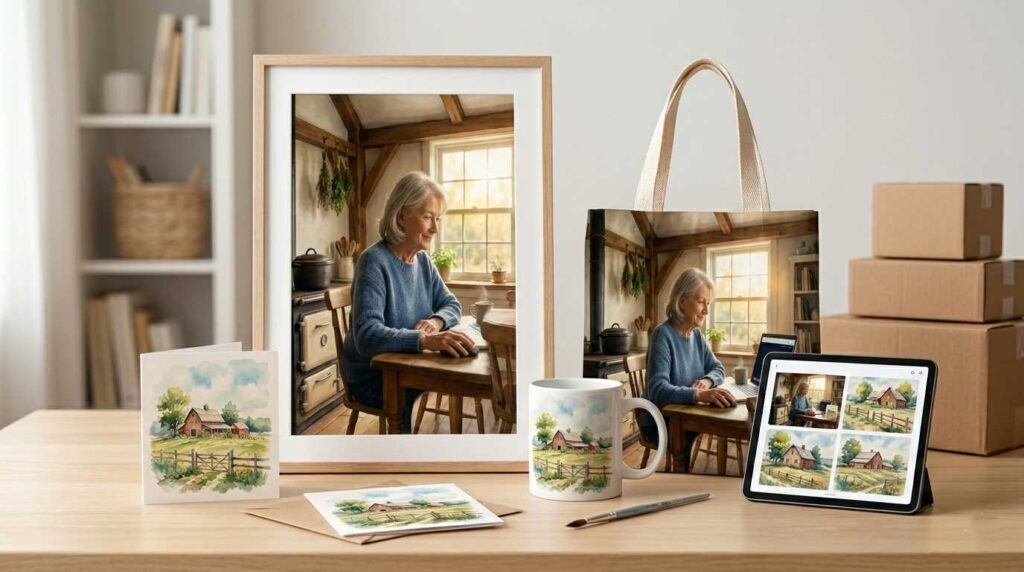
One important practical note: Midjourney images are not uniquely yours — other users can generate similar images using similar prompts. This is why successful Midjourney sellers develop a consistent style and niche rather than chasing individual viral images. Your brand and curation are what differentiate you, not any single image.
🏪 Five Ways Seniors Can Actually Make Money With Midjourney
💳 1. Print-on-Demand Products
This is Nancy’s approach and the most accessible starting point. Upload your Midjourney images to print-on-demand platforms — Redbubble, Merch by Amazon, or Printful connected to an Etsy shop. Your images get printed on mugs, t-shirts, tote bags, wall art prints, throw pillows, phone cases, and dozens of other products when customers order. You never handle inventory or shipping.
For a complete guide to this business model, see our Print-on-Demand for Seniors guide.
🖼️ 2. Digital Art Downloads on Etsy
Sell high-resolution Midjourney images as digital downloads — buyers pay once and download the file to print themselves. No printing costs, no shipping, no inventory. Purely passive once the listing is set up. Etsy’s digital download category is one of the platform’s fastest-growing segments. For how to set up your Etsy shop, see our Etsy Shop for Seniors guide.
📚 3. Book Covers and Illustrations
Self-publishing authors need book covers. Midjourney can generate professional-quality covers for genres where illustrated or artistic styles work well — romance, fantasy, self-help, children’s books, and more. Offer book cover design services on Fiverr, charging $30–$100 per cover. At 15 covers per month, that’s $450–$1,500 from a few hours of work. See our Fiverr for Seniors guide for how to set up a service listing.
📱 4. Social Media Content Creation for Small Businesses
Small businesses — restaurants, boutiques, wellness studios, real estate agents — constantly need visual content for Instagram, Facebook, and LinkedIn. Many don’t have the budget for professional photographers or graphic designers. A senior who can use Midjourney to create on-brand, high-quality images for a business’s social media is genuinely valuable to small business owners. Monthly retainer rates: $200–$600 per month per client for regular image creation.
🖨️ 5. Custom Art Commissions
Some clients want specific custom images — a portrait of their home, an illustration of their family’s favorite vacation spot, a custom design for a special occasion. You describe their request to Midjourney, generate options, refine based on their feedback, and deliver the final image. Rates: $25–$150 per custom image depending on complexity and how you position the service.
🎯 Choosing Your Midjourney Niche — Why Specificity Wins
The Midjourney market is competitive. Millions of people are generating and selling AI images. Generic categories — “nature art,” “inspirational quotes” — are saturated.
The sellers who earn meaningful income pick a specific niche and own it. Here’s how to find yours:
Start with what you know and love. Nancy’s farmhouse kitchen niche came from her genuine love of that aesthetic — she’s been collecting vintage cookware for 20 years. Her passion for the subject comes through in the specificity of her prompts and the coherence of her shop.
Strong niche examples for senior Midjourney creators:
- Retired healthcare professionals → Medical illustration style, nurse/doctor appreciation art, anatomy-inspired prints
- Former teachers → Classroom and learning themed art, educational prints, teacher appreciation designs
- Gardening enthusiasts → Botanical illustration style, garden scenes, floral prints
- Travel lovers → Specific regions you’ve visited, illustrated travel maps, architectural prints
- Pet lovers → Pet portrait illustrations in specific styles (watercolor, oil painting, vintage poster)
- Holiday and seasonal → High demand, repeating annually, easy to build inventory
The more specific your niche, the less competition you face and the more clearly you can communicate your shop’s identity to potential buyers. “Watercolor Botanical Prints for the Modern Farmhouse Kitchen” is a shop with a clear identity. “AI Art” is a category with millions of competitors.
📊 Realistic Income From Midjourney for Seniors in 2026
Honest expectations matter more than inspiring stories. Here’s what the numbers look like across different levels of effort and commitment:
| Stage | Monthly Income | What It Takes |
|---|---|---|
| Starting out (0–3 months) | $0–$100 | Learning the tool, building listings, first reviews |
| Building momentum (3–9 months) | $100–$500 | 50+ listings, consistent niche, keyword optimization |
| Established shop (9–18 months) | $300–$1,500 | 150+ listings, seasonal coverage, repeat customers |
| Adding client services | +$400–$1,500 | Book covers or social media content clients alongside shop |
Nancy’s $2,100 December was her best month ever — driven by holiday gift buying. Her typical month runs $600–$900. She works approximately 8 hours per week on her Midjourney practice across image creation, listing optimization, and customer communication.
For this income alongside your retirement income, see our guide on Earning Income While on Social Security to understand how it affects your benefits.
🛡️ Midjourney Pricing Plans — Which One Do Seniors Need?
| Plan | Monthly Cost | Best For |
|---|---|---|
| Basic | $10/month | Starting out, testing, occasional use. ~200 images/month |
| Standard | $30/month | Active sellers, 15+ hours of generation per month |
| Pro | $60/month | High-volume sellers, client work, private image generation |
Start with Basic. Generate 50 to 100 images across different prompts and styles in your first month. Find what you enjoy creating and what resonates commercially. Upgrade to Standard only when you’re actively selling and need more monthly generation capacity.
🔗 Next Steps: Build Your AI Image Business
Midjourney connects naturally to everything else seniors are building in 2026:
- Set up the print-on-demand shop that sells your Midjourney images — read Print-on-Demand for Seniors.
- Open your Etsy digital download shop — see How to Open an Etsy Shop as a Senior.
- Offer book cover design services on Fiverr — read Fiverr for Seniors.
- Use AI to create and sell digital products beyond images — see Selling Digital Products with AI for Retirees.
- Explore the full landscape of AI income tools — read our Best AI Tools for Seniors guide.
- For all online income options after 50, visit our Make Money Online After 50 Master Guide.
Nancy just crossed 400 sales on Etsy. Her shop has 127 listings. She creates new images for about two hours every Sunday morning with a cup of coffee and her laptop, describing scenes she’s imagined her entire life.
“I’m not an artist,” she still says. “I’m a person who finally found a way to show people what I see in my head. It turns out other people want to hang that on their walls.”
You don’t need artistic talent. You need descriptive language and a willingness to experiment. Start with $10, a Discord account, and one image of something you’ve always wanted to see. See what happens.
❓ Frequently Asked Questions: Midjourney for Seniors
No artistic talent is required. If you can type an email, you have the technical skills for Midjourney for Seniors. The AI creates art based on your word descriptions, and your skills will improve naturally with practice.
Yes, with a paid subscription, you own the commercial rights to your creations. While platforms like Etsy allow AI art, they require you to disclose the use of Midjourney for Seniors in your listing category.
Most seniors become proficient enough to sell their work within 2 to 4 weeks of daily practice. The first week is for learning the basics, while the following weeks are for refining your unique artistic style.
It offers the highest aesthetic quality for artistic and atmospheric styles. While tools like DALL-E are easier to access, the $10/month Basic plan is the best starting point for professional results.
You own the images you create on a paid plan. However, because copyright laws are evolving, building a unique brand and niche is more important than protecting a single image.
Not at all. Each image is small (2–8 MB), similar to a smartphone photo. Plus, all images are stored in an online gallery, so you only download what you need.