

Everything you think you know about starting a YouTube faceless channel for seniors is probably wrong. There is no requirement to appear on camera, be young, or even be photogenic to succeed. Similarly, earning an income doesn’t require thousands of followers or expensive equipment. Instead of being an entertainer in the traditional sense, you simply need knowledge worth sharing, a consistent format, and the patience to let the algorithm find your audience.
What you need is knowledge worth sharing, a consistent format, and enough patience to let YouTube’s algorithm find the people who need what you’re making.
Raymond is 69. He spent 28 years as a licensed electrician and then ran his own electrical contracting business for 14 more. He retired at 67 and, within six months, started a YouTube channel called Ask The Old Electrician — entirely faceless. No camera footage of Raymond. Just his voice narrating over simple screen recordings and diagrams explaining common household electrical problems and when to call a professional versus doing something yourself.
He uploads one video per week. Each video takes him four to six hours to produce. His channel has 41,000 subscribers. Last month, YouTube deposited $2,847 into his bank account — for videos that have been earning since he uploaded them.
“I never appear on screen,” Raymond says. “Nobody knows what I look like. They just know that when they’re confused about electricity, the old electrician explains it in a way they can understand.”
Case Study: The “Old Electrician” Success
- Creator: Raymond, age 69 (Retired Electrician).
- Format: 100% Faceless — narrating over screen recordings and diagrams.
- Channel Size: 41,000 Subscribers.
- Monthly Income: $2,847 via YouTube AdSense.
- Time Investment: 4–6 hours per week to produce one video.
This guide explains exactly how to do what Raymond did — starting completely from scratch, with no prior YouTube experience.
What You Will Learn
- The “No Camera” Advantage: Why faceless is a superior format for senior creators.
- Money Talk: A complete breakdown of AdSense, Affiliates, and Sponsorships.
- The $67 Toolkit: The exact equipment and free software you need to start.
- The 12-Month Roadmap: Setting realistic expectations for growth and income.
The Myth That Stops Most Seniors: “I’d Have to Be on Camera”
The faceless YouTube channel is not a workaround or a compromise. It is, in many subject areas, actually superior to the talking-head format — for reasons that favor senior creators specifically.
Consider what a faceless channel actually is: a voice explaining something valuable over visuals that support the explanation. A screen recording showing a process. Slides presenting information. Stock footage illustrating a concept. Diagrams clarifying a system. Simple animation walking through a sequence.
This format is:
- More scalable — you don’t need a camera setup, good lighting, or acceptable background every time you record
- Less anxiety-inducing — many seniors who would never appear on camera are entirely comfortable narrating
- Often more watchable — viewers searching for information want to see the information illustrated, not a person talking at them
- Age-agnostic — your authority comes from your voice and your knowledge, not your appearance
Raymond’s viewers don’t know he’s 69. They know he’s the most clearly-explained source of household electrical information they’ve found. That’s the only credential that matters on YouTube.
How YouTube Actually Pays You: The Complete Explanation
Before building a channel, you need to understand how YouTube income works — because most people’s understanding is incomplete.
Revenue Stream 1: YouTube AdSense (The Main One)
YouTube places advertisements on videos from channels that have joined the YouTube Partner Program. Every time a viewer watches an ad on your video, you earn a small amount — typically between $2 and $15 per 1,000 views (called RPM — Revenue Per Mille), depending heavily on your content niche.
To join the YouTube Partner Program, your channel needs:
- 1,000 subscribers
- 4,000 hours of watch time in the past 12 months
This sounds like a lot. For a niche channel consistently providing valuable content, it typically takes 6 to 18 months to reach these thresholds. But here’s the critical insight: videos keep earning after you upload them. A video you made two years ago that gets 500 views per month earns money this month — and next month — without any additional effort. This is why patience is the primary requirement.
Revenue Stream 2: Affiliate Marketing
In the description of every video, you can include links to products relevant to your content. When viewers click those links and make a purchase, you earn a commission — typically 3% to 10% depending on the retailer. Amazon Associates is the most accessible affiliate program for new creators.
For instance, a channel about home maintenance can link to recommended tools. Those focusing on retirement planning might share relevant books instead. Additionally, senior fitness creators often link to specific workout equipment. Many faceless channels earn as much or more from affiliate links as from YouTube’s direct ad payments.
Revenue Stream 3: Selling Your Own Products
YouTube is a powerful traffic driver to your other income streams. Raymond’s channel description links to a $27 “Home Electrical Safety Checklist” on Gumroad. His videos frequently mention it. It earns approximately $400 to $600 per month from viewers who want a practical reference document. The YouTube channel is free marketing for the product — and the product provides income that isn’t dependent on YouTube’s algorithm.
Revenue Stream 4: Sponsorships
Once a channel reaches a meaningful size — typically 10,000 to 50,000 subscribers depending on niche — companies in relevant industries will pay for a mention in your videos. These are called sponsorships or brand deals. A senior channel about retirement finance might be approached by financial services companies. A home improvement channel might be approached by tool manufacturers. Sponsorship rates vary widely but typically start at $100 to $500 per video for mid-size niche channels.
Choosing Your YouTube Faceless Channel for Seniors Niche
Your niche determines your audience size, your ad revenue rate, your affiliate commission potential, and your ability to sustain consistent content creation. This decision deserves more thought than any other aspect of starting a YouTube channel.
The Three-Part Niche Test for Senior Creators
Part 1: Is there consistent search demand?
People come to YouTube with questions. Your channel exists to answer those questions. The most sustainable niches are ones where people have the same questions repeatedly — “how do I fix a circuit breaker,” “what is the Medicare enrollment window,” “how do I prune fruit trees.” These questions get searched thousands of times per month, every month, indefinitely. This is what makes YouTube passive income genuinely passive — old videos answering perennial questions keep accumulating views years after upload.
Part 2: Do you have enough knowledge to produce 50+ videos?
A channel with 8 videos will never build significant income. You need enough knowledge in your niche to produce consistent content for at least one to two years. Most senior professionals have far more than this. The limiting factor is rarely ideas — it’s usually the discipline to keep producing when early results are slow.
Part 3: Does the niche have favorable monetization?
Not all niches pay equally. YouTube’s ad rates are determined by advertiser demand in each category. Finance, insurance, healthcare, legal, and home improvement niches pay $8 to $25 per 1,000 views. Entertainment and general lifestyle niches pay $2 to $5 per 1,000 views. For the same number of views, a senior financial advice channel earns three to five times more than a general interest channel. Choose a niche that aligns with high-advertiser-demand categories whenever possible.
Your Professional Experience = Your YouTube Content
- Retired Teachers/Tutors: Create educational “how-to” videos, language learning tips, or academic explanations.
- Former Accountants/Bankers: Focus on tax prep advice, retirement budgeting, or navigating the complexities of Medicare.
- Carpenters/Tradespeople: Perform tool reviews or home repair guides using “hands-only” demonstrations.
- HR Professionals/Attorneys: Share resume tips for older workers, legal insights, or estate planning strategies.
Profitable Niches for a YouTube Faceless Channel for Seniors
| Niche | Estimated RPM | Best For |
|---|---|---|
| Personal finance and retirement | $12–$25 | Former financial advisors, planners, accountants |
| Medicare and healthcare navigation | $10–$20 | Retired healthcare professionals, insurance experts |
| Home improvement and repair | $6–$14 | Contractors, tradespeople, experienced homeowners |
| Legal and estate planning | $10–$22 | Retired attorneys, paralegals, HR professionals |
| Small business and entrepreneurship | $8–$18 | Former executives, business owners, consultants |
| Health and wellness (specific conditions) | $8–$15 | Retired nurses, therapists, healthcare practitioners |
| Gardening and homesteading | $4–$8 | Experienced gardeners, agricultural professionals |
| Travel for seniors | $5–$10 | Experienced travelers with specific destination knowledge |
The Equipment Seniors Actually Need (And What They Don’t)
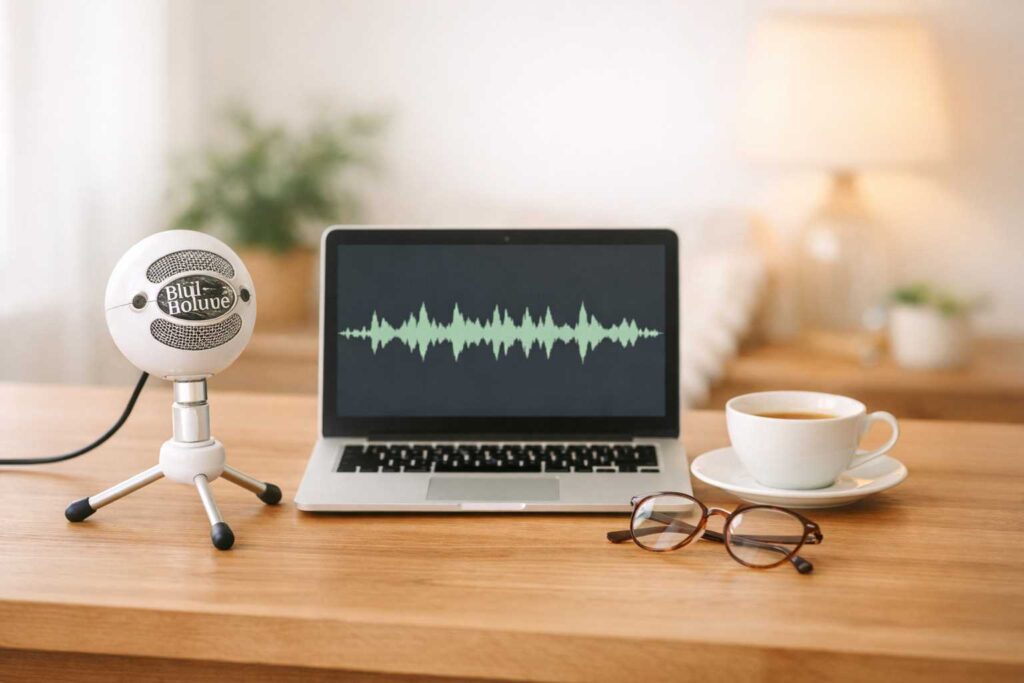
The YouTube equipment industry thrives on convincing new creators they need expensive gear. You don’t. Here’s what actually matters:
✅ What you actually need:
- A USB microphone ($40–$80): Audio quality is the single most important production factor on YouTube. Viewers will forgive average video quality. They will not forgive muffled, echoey, or difficult-to-hear audio. The Blue Snowball ($50) or Audio-Technica ATR2100x ($79) are the most recommended entry-level options for voice narration.
- Screen recording software (free): OBS Studio is free, powerful, and the industry standard for screen recording. For Mac users, QuickTime Player (already installed) can record your screen at no cost. Both produce professional-quality screen recordings.
- A presentation tool (free): Google Slides or PowerPoint to create the visuals you’ll narrate over. Clean, simple slides with key points and supporting images are all you need for most faceless video formats.
- Basic video editing software (free or low cost): DaVinci Resolve is free and professional-grade. iMovie comes free on Mac. CapCut is free and increasingly popular for simple editing. You don’t need Adobe Premiere.
🚫 What you don’t need yet:
- A camera — faceless channels don’t use them
- A ring light — you’re not on screen
- A green screen — irrelevant for screen recording
- Professional editing software costing $50+/month
- Paid stock footage subscriptions — free sources like Pexels and Pixabay are sufficient
- Professional thumbnail design software — Canva’s free tier handles YouTube thumbnails
Raymond’s total equipment investment when he started: $67 for a USB microphone. Everything else was free software already available on his computer.
Step-by-Step: Creating Your First YouTube Video
The first video is always the hardest — not technically, but psychologically. Here is the process broken into specific, manageable steps.
Step 1: Choose Your First Video Topic (30 minutes)
Your first video topic should be the most commonly asked question in your niche. Not the most interesting question to you — the one that gets searched most often by your potential viewers.
How to find it: Go to YouTube and type the beginning of a question in your niche — “how do I…” or “what is…” — and look at the autocomplete suggestions. These are real searches people are making. Choose one that your knowledge makes you genuinely qualified to answer, that has strong search demand, and that you can cover thoroughly in 8 to 15 minutes.
Don’t try to make your first video perfect or comprehensive. Make it useful and clear. You will improve with practice — but you can only practice by publishing.
Step 2: Create a Simple Script or Outline (1 hour)
Write out what you want to say — either a full script you’ll read, or a detailed outline of points you’ll explain conversationally. Most experienced faceless channel creators prefer outlines over word-for-word scripts, because outlined narration sounds more natural and less robotic.
Structure your video in three parts: open with the problem or question your viewer has, deliver your explanation or solution in the middle, close with a clear summary and a call to action (subscribe for more, check out a related video, download your guide).
Claude or ChatGPT can help you structure your script or expand bullet points into clear explanations. Your expertise provides the content — AI helps organize and clarify it. For the full AI toolkit, see our Best AI Tools for Seniors guide.
Step 3: Create Your Visuals (1–2 hours)
Open Google Slides or PowerPoint. Create one slide for each main point in your video. Keep slides simple — a clear heading, two to four bullet points, and a relevant image or diagram. You are not creating a presentation to show an audience; you are creating visual support for narration.
For home improvement and process-based content: consider recording your actual screen or using simple diagrams instead of slides. For financial and conceptual content: clean slides with clear text and supporting graphics work well.
Step 4: Record Your Narration and Screen (1–2 hours)
Open OBS Studio or QuickTime. Set it to record your screen. Open your slides. Put on your headset microphone. Click record.
Speak clearly and at a natural pace — slightly slower than normal conversation, which allows viewers to absorb information without rewinding. Pause between sections. Don’t rush through complex points.
Record in a quiet room. Close doors and windows. Turn off fans and air conditioning if possible. Audio quality depends almost entirely on the recording environment — a good microphone in a noisy room still sounds bad.
Don’t aim for a perfect single take. Record in sections if that’s easier. Basic editing can join sections together seamlessly.
Step 5: Edit Your Video (1–2 hours)
In DaVinci Resolve or iMovie, import your screen recording. Make basic cuts — remove long pauses, false starts, and obvious mistakes. You do not need to cut every “um” or second of silence. Over-edited videos sound unnatural. The goal is a watchable video, not a polished production.
Add a simple title card at the beginning (your video title, your channel name). Add a simple end card at the close (subscribe button, link to your next video). These are handled in DaVinci Resolve with simple templates.
Step 6: Create Your Thumbnail and Upload
Your thumbnail is the image viewers see before clicking your video. It’s one of the most important factors in whether people click. Open Canva, choose a YouTube thumbnail template (1280 x 720 pixels), and create a simple, high-contrast image with your video’s topic in large, readable text and a relevant supporting image.
Go to youtube.com, sign in, click the camera icon and “Upload Video.” Write a descriptive title that includes the search terms your viewers would use. Write a 200–300 word description that explains what the video covers and includes relevant keywords. Add relevant tags. Upload your custom thumbnail. Publish.
Your first video is live.
The Realistic YouTube Growth Timeline for Senior Creators

This is the section that determines whether you’ll succeed or quit. Most YouTube channels fail not because the content is bad but because the creator quit before the algorithm found them.
Here is what a realistic growth timeline looks like for a senior creating consistent, quality content in a niche with real search demand:
| Timeline | Typical Milestones | Income Range |
|---|---|---|
| Months 1–3 | 10–20 videos published, 50–300 subscribers | $0 (not yet monetized) |
| Months 4–8 | 30–50 videos, 200–1,000 subscribers | $0–$50/month (approaching monetization threshold) |
| Months 9–14 | Crosses 1,000 subscribers, Partner Program eligible | $50–$300/month (first AdSense income) |
| Year 2 | 5,000–15,000 subscribers, older videos compounding | $300–$1,500/month |
| Year 3+ | 15,000–50,000+ subscribers, consistent library | $1,000–$4,000+/month |
Raymond reached monetization at month 11. His income in month 12 was $284. His income last month — 26 months after starting — was $2,847. The growth is slow at first and then compounds as his library of videos accumulates views.
“By month three, I had 89 subscribers and was wondering why I was doing this,” he says. “Things changed in month nine when I crossed 1,000 and thought maybe I was onto something. It wasn’t until month 18 that I truly understood what passive income actually feels like.”
Using AI to Make Your YouTube Channel More Efficient
AI tools don’t replace your expertise — but they dramatically reduce the time required for the surrounding work of running a channel:
- Script and outline development: Describe your video topic to Claude or ChatGPT and ask for a structured outline. Edit it to reflect your knowledge and voice.
- Title optimization: Ask Claude to suggest five different titles for a video and choose the one that best balances searchability and click appeal.
- Video description writing: Give Claude your video outline and ask it to write a 250-word YouTube description optimized for search.
- Thumbnail text: Ask Claude what the clearest, most compelling four to six words are to put on a thumbnail for a given topic.
- Comment responses: When viewers leave similar questions repeatedly, draft a templated response with Claude’s help and personalize it.
- ElevenLabs for narration: If you want to scale production — or if your voice isn’t your strongest asset — ElevenLabs can narrate your scripts in a cloned or library voice. See our ElevenLabs for Seniors guide for how this works.
YouTube Alongside Your Other Senior Income Streams
YouTube works best as part of a portfolio rather than a standalone income:
- Your YouTube channel drives traffic to your Gumroad products — see Gumroad for Seniors.
- Your channel establishes authority that makes your consulting practice more credible — read How to Start Consulting After 50.
- Your video content can be repurposed into a Substack newsletter — see Substack for Seniors.
- Your channel’s audience becomes the students for your Teachable course — read Teachable for Seniors.
- For the complete income picture after 50, visit our Make Money Online After 50 Master Guide.
Raymond’s channel now links to his Gumroad checklist, his consulting inquiry page, and an Amazon affiliate store of recommended electrical tools. His YouTube income is $2,847. His total income from the channel ecosystem — including Gumroad and affiliate commissions — is approximately $4,100 per month.
“The YouTube income is the headline,” he says. “But YouTube is really a marketing channel that happens to pay you. The real money comes from what it drives.”
There is no requirement to appear on camera, nor do you need to be young to succeed. What matters most is your unique knowledge, a reliable microphone, and the patience to keep uploading while the algorithm finds your audience. Launch your YouTube faceless channel for seniors this week!
Visual Guide: Stepping into 2026
If you want to see a step-by-step breakdown of how these automation tools and strategies work in the current landscape, this comprehensive guide on starting a YouTube faceless channel for seniors in 2026 is an excellent resource to watch:
❓ Frequently Asked Questions: YouTube Faceless Channel for Seniors
Yes. A YouTube faceless channel for seniors is a fast-growing format that removes barriers like camera anxiety and production complexity. It allows you to leverage your decades of authority and knowledge to earn significant monthly income in niches like finance, health, or home repair.
Reaching the YouTube Partner Program threshold typically takes 9 to 18 months of consistent weekly uploads. While the first few months feel slow, momentum usually becomes visible around the 6 to 9-month mark as views begin to compound.
The best niche for a YouTube faceless channel for seniors is the intersection of your deep expertise and high search demand. High-earning (RPM) categories include personal finance, Medicare navigation, and estate planning, especially when you focus on highly specific topics.
There is no fixed number, but having 50 or more videos helps you reach monetization faster by increasing total watch time. A practical goal is to publish one video per week for the first year to build a library that the algorithm can recommend.
Common pitfalls include starting with a topic that is too broad, quitting before the 12-month mark, and over-investing in expensive equipment. Successful creators start specific, stay consistent, and focus on value rather than high-end production.
Yes. Running a YouTube faceless channel for seniors typically requires only 4 to 8 hours per video, making it very retirement-friendly. While AdSense counts as self-employment income, it has no effect on benefits for those above full retirement age.
Last reviewed and updated: May 1, 2026 by the SeniorGig Team.