
Friday afternoon. Gumroad for seniors is often the missing link between decades of experience and a new stream of income. A retired accountant named Howard sits at his kitchen table in Tucson, Arizona.
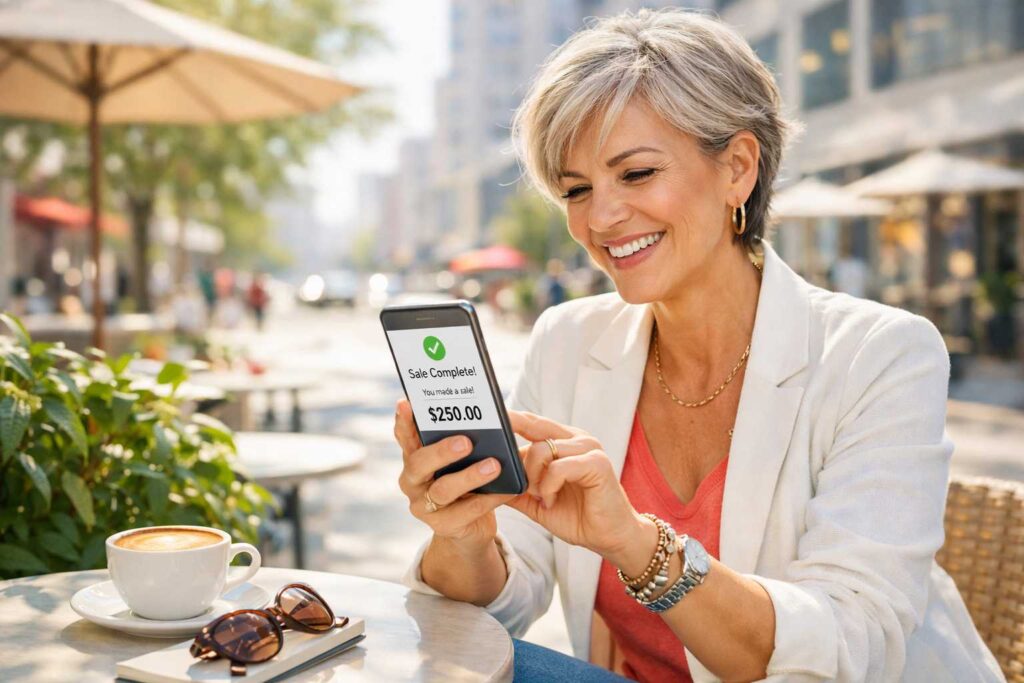
He has just spent 90 minutes writing a 12-page guide called The Small Business Owner’s Tax Prep Checklist: Everything Your Accountant Wishes You’d Done Before the Meeting. This isn’t a long-winded book, nor is it a complicated online course. Instead, Howard created a practical, no-nonsense document based on 31 years of watching small business owners walk into his office completely unprepared.
He uploads it to Gumroad. Sets the price at $17. Writes three sentences describing it. Posts a link on his LinkedIn profile with the caption: “I wrote down everything I wish my clients had known. Here it is.”
By Sunday evening, 34 people have bought it. Howard has earned $578 — minus Gumroad’s cut — from a document he wrote in an afternoon.
He is 68 years old. He has never sold anything online before.
“I kept thinking I needed to build something big,” he says. “A course. A website. A whole system. Gumroad made me realize I was overthinking it. I just needed to write down what I know and put it somewhere people could find it.”
That’s the Gumroad proposition — and it’s genuinely different from every other platform in this guide. Not because it’s more powerful than Teachable or Amazon KDP. Because it’s simpler, faster, and requires less setup than anything else available in 2026.
This guide explains what Gumroad is, why it suits seniors particularly well, what to sell on it, and how to make your first sale without building a website, a following, or a complicated system.
What Is Gumroad? The Simplest Explanation Possible
Gumroad is a digital product marketplace where you upload a file — a PDF, a spreadsheet, a template, an audio recording, a video, an ebook — set a price, and share a link. When someone clicks that link and buys, Gumroad processes the payment, delivers the file to the buyer, and deposits your money into your bank account.
That’s the entire system.
Gumroad for seniors eliminates the usual technical hurdles. You don’t need a website, and there is no shopping cart or payment processor to set up. Forget about monthly fees or waiting for an approval process. Simply create an account, upload your file, set a price, and share the link. Done.
Gumroad takes 10% of each sale as its fee. Everything else is yours. There are no monthly subscriptions, no tiered plans to navigate, no features locked behind paywalls. You pay only when you earn.
For seniors who have been intimidated by the complexity of “setting up an online business,” Gumroad removes almost all of that complexity. It is, by a significant margin, the fastest path from “I have something valuable to share” to “I am selling it.”
What Can You Sell on Gumroad?
Anything digital. The most common products seniors sell successfully include:
- 📄 PDF guides and checklists — practical documents that solve specific problems
- 📊 Templates and spreadsheets — reusable tools for business, finance, planning, or organization
- 📚 Short ebooks — 5,000 to 20,000 words on a specific topic you know deeply
- 🎧 Audio content — recorded talks, meditations, training, or instructional audio
- 🎓 Mini-courses — a series of videos or PDFs packaged as a small learning program
- 🖼️ Digital art and photography — printable artwork, stock photos, Midjourney image collections
- 📋 Planners and worksheets — printable organizational tools
- 💼 Professional resources — swipe files, email templates, contracts, scripts
Notice what’s on this list: most of these are things a senior professional could create in a day or a weekend. Not months. Not 80 hours of video recording. A Saturday afternoon of focused writing.

Why Gumroad Fits How Seniors Actually Work
Every digital income platform has a personality. Amazon KDP rewards patient, long-form writers. Teachable rewards systematic educators willing to invest months upfront. Fiverr rewards people who enjoy ongoing client relationships. Gumroad rewards people who can capture and package knowledge quickly, in a format that delivers immediate value.
Seniors tend to have knowledge that’s ideal for this format:
You Have Accumulated Specific, Practical Knowledge
Howard’s tax prep checklist is a perfect example. It’s not a book about tax philosophy. It’s a specific, practical document that solves a specific, painful problem for a specific person. Seniors who have spent careers in any professional field have dozens of these documents rattling around in their heads — the things they wish every client, patient, student, or employee had known before working with them. Gumroad is the fastest way to get those things out of your head and into a form that earns money.
You Don’t Have to Build an Audience First
Unlike Teachable — where you bring your students — Gumroad has a built-in “Discover” section where buyers actively search for digital products. It’s not as powerful as a large personal audience, but it means that even seniors with minimal online presence can get their first sales organically through Gumroad’s marketplace.
The Time Investment Matches Senior Preferences
Gumroad for seniors offers an incredibly fast path to market. You could realistically create a sellable product in a single afternoon and have it listed before dinner. Some creators even earn their first sale before waking up the next morning. This platform serves as the ideal proving ground for seniors who want to test digital income without a months-long commitment.
The Senior’s Product Menu: What Actually Sells on Gumroad
Not every digital product sells equally. Based on what consistently performs well for senior creators specifically, here are the highest-potential product types:
🥇 Professional Checklists and Process Guides ($7–$27)
These are Howard’s category — and they consistently perform well because they deliver immediate, tangible value at a price that requires almost no deliberation from buyers. A 10-page PDF that saves someone three hours of research and anxiety is worth $17 to almost anyone facing that problem.
Examples that work:
- A nurse’s guide to questions to ask your doctor before surgery
- A HR director’s checklist for legally compliant employee terminations
- A financial planner’s retirement income planning worksheet
- A contractor’s punch list template for home renovation projects
- A teacher’s back-to-school parent communication template pack
🥇 Templates and Swipe Files ($17–$47)
Templates are among the highest-converting products on Gumroad because buyers can see exactly what they’re getting and immediately understand the value. A pack of 10 email templates for a specific professional situation, a contract template, a business plan template, a performance review framework — these are products that professionals will pay for because creating them from scratch takes hours they don’t have.
🥇 Niche Mini-Ebooks ($14–$37)
Not full-length books — focused, specific guides of 5,000 to 15,000 words on a topic that’s too narrow for traditional publishing but has a passionate audience. “How to Navigate the VA Benefits System for Veterans Over 65.” “The Senior’s Guide to Downsizing Without Regret.” “What Your Doctor Isn’t Telling You About Managing Type 2 Diabetes Through Diet.” These topics are searched constantly, rarely addressed with depth and credibility, and perfect for seniors with relevant professional or personal experience.
🥇 Printable Planners and Worksheets ($7–$19)
Retirement planning worksheets. Medicare comparison sheets. Medication tracking logs. Home maintenance calendars. End-of-life planning checklists. These products are designed once and sold indefinitely. They require no writing expertise — just organizational thinking and a basic design tool like Canva. For more on using Canva to create sellable digital products, see our guide on Making Money with Canva for Seniors.
🥇 Resource Bundles ($27–$97)
Multiple related products packaged together at a discount. A “Complete Home Care Planning Bundle” that includes a medication log, a caregiver communication template, a doctor’s appointment preparation guide, and a home safety checklist — priced at $47 instead of $67 if purchased separately. Bundles increase perceived value and average order value simultaneously.
Step-by-Step: How to Set Up Gumroad and Make Your First Sale
This is the complete process. Follow it in order. You can be live today.
Step 1: Create Your Gumroad Account (5 minutes)
Go to gumroad.com and click “Start selling.” Create a free account with your email address. No credit card required. Your account is live immediately.
Complete your profile: add your name, a one-sentence bio describing your expertise, and a professional photo. Your creator profile is what potential buyers see — a credible, specific bio (“31-year CPA helping small businesses prepare for tax season”) increases purchase conversion significantly over an empty or generic profile.
Step 2: Connect Your Bank Account (10 minutes)
In your Gumroad dashboard, go to Settings → Payments and connect your bank account through Stripe (Gumroad’s payment processor). This is where your earnings will be deposited — typically within a few days of each sale. You’ll need your bank’s routing number and account number, both of which are printed on your checks.
Gumroad currently pays out weekly to connected bank accounts once you’ve accumulated at least $10 in sales.
Step 3: Create Your First Product (15 minutes)
Click “New Product” in your dashboard. Choose “Digital product.” Give it a name — be specific and benefit-focused. Not “Tax Guide” but “The Small Business Tax Prep Checklist: Everything to Do Before Meeting Your Accountant.”
Upload your file. Gumroad accepts PDFs, Word documents, Excel files, images, audio files, video files, and ZIP archives. Your product is whatever file delivers the value you promised.
Set your price. You can also offer a “pay what you want” option with a minimum price — this works particularly well for first products where building reviews matters more than maximizing revenue per sale.
Step 4: Write Your Product Description (20 minutes)
Your product description is your salesperson. It needs to answer four questions quickly:
- Who is this for? (Be specific — “small business owners with 1–10 employees approaching tax season”)
- What problem does it solve? (“Walking into your accountant’s office unprepared costs you money and time”)
- What exactly do you get? (List the specific contents — “12-page PDF checklist with 47 action items organized by category”)
- Why should I trust you? (“Written by a CPA with 31 years of experience preparing taxes for small businesses”)
Add a cover image — Gumroad displays a product thumbnail in its Discover section. A simple, text-forward image created in Canva showing the product name and a relevant visual takes 15 minutes and significantly improves click-through rates.
Step 5: Publish and Share Your Link (5 minutes)
Click “Publish.” Your product is now live and accessible via a unique Gumroad link. Copy that link.
Now share it — specifically, not broadly:
- Post it on LinkedIn with a brief description of who it’s for and what problem it solves
- Send personal messages to 10 to 15 contacts who match your ideal buyer profile
- If you have a Substack newsletter, mention it in your next issue
- If you’re active in any professional Facebook groups or forums, share it there with context
Your first sales almost always come from people who already know and trust you — not from Gumroad’s organic search. The link is the product; sharing it deliberately is the marketing.
Visual Guide: Watch how easily you can set up your store and generate that first link in under 10 minutes.
How to Price Your Gumroad Products: The Senior’s Guide
Pricing digital products feels mysterious until you understand the psychology behind it. Here’s what actually determines what a product should cost:
Price Based on Value Delivered, Not Time Spent
Howard’s checklist took 90 minutes to write. It saves buyers several hours of research and potentially prevents costly mistakes. $17 is not “fair” based on Howard’s time — it’s appropriate based on the buyer’s time and stress it saves. This is the correct framing: price based on what the buyer gets, not what you spent.
Price Anchors for Common Gumroad Product Types
| Product Type | Typical Price Range | Why Buyers Pay This |
|---|---|---|
| Short checklist/guide (5–15 pages) | $7–$19 | Low-risk, immediate utility |
| Comprehensive guide (20–50 pages) | $17–$37 | Saves significant research time |
| Template pack (5–15 templates) | $27–$57 | Saves hours of creation time |
| Mini-ebook (5K–15K words) | $14–$47 | Expertise + depth unavailable elsewhere |
| Video mini-course (3–6 videos) | $37–$97 | Learning + implementation support |
| Resource bundle (3–6 products) | $37–$97 | Complete solution, perceived value |
Don’t underprice. Products priced at $1–$5 attract buyers who expect to get nothing of value and often generate disproportionate support requests. Products at $14–$47 attract buyers who are invested in using what they purchased. For a complete pricing framework applicable to all your digital income, see our guide on Freelance Rates for Seniors: Pricing Guide.
Gumroad vs. Other Digital Product Platforms for Seniors
Seniors often ask whether to use Gumroad, Etsy, Amazon KDP, or Teachable for their digital products. The honest answer is that each serves a different purpose — and many successful senior creators use more than one:
Gumroad vs. Etsy: Both sell digital downloads. Etsy has a larger built-in marketplace with more organic discovery — particularly strong for creative and printable products. Gumroad is simpler to set up and better suited to professional and knowledge-based products. Etsy charges $0.20 per listing plus transaction fees; Gumroad charges 10% with no listing fees. For sellers with mixed creative and professional products, running both makes sense. See our Etsy Shop for Seniors guide for the full comparison.
Gumroad vs. Amazon KDP: KDP is for books specifically — it provides access to Amazon’s massive search traffic but is limited to book-format content. Gumroad sells any digital file format and is faster to publish, but doesn’t have Amazon’s search volume. Short guides and templates that aren’t long enough to be books belong on Gumroad; full-length books belong on KDP. For book publishing guidance, see our Amazon KDP for Seniors guide.
Gumroad vs. Teachable: Teachable hosts structured courses with video and progress tracking — appropriate for comprehensive learning programs priced at $97 or more. Gumroad is better for simpler products — guides, templates, short video bundles — where the overhead of a full course platform isn’t justified. Many seniors sell introductory products on Gumroad and upsell to fuller courses on Teachable.
Building a Gumroad Product Portfolio Over Time
Howard’s single checklist earned $578 in its first weekend. But the real power of Gumroad — and what separates casual sellers from those with meaningful passive income — is a portfolio of products that cross-promote each other.
By month six, Howard has six products:
- The original tax prep checklist ($17) — his entry-level product
- A quarterly bookkeeping checklist for sole proprietors ($12)
- A home office deduction calculator spreadsheet ($22)
- A “What to Bring to Your Accountant” guide for freelancers ($14)
- An S-Corp election decision worksheet ($27)
- The complete Small Business Financial Clarity Bundle ($67) — all five products together
His monthly revenue: approximately $1,200 to $1,800 from products that require no new recording, no client calls, and no ongoing work beyond occasional updates.
“Every month I wake up and there are sales from the night before,” he says. “People I’ve never met, in states I’ve never visited, paying me for something I wrote on a Friday afternoon.”
This is what passive digital product income actually looks like — not a single viral product, but a growing portfolio of specific, useful products that compound in value as each new product reaches a new buyer who discovers the rest.
For the broader strategy of building passive income streams as a senior, see our guide on Passive Income for Seniors.
Tax and Income Considerations for Senior Gumroad Sellers
Gumroad income is self-employment income — subject to federal income tax and self-employment tax. Key points for seniors:
- Gumroad issues a 1099-K if your earnings exceed the IRS reporting threshold ($600 in most states as of 2026)
- Self-employment tax is approximately 15.3% on net earnings
- Business expenses — Canva subscription, software tools, a portion of your home office — are potentially deductible
- If you’re below full retirement age and receiving Social Security, Gumroad income counts toward earnings limits
For complete guidance on tax obligations for senior digital product sellers, see our Tax Tips for Senior Freelancers guide. For how this income interacts with Social Security benefits, see our Earning Income While on Social Security guide. The IRS provides current self-employment tax guidance at irs.gov.
Next Steps: Your First Gumroad Product This Weekend
Here is the challenge:
By Sunday evening this week, have one product listed on Gumroad. Not perfect. Not comprehensive. One useful, specific document that solves one real problem for one real type of person — based on something you genuinely know.
To get there:
- Identify your most valuable piece of specific, practical knowledge — the thing people always ask you about
- Write it down in a structured format — checklist, guide, template, or short ebook
- Create a simple cover image in Canva
- Set up your Gumroad account and upload it
- Share the link on LinkedIn with three sentences about who it’s for
For more on building a complete digital product business as a senior, see our guide on Selling Digital Products with AI for Retirees and our Make Money Online After 50 Master Guide.
Howard will tell you that the hardest part was not writing the checklist. He simply struggled with believing that his knowledge was worth something to a stranger. The truth is, his expertise was valuable then, and it remains so today. Your own knowledge likely holds that same hidden value.
Open Gumroad. Create an account. Write down what you know. Share it. That’s the entire system.
❓ Frequently Asked Questions: Gumroad for Seniors
Yes, creating an account is free.Gumroad for seniors is low-risk because you only pay a 10% fee when you make a sale. There are no monthly subscriptions or hidden costs.
Specific, professional checklists and guides based on your career experience perform best. If you share your link with your professional network, you can realistically make your first sale within 24 hours.
Earnings are deposited weekly to your bank account via Stripe once you reach $10. No design skills are needed; you can use free tools like Canva to create professional-looking guides in under an hour.
Absolutely. Gumroad for seniors is perfect for quick guides, while you can still use Amazon KDP for books or Etsy for creative crafts. Using multiple platforms helps diversify your income.
Not at all. The platform is designed for simplicity, requiring only basic skills like typing and uploading a file, which is why Gumroad for seniors is the most accessible choice for those who want to avoid complex website building. If you can send an email with an attachment, you have the technical skills necessary to start selling your expertise today.