
AI voice assistants for seniors have moved well beyond novelty. In 2026, choosing the right AI voice assistants for seniors genuinely simplifies daily life — setting medication reminders, answering health questions, making phone calls without finding your glasses, controlling home temperature, and providing instant answers to the questions that used to require a computer, a search engine, and fifteen minutes of navigating confusing websites.
The three main options — Apple’s Siri, Amazon’s Alexa, and Google Assistant — each have distinct strengths and weaknesses. Choosing the wrong one means frustration. Choosing the right one means a tool you’ll actually use every day.
This guide gives you the complete, honest comparison — no tech jargon, no assumptions about prior knowledge — so you can make the right choice for your specific life.
What AI Voice Assistants for Seniors Actually Do — and Why They Matter
Before comparing the three assistants, it’s worth being specific about what they actually do well for seniors — because the marketing tends to oversell and the skeptics tend to undersell.
✅ What Voice Assistants Do Well for Seniors
- Medication and appointment reminders
- Hands-free phone calls to family
- Weather, news, and information queries
- Smart home control (lights, thermostat, locks)
- Timers and alarms for cooking or exercise
- Audiobooks, music, and radio
- Shopping list management
- Emergency alerts and check-in calls
⚠️ What They Don’t Do Well
- Complex multi-step tasks requiring judgment
- Medical diagnosis or prescription advice
- Reliable nuanced conversation
- Tasks requiring visual information
- Anything requiring typing or form-filling
- Privacy-sensitive financial transactions
The practical value for seniors is concentrated in the everyday frictions that voice commands eliminate: “Alexa, remind me to take my blood pressure medication at 8am every day” is set up in 10 seconds and never forgotten again. “Hey Siri, call my daughter” while your hands are covered in flour takes three words. These small things add up to a meaningfully different daily experience.
The Three Contenders: A Plain-Language Introduction
🍎 Siri — Apple’s Voice Assistant
Siri lives on Apple devices: iPhone, iPad, Apple Watch, Mac, and the HomePod smart speaker. If you have an iPhone — which a large percentage of American seniors do — Siri is already on your phone and costs nothing additional. It’s activated by saying “Hey Siri” or pressing the side button.
Who it’s for: Seniors already in the Apple ecosystem with an iPhone or iPad. Using Siri requires no new device purchase and no additional learning curve beyond what you already use daily.
📦 Alexa — Amazon’s Voice Assistant
Alexa lives primarily on Amazon Echo devices — the round or cylindrical smart speakers that sit on your countertop, nightstand, or living room shelf. Echo devices start at $29.99 for a basic Echo Dot and go up to $249 for the premium Echo Show with a screen. Alexa is specifically designed as a standalone home assistant — it’s not tied to a phone you carry.
Who it’s for: Seniors who want a dedicated home assistant device that’s always ready in a specific room — particularly useful for seniors who don’t always have their phone nearby.
🔍 Google Assistant — Google’s Voice Assistant
Google Assistant operates on Android phones, Google Nest smart speakers, and certain smart TVs. It’s the default voice assistant on virtually all Android smartphones. Google Assistant is also accessible through the Google app on iPhone, though with reduced functionality.
Who it’s for: Seniors with Android phones, or those who want the strongest search and information-retrieval capability in a voice assistant.
Head-to-Head Comparison: Siri vs Alexa vs Google for Seniors
| Feature | 🍎 Siri | 📦 Alexa | |
|---|---|---|---|
| Setup difficulty | ⭐⭐⭐⭐⭐ Already on iPhone | ⭐⭐⭐⭐ 15-min setup | ⭐⭐⭐⭐ Already on Android |
| Phone calls (hands-free) | ⭐⭐⭐⭐⭐ Excellent | ⭐⭐⭐ Limited | ⭐⭐⭐⭐ Good |
| Medication reminders | ⭐⭐⭐⭐ Good | ⭐⭐⭐⭐⭐ Best | ⭐⭐⭐⭐ Good |
| Smart home control | ⭐⭐⭐⭐ Good | ⭐⭐⭐⭐⭐ Best | ⭐⭐⭐⭐ Good |
| Information/search quality | ⭐⭐⭐ Decent | ⭐⭐⭐ Decent | ⭐⭐⭐⭐⭐ Best |
| Privacy protection | ⭐⭐⭐⭐⭐ Best | ⭐⭐⭐ Collects more data | ⭐⭐⭐ Collects more data |
| Music and audiobooks | ⭐⭐⭐⭐ Apple Music | ⭐⭐⭐⭐⭐ Best (Audible) | ⭐⭐⭐⭐ YouTube Music |
| Emergency features | ⭐⭐⭐⭐⭐ Crash detection, 911 | ⭐⭐⭐⭐ Alexa Together | ⭐⭐⭐ Limited |
| Understanding accents/voice | ⭐⭐⭐⭐ Good | ⭐⭐⭐⭐ Good | ⭐⭐⭐⭐⭐ Best |
| Cost to start | $0 (on iPhone) | $29.99+ (Echo device) | $0 (on Android) |
🍎 Siri Deep Dive: The Best Choice for iPhone-Using Seniors
If you have an iPhone and already use it daily, Siri is almost certainly your best starting point for AI voice assistance. Not because it’s the most powerful — it isn’t — but because it’s already there, it’s already learned your contacts and calendar, and using it requires no new device, no new account, and no new habits except saying “Hey Siri” before your request.
Where Siri Genuinely Excels for Seniors
Phone and FaceTime calls: “Hey Siri, FaceTime my granddaughter” while your hands are busy is one of the most practically useful things a voice assistant does for seniors. Siri’s integration with your iPhone contacts is seamless and reliable.
Health and safety features: On Apple Watch and recent iPhones, Siri connects to emergency detection features — fall detection, crash detection, and the ability to call 911 or your emergency contacts hands-free. For seniors living alone, this integration with health monitoring is genuinely significant. See our guide on Best Smart Rings and Wearables for Seniors for how voice assistants pair with health monitoring devices.
Privacy: Apple processes Siri requests with stronger privacy protections than Amazon or Google. Siri requests are processed on-device when possible and not used to build advertising profiles. For seniors concerned about privacy, this matters.
Where Siri Falls Short
Siri’s general knowledge and search quality trail Google Assistant noticeably. Ask Siri a complex factual question and it frequently responds with “Here’s what I found on the web” and shows you a Safari page — requiring you to then read a screen. Google Assistant answers the same question directly in spoken words. For seniors who primarily want spoken answers, this difference is meaningful.
Best Siri Setup for Seniors
- Enable “Hey Siri” in Settings → Siri & Search → Listen for “Hey Siri”
- Train Siri to recognize your voice in a quiet room for better accuracy
- Enable “Call with Hey Siri” to allow hands-free emergency calling
- On Apple Watch: enable Fall Detection in Settings → Emergency SOS
📦 Alexa Deep Dive: The Best Home Assistant for Seniors
Amazon’s Alexa, accessed through Echo devices, is the voice assistant specifically designed for the home environment — and for seniors who want a dedicated device that’s always ready in a specific room, it often works better than phone-based assistants.
The core advantage: an Echo device sits on your kitchen counter or nightstand, always plugged in, always listening, with no screen to unlock and no phone to find. You speak from across the room. It answers. This simplicity is genuinely valuable for seniors who don’t always have their phone nearby.
Where Alexa Genuinely Excels for Seniors
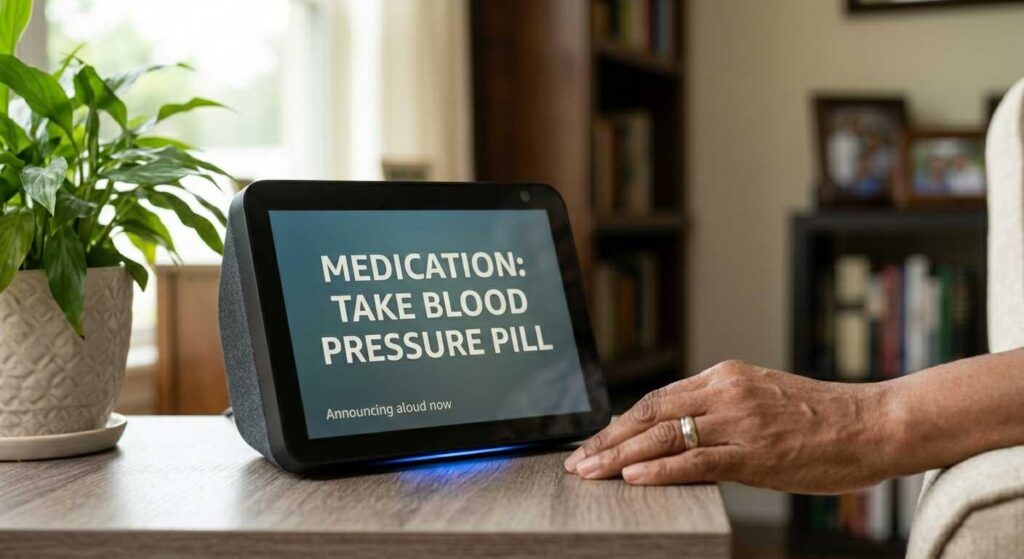
Medication and routine reminders: Alexa’s reminder system is the most reliable and flexible of the three assistants. “Alexa, remind me every day at 8am and 8pm to take my medication” is set up in one sentence and works indefinitely. The reminder announces itself aloud — you don’t need to look at a screen or notice a notification.
Smart home control: Alexa has the largest ecosystem of compatible smart home devices — lights, thermostats, door locks, televisions, kitchen appliances. For seniors setting up a smart home, Alexa’s compatibility range is unmatched.
Alexa Emergency Assist — Specifically for Seniors: Amazon offers a service called Alexa Emergency Assist (starting at $5.99/month or $59/year) which has evolved from the previous Alexa Together program. It is specifically designed for aging adults living independently, allowing family members to receive alerts if their loved one hasn’t interacted with their Echo device, check in remotely, and provide 24/7 hands-free access to urgent response agents. This remains one of the most thoughtful senior-specific tech services available in 2026. More at amazon.com/alexaemergencyassist.
Audiobooks and Audible: Amazon owns Audible, and Alexa’s integration with it is excellent. “Alexa, read my book” resumes exactly where you left off. For seniors who listen to audiobooks regularly, this is a meaningful practical advantage.
Where Alexa Falls Short
Alexa’s phone call functionality is limited compared to Siri — it can make calls to other Alexa devices and certain contacts, but it’s not a replacement for hands-free calling from your mobile phone. And Alexa’s general knowledge answers are less reliable than Google’s for complex factual questions.
Best Echo Device for Seniors
| Device | Price | Best For |
|---|---|---|
| Echo Dot (5th gen) | $49.99 | Bedroom reminders, voice queries |
| Echo (4th gen) | $99.99 | Living room hub, better audio |
| Echo Show 8 ✅ Best for seniors | $149.99 | Screen for video calls, photo display, recipes |
The Echo Show 8 is the best Echo device for most seniors because its 8-inch screen adds visual confirmation of reminders, enables video calls with family, and displays weather and news in large readable text — while maintaining full voice control for everything.
🔍 Google Assistant Deep Dive: Best for Information and Android Users
Google Assistant’s defining advantage is search quality. Google is the world’s largest search engine, and its voice assistant reflects that depth. Ask Google Assistant a complex question — about Medicare rules, about a medication interaction, about the capital of an obscure country — and it gives a direct, spoken answer more reliably than Siri or Alexa.
Where Google Assistant Excels for Seniors
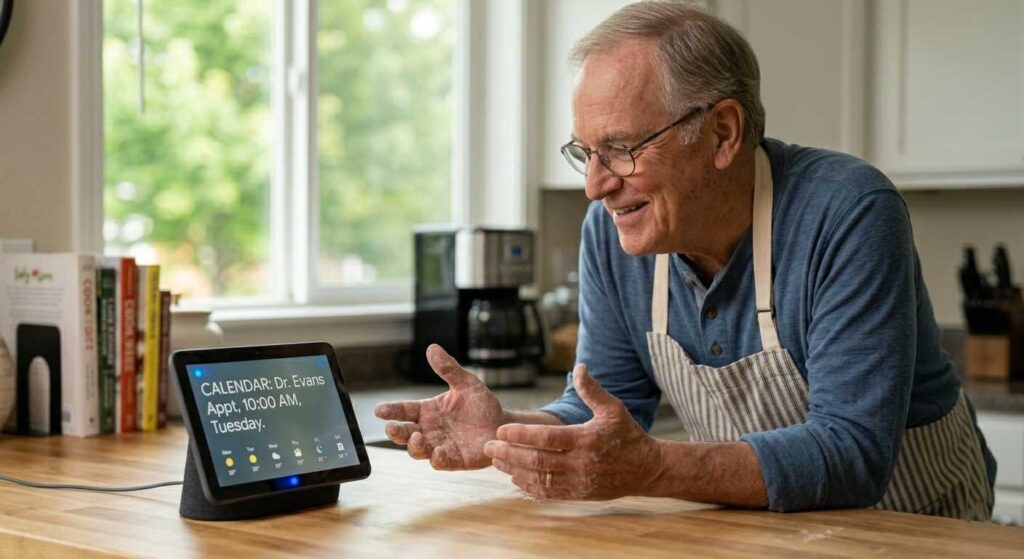
Answering questions accurately: “Hey Google, what are the 2026 Medicare Part B premiums?” “Hey Google, can I take ibuprofen with metformin?” “Hey Google, what time does my pharmacy close?” These kinds of practical information queries are answered more reliably by Google than by the other two assistants.
Voice recognition accuracy: Google’s speech recognition is consistently rated as the most accurate of the three — particularly important for seniors whose voice may have changed with age or who speak with regional accents. It is better at understanding unclear speech and recovering from misheard words.
Android integration: For seniors with Android phones — Samsung, Pixel, LG, or any other Android device — Google Assistant is the natural choice, already built in and deeply integrated with contacts, calendar, and maps.
Google Nest Hub with screen: The Google Nest Hub ($99) is a strong alternative to the Echo Show — same concept of a voice assistant with a screen, with the advantage of Google’s search quality and YouTube access for video content.
Where Google Assistant Falls Short
Privacy is Google’s significant weakness in this category. Google’s business model is advertising, and voice interactions contribute to the data profile used for ad targeting. For seniors concerned about privacy, this is a legitimate consideration. Additionally, Google’s smart home ecosystem, while strong, is slightly less expansive than Alexa’s.
🏆 The Verdict: Which AI Voice Assistant Is Right for You?
🍎 Choose Siri If…
- You have an iPhone
- Phone calls and texts are your priority
- Privacy is important to you
- You have an Apple Watch
- You want zero additional cost
📦 Choose Alexa If…
- You want a dedicated home device
- Medication reminders are key
- You want family check-in features
- You listen to audiobooks
- You’re building a smart home
🔍 Choose Google If…
- You have an Android phone
- Accurate answers matter most
- You search frequently by voice
- You watch YouTube regularly
- You want the best speech recognition
💡 The combination most seniors end up with: An iPhone with Siri for on-the-go use plus an Amazon Echo Show 8 in the kitchen or bedroom for home reminders and family video calls. These two cover 95% of practical voice assistant needs for most seniors — and together cost less than $150 beyond the phone you already own.
🔒 Privacy and Security: What Seniors Should Know About Voice Assistants
All three voice assistants listen for their wake word — “Hey Siri,” “Alexa,” or “Hey Google” — continuously. This raises legitimate privacy questions that seniors deserve honest answers to.
⚠️ What you should know:
- Accidental activations happen.
All three assistants occasionally activate on sounds that resemble their wake word. When this happens, a brief recording may be sent to the company’s servers.
- You can delete your voice history.
All three companies provide settings to review and delete stored voice recordings. Do this periodically.
- Never share financial or medical details by voice
in a way you wouldn’t want recorded. Use voice assistants for reminders, calls, and information — not for banking transactions or sharing sensitive personal information.
- Alexa and Google use voice data for advertising targeting; Apple does not
— a meaningful practical difference for seniors who value privacy.
For broader guidance on staying safe with technology as a senior, see our Cyber Safety for Seniors guide.
Getting the Most From Your Voice Assistant: 20 Commands Seniors Should Use
Here are the most practically useful voice commands for seniors — tested and confirmed to work on all three assistants:
| Category | Say This |
|---|---|
| 💊 Medication | “Remind me every day at 8am to take my blood pressure pill” |
| 📞 Calls | “Call [contact name]” / “FaceTime [contact name]” |
| 🌡️ Weather | “What’s the weather today?” / “Will it rain this week?” |
| 🕐 Timers | “Set a timer for 20 minutes” / “Set a pasta timer” |
| 🎵 Music | “Play [artist or genre] music” / “Play something relaxing” |
| 📚 Audiobooks | “Read my Audible book” / “Continue my book” |
| 💡 Smart home | “Turn on the living room lights” / “Set the thermostat to 72” |
| 📰 News | “What’s in the news today?” / “Give me a news briefing” |
| 🗓️ Calendar | “What’s on my calendar tomorrow?” / “Add doctor appointment Tuesday at 2pm” |
| 🛒 Shopping | “Add milk to my shopping list” / “What’s on my shopping list?” |
Voice Assistants and the Bigger Picture of Senior Technology
AI voice assistants are one piece of the broader technology toolkit that makes daily life more manageable for seniors in 2026. They work best when combined with other thoughtful technology choices:
- For comprehensive health monitoring that pairs with voice assistants, see our Best Smart Rings for Seniors guide
- For the tablet that hosts Google Assistant or connects to your Echo Show, see our Best Tablets for Seniors guide
- For using AI tools for professional and income-generating work — beyond daily tasks — see our Best AI Tools for Seniors guide
- For organizing your digital life with AI assistance, see our AI Digital Organization Guide for Seniors
The right voice assistant doesn’t change your life dramatically on day one. But six months of daily medication reminders that you never miss, hands-free calls to family while cooking, and spoken weather forecasts before you decide what to wear — these small daily improvements accumulate into something genuinely meaningful.
Pick one. Set it up this week. Start with one command you’ll actually use every day. That’s the entire beginning.
Frequently Asked Questions- Ai Voice Assistants For Seniors
Siri requires no setup for iPhone users — it’s already active. For a dedicated home device, the Amazon Echo Show 8 is the most senior-friendly option: large screen, simple setup, and the Alexa Together service specifically designed for aging adults living independently.
Siri on iPhone and Apple Watch can call 911 hands-free. Say “Hey Siri, call 911” or use the emergency SOS feature. Alexa can call emergency contacts and certain emergency services through the Alexa Together program. Google Assistant can call 911 on Android phones. All three provide meaningful emergency capabilities, but Siri’s integration with Apple Watch fall detection is the most comprehensive emergency system available.
Voice assistants only record after hearing their wake word — they don’t continuously record conversations. However, occasional false activations can result in brief unintended recordings. All three companies allow you to review and delete voice history in their settings. Apple provides the strongest privacy protections; Amazon and Google use voice data more broadly. For most practical daily use, all three are safe.
Yes. Amazon Echo devices and Google Nest speakers are completely standalone — they require only a WiFi connection and a free account, not a smartphone. This makes them particularly accessible for seniors who don’t use smartphones or prefer a dedicated home device.