Digital estate planning for seniors is no longer just a “tech topic”—it is one of the most profound acts of love you can perform for your family in the 21st century. If you have ever felt a flicker of anxiety wondering what would happen to your online world, your private messages, or those thousands of digital family photos, you are not alone.
Many of us grew up in a world where a “legacy” was something you could physically touch: a leather-bound diary, a box of yellowed letters in the attic, or a heavy photo album on the coffee table. But today, our lives have migrated. Our memories live in “The Cloud,” our finances are managed through portals, and our daily conversations happen on WhatsApp. Without a concrete digital estate planning for seniors strategy, that entire world can vanish behind a locked screen the moment we are gone.
The goal of this guide is to turn that anxiety into action. We are going to walk through this process together—not as a chore, but as a way to secure your story for your grandchildren.
Why Digital Estate Planning for Seniors is the New “Will”
When we think of estate planning, we think of houses, bank accounts, and heirlooms. But in 2026, your “digital estate” is often where your most sentimental assets reside.
Imagine your family trying to piece together your life story, but every “digital door” is locked. They don’t have the password to your Google Photos where the only pictures of your 50th anniversary are stored. They can’t access your email to close a utility account that keeps charging your estate. This is why digital estate planning for seniors is now as critical as a traditional will.
If you are just starting to embrace this digital shift, you might find our ChatGPT Guide for Seniors helpful for understanding how AI can assist you in organizing these complex tasks.
Step 1: Taking Inventory of Your Digital Kingdom
You cannot protect what you haven’t identified. Most seniors underestimate the size of their digital footprint. Think of your digital assets in four distinct “buckets”:
1. The Financial Bucket
This includes online banking, PayPal accounts, investment portals, and even loyalty points (like airline miles) which can often be transferred to heirs. If you’ve been exploring passive income for seniors, those revenue streams need clear access paths for your beneficiaries.
2. The Social Bucket
Your Facebook, Instagram, or LinkedIn accounts aren’t just for scrolling; they are digital scrapbooks. They contain years of interactions and thoughts.
3. The Personal Content Bucket
This is the most precious category. It includes your emails, cloud storage (Google Drive/iCloud), and your smartphone’s camera roll. For those interested in smartphone photography for seniors, ensuring these high-quality captures are preserved is a top priority.
4. The “Hidden” Tech Bucket
Don’t forget subscriptions (Netflix, Amazon Prime) and utility accounts managed online. Closing these prevents “zombie charges” from draining your bank account after you pass.
Step 2: The Art of Password Management (Without the Notebook)
We’ve all been there: a sticky note on the side of the monitor or a “password notebook” hidden under the desk. While practical, these aren’t secure. If a fire occurs or the notebook is lost, your entire digital estate planning for seniors plan collapses.For expert advice on maintaining digital privacy and security during this process, the Electronic Frontier Foundation provides excellent global resources for internet users.
Transitioning to a Password Manager
A password manager is a secure vault. You remember one password, and it remembers hundreds. More importantly, most modern managers have an “Emergency Access” feature. This allows you to designate a “Digital Heir” who can request access to your vault if you are incapacitated.
For a deeper understanding of how to stay safe while setting up these systems, I highly recommend reading our Cyber Safety for Seniors Guide. It covers the essential security layers you need.
Step 3: Preserving Your “Digital Heart” – Photos and Videos
If your house was on fire, the photo albums are likely the first thing you’d grab. A digital “fire” (a hacked account or a crashed hard drive) is just as real.
Organizing for the Next Generation
Don’t just leave 50,000 unsorted photos. Use folders labeled by year or event. If you have been selling digital products or creating content online, those professional files should be stored separately from family memories.
The 3-2-1 Rule Revisited:
- 3 Copies: Keep your main file and two backups.
- 2 Different Media: One on your computer, one on an external hard drive.
- 1 Offsite: One copy in the cloud (Google Photos or Dropbox).

Step 4: Appointing Your Digital Executor
A traditional executor handles your physical assets; a Digital Executor handles your “bits and bytes.” This doesn’t have to be a tech expert. It should be someone patient and trustworthy.
What will they do?
- They will follow your instructions on which accounts to “memorialize” and which to delete.
- They will distribute your digital photos to the family.
- They will ensure your professional legacy, perhaps managed through digital collaboration tools for seniors, is handled according to your wishes.
Step 5: Platform-Specific Legacy Settings
Did you know that major tech companies have already built “Legacy Doors” for you? You just have to unlock them. According to the National Cybersecurity Alliance, taking advantage of these built-in security features is a key step in protecting your long-term digital footprint.
Google’s Inactive Account Manager
You can tell Google: “If I don’t log in for 6 months, send a download link for my photos to my son.” This is a cornerstone of digital estate planning for seniors.
Apple’s Legacy Contact
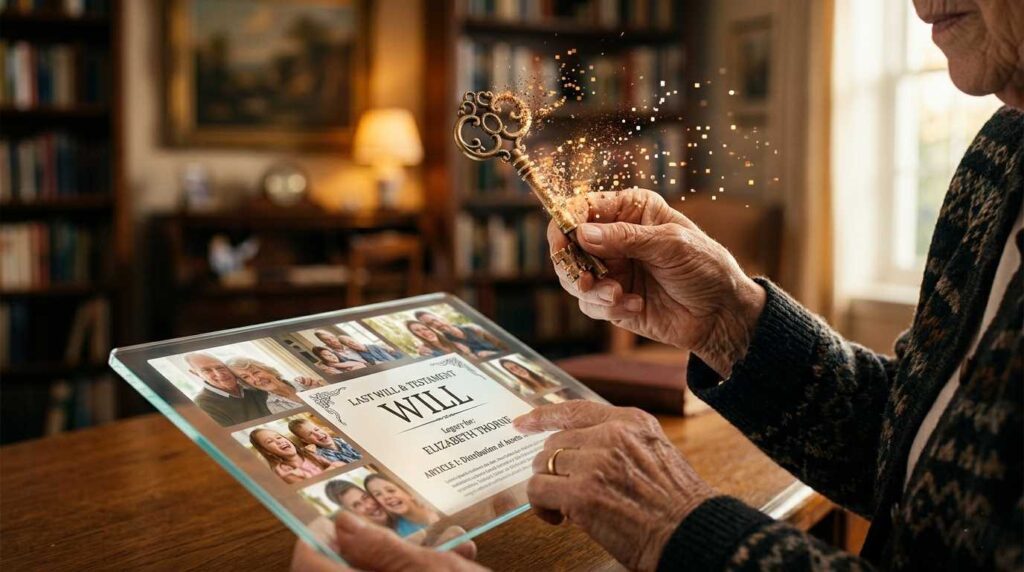
In your iPhone settings, you can designate a Legacy Contact. They will receive a special key that allows them to access your iCloud data only after you pass away.
Facebook Memorialization
You can choose to have your profile become a “Memorial Page” where friends can post tributes, or have it permanently deleted.
Step 6: Protecting Your Estate from Digital Predators
As you organize your digital life, you become a target for scammers who prey on seniors. Security is the shield of your legacy.
Whether you are looking for remote work for retirees or just managing your estate, you must know how to avoid remote job scams and phishing attempts. A compromised account during your lifetime can ruin the legacy you’ve worked so hard to build.
Step 7: The “Legacy Letter” – Adding Soul to the Data
Data is cold. Memories are warm. The final piece of digital estate planning for seniors isn’t a password—it’s a message.
Consider using best AI tools for seniors to help you draft a “Legacy Letter.” This is a digital document where you explain the why behind your life. Tell the story behind the photos. Leave a video message for a future great-grandchild. This is where your digital estate becomes a living treasure.
A 30-Day Digital Legacy Roadmap
If this feels overwhelming, break it down into four weeks:
- Week 1: The Inventory. Spend 15 minutes a day listing every account you log into.
- Week 2: The Keys. Set up a password manager and start moving your top 10 most important passwords into it.
- Week 3: The Legacy Contacts. Go into your Google and Apple settings and add your trusted person.
- Week 4: The Archive. Move your most precious photos to a dedicated backup drive.
Final Thoughts: Peace of Mind in a Digital World
Digital estate planning for seniors is an act of courage and clarity. It ensures that when the time comes, your family isn’t frustrated by “Incorrect Password” screens, but is instead comforted by the stories and memories you’ve carefully preserved for them.
You’ve spent a lifetime building your reputation, your family, and your wisdom. Don’t let a forgotten password be the end of that story. Start your plan today, and if you ever feel stuck, remember that the most complex digital journey begins with a single click.
Frequently Asked Questions About Digital Estate Planning
In many jurisdictions, a digital inventory or a “legacy letter” is not a formal legal document like a traditional will. However, as noted by the American Bar Association, digital assets are becoming an increasingly critical part of modern estate law, and having a clear roadmap is essential for your executors.
If you don’t set up a legacy contact (on iPhone) or an inactive account manager (on Google), your family may face significant legal hurdles. Companies like Apple and Google have strict privacy policies; without your prior consent or a court order, they often refuse to grant access to anyone, even your spouse or children. Taking five minutes to set this up today saves them months of frustration later.
Not at all. Digital estate planning is more about organization and communication than technical skill. If you can use a smartphone to send a message or browse a website, you have enough skill to secure your legacy. You can even use best AI tools for seniors to help you draft your instructions or organize your lists.
No. Your will often becomes a public document after you pass away. You should never put active passwords in your will. Instead, use a password manager and leave instructions in your will on how to access the “master key” or use the “Emergency Access” feature found in tools discussed in our Cyber Safety for Seniors Guide.
Think of your digital estate as a living thing. A good rule of thumb is to review your plan once a year—perhaps during tax season or on your birthday. As you explore new opportunities like selling digital products or creating new accounts, you’ll want to ensure these are added to your inventory so nothing is left behind.