
You don’t need to be a gamer to understand what your grandchildren love — you just need the right guide. Just as we help you navigate modern retirement and new digital frontiers, this guide simplifies gaming.
You’ve heard the names a hundred times. Your grandchild lights up every time Roblox or Minecraft comes up — but when you ask what it is, you get a whirlwind explanation that leaves you more confused than before. This grandparent’s tech guide to Roblox and Minecraft is here to change that, one simple step at a time. By using this grandparent’s tech guide to Roblox and Minecraft, you’ll be ready to play in no time.
Maybe your 8-year-old grandchild is building something called a “Creeper-proof house” in Minecraft, or your 11-year-old keeps inviting you to join her “obby” on Roblox. You want to be part of it. You want to understand. And maybe — just maybe — you’d like to play alongside them the next time you visit, or on a video call from across the country.
Here’s the good news: you don’t need a gaming background, special equipment, or a degree in computer science. Millions of older adults have learned these games just to connect with the grandkids they love. This guide was written specifically for you.
Grandparent’s Tech Guide to Roblox and Minecraft: What Are These Games?
Both Roblox and Minecraft are video games that kids play on computers, tablets, phones, and gaming consoles like the Xbox or PlayStation. But calling them “just games” is a little like calling a Lego set “just plastic bricks.” These platforms are creative, social, and deeply engaging — which is exactly why children are so passionate about them.
Think of it this way: if Saturday morning cartoons were something your grandkids could step inside and interact with, that would be Roblox or Minecraft. They’re virtual worlds where kids explore, build, create, and play with friends.
| Feature | Roblox | Minecraft |
|---|---|---|
| What it is | A platform with thousands of user-created mini-games | A single open-world building and survival game |
| Who makes it | Roblox Corporation (founded 2004) | Mojang Studios, now owned by Microsoft |
| Typical age range | 6–16 years | 7–adult (popular across all ages) |
| Graphics style | Cartoon-like characters; colorful worlds | Everything made of 3D squares (“blocks”) |
| Cost | Free to download; in-game currency called Robux | One-time purchase (~$26.95); free updates forever |
| Online play | Almost always online with others | Can be played solo or with others online |
| Best comparison | Like YouTube but for games — anyone can create | Like virtual Lego with survival elements |
Understanding Minecraft: The World of Blocks
Minecraft was created in 2009 and has since become the best-selling video game in history, with over 200 million copies sold worldwide. What makes it so special? The entire world is made of blocks — including the trees, water, animals, and even the ground beneath your feet — and you can pick up, move, or rearrange almost any of them.
The Two Main Ways to Play Minecraft
When your grandchild plays Minecraft, they’re likely in one of two modes:
What Kids Actually Do in Minecraft
Here’s what a typical Minecraft session might look like for your grandchild: They log in, load up their world, and immediately announce they’re going mining for diamonds. They dig tunnels underground, gather resources like iron and coal, and use a “crafting table” to turn raw materials into tools and weapons. Later, they might show you the enormous mansion they’ve been building for weeks — complete with a garden, a library, and a swimming pool made of blue glass blocks.
The game has no final goal or winning condition in the traditional sense. As the Dummies guide explains, it’s an open-ended sandbox — you play it your own way, at your own pace. For many children, Minecraft is part creative outlet, part problem-solving challenge, and part social activity.
Quick Minecraft Vocabulary
- Mobs
- Creatures in the game. Friendly ones like cows and chickens. Hostile ones like zombies and creepers (a green creature that sneaks up and explodes).
- Crafting
- Combining materials to make new items. Like a recipe — put wood planks together in a grid to make a table or a door.
- Biomes
- Different types of landscapes — deserts, jungles, snowy mountains, oceans. Each has unique resources and animals.
- Creeper
- A sneaky green monster that creeps up and explodes near players. The unofficial mascot of Minecraft — kids love/hate them.
- Diamonds
- Rare blue gems found deep underground. The most sought-after resource in the game. A big deal when found.
- Redstone
- Like virtual electricity. Advanced players use it to build working machines, automated farms, even calculators.
Understanding Roblox: The Game Inside a Game
If Minecraft is a single game with nearly infinite possibilities, Roblox is more like a giant arcade — except all the arcade games were built by other players. ConnectSafely describes it well: Roblox is a platform that gives people tools to create digital content and a place to share and enjoy what others have made. There are millions of individual games (called “experiences”) within Roblox, created by players ranging from kids to professional game developers. For seniors interested in the technology behind these experiences, exploring Gemini AI for retirees can be a great way to understand how AI is shaping the future of digital content.
What Makes Roblox Different
Imagine if you could walk into a mall and each store was a completely different game. One store is a racing game. The next is an obstacle course. The next is a virtual restaurant where you serve food. The next is a roleplay game set on a pirate ship. That’s Roblox. Your grandchild might spend 20 minutes on one “experience” and then jump to a completely different style of game.
The characters on Roblox are small, blocky figures — almost Lego-like in appearance. Players customize their avatar (their in-game character) with different outfits, hairstyles, and accessories, many of which can be purchased using Robux, the platform’s virtual currency.
Popular Types of Roblox Games
What Are Robux?
Robux is the virtual currency used inside Roblox. Players use Robux to buy cosmetic items for their avatar — new hairstyles, outfits, accessories — or to unlock certain features in specific games. Robux is purchased with real money. This is an important thing to know as a grandparent, because children sometimes ask for Robux as gifts.
The good news: most of what makes Roblox fun is completely free. Robux is mostly for appearance items. You can also purchase a Roblox Gift Card at major retailers like Target, Walmart, or Amazon if you’d like to give your grandchild Robux as a birthday or holiday gift — a very popular choice with kids aged 6–14.
Safety First: A Grandparent’s Tech Guide to Roblox and Minecraft Security
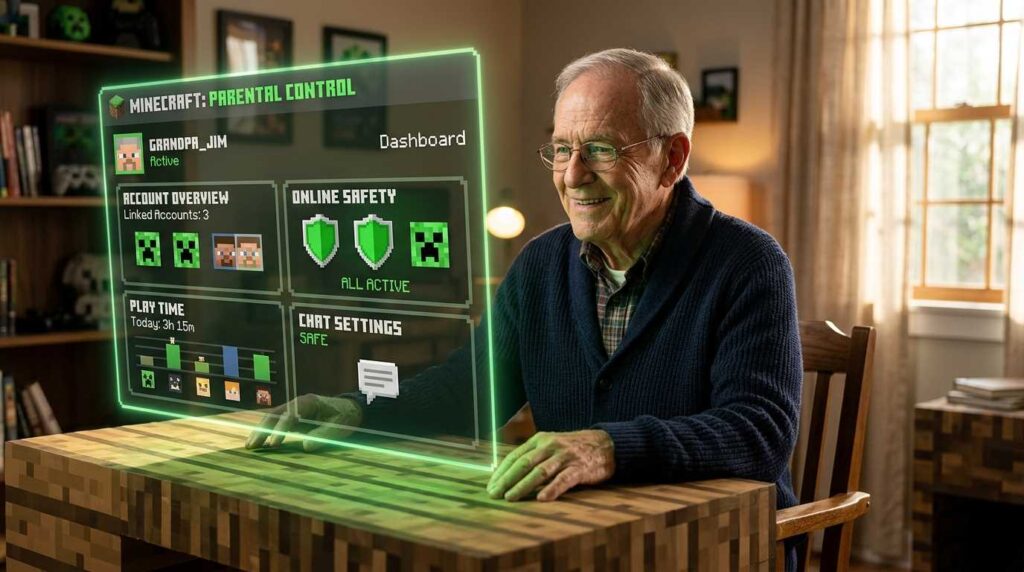
This is the question most grandparents ask first — and it’s exactly the right question. Both games involve online interaction, which means there are things worth understanding and monitoring.
⚠️ Safety Overview at a Glance
Minecraft can be played entirely offline in single-player mode, which is perfectly safe for any age. When played online (multiplayer), parents/grandparents should choose trusted “Realms” — private, invite-only servers. The online version is generally safe when set up properly.
Roblox has robust parental controls but requires more active oversight because it’s always online and includes social features. Roblox’s parental controls page allows you to link your own account to your grandchild’s account and control who they talk to, what they play, and how much they spend.
Setting Up Parental Controls on Roblox (Step by Step)
Roblox has built-in supervision tools that are quite good once you know how to use them. Here’s how to get started:
Safety Checklist for Grandparents
- Know your grandchild’s username on both platforms
- Ask their parents what parental controls are already in place
- Make sure the grandchild knows they can always talk to you if something makes them uncomfortable online
- Check that chat features are restricted to “friends only” (not strangers)
- Never share your real name, phone number, or address in-game — remind grandkids of this too
- Set a screen time limit if you’re supervising during a visit (both platforms have built-in timers)
- Watch for in-game spending requests — both games have purchasing features
How to Actually Play With Your Grandchild
Here’s the most important thing this guide can tell you: you don’t have to be good at these games to bond with your grandchild through them. Children are endlessly patient teachers when they’re sharing something they love. Your willingness to try is worth more than any gaming skill.
Playing Minecraft Together
The easiest way to start is in Creative Mode. There are no enemies, no time pressure, and infinite supplies. You and your grandchild can build anything together — a replica of your house, a fantasy kingdom, a recreation of your town from when you were young. The intergenerational storytelling that can come from “let’s build the neighborhood I grew up in” is remarkable.
Minecraft Realms is a paid subscription ($7.99/month) that lets you host a private world only your family can access. If your grandchild is in another state, you can both be in the same world at the same time, exploring and building together while on a video call.
Playing Roblox Together
Since Roblox has thousands of different experiences, ask your grandchild to pick one they think you’ll enjoy. Obstacle courses and roleplay games tend to be lower pressure for new players. You can play together from the same device (side by side) or on two separate devices, each logged in with your own account.
One wonderful approach: let your grandchild be the expert. Ask them to teach you. “You’re the pro — show me how this works.” Children thrive when they get to be the teacher, and you’ll learn faster than you think.
Talking About These Games: Conversation Starters That Work
Even if you never pick up a controller, knowing enough about Roblox and Minecraft to have a real conversation will mean the world to your grandchild. Here are some questions that go beyond “How was your game?” — questions that show you actually know what they’re talking about.
| Instead of asking this… | Try asking this instead |
|---|---|
| “Did you play your video game today?” | “Are you working on Survival Mode or Creative Mode right now?” |
| “What do you do in that game?” | “Have you found any diamonds yet? I heard they’re really rare.” |
| “Is Roblox like Minecraft?” | “What’s your favorite experience on Roblox this week? What makes it fun?” |
| “That sounds complicated.” | “Can you show me how the crafting table works? I’d love to understand it.” |
| “How much time have you been on that thing?” | “What’s the coolest thing you’ve built lately? Can you take a screenshot and send it to me?” |
Giving Game-Related Gifts: A Simple Buying Guide
If you’re thinking about a birthday or holiday gift related to these games, here’s what grandparents typically give — and what kids actually love:
The Educational Side: Why These Games Are Actually Good for Kids
You might wonder whether all this screen time is worthwhile. The answer, backed by educators and child development experts, is: yes, in moderation and with the right games. Both Roblox and Minecraft offer genuine learning opportunities that many parents and teachers actively embrace. These cognitive challenges are excellent for mental sharpess, much like the skills needed for freelancing for professionals over 50 in today’s digital economy.
| Skill Developed | How Minecraft Builds It | How Roblox Builds It |
|---|---|---|
| Problem-solving | Figuring out how to build structures, find resources, survive challenges | Completing obstacle courses, managing tycoon games, winning competitions |
| Creativity | Designing and building elaborate structures from scratch | Customizing avatars, designing game worlds using Roblox Studio |
| Basic coding | Redstone circuits introduce logic concepts used in real programming | Roblox Studio uses Lua scripting; kids can make actual games |
| Math | Measuring space, calculating resources, understanding coordinates | Managing virtual currency, calculating game economics |
| Social skills | Collaborative building projects, teamwork in multiplayer | Communicating with friends, navigating social roleplay scenarios |
Many schools across the United States now use Minecraft Education Edition as a teaching tool — for history lessons (building ancient Rome), science (simulating ecosystems), and even English (writing in-game stories). The Jewish Grandparents Network describes it well: grandparents can participate in Minecraft without even knowing how to play themselves, simply by assigning creative tasks and collaborating verbally.
Frequently Asked Questions
For Roblox, creating a free account at roblox.com is strongly recommended — it also lets you monitor your grandchild’s safety. For Minecraft, you can play on the same device or create a separate account at minecraft.net. Accounts are free to create on both platforms.
Both games work on computers (Windows and Mac), tablets (iPad and Android), smartphones, and major gaming consoles (Xbox, PlayStation, Nintendo Switch). Roblox and Minecraft are both available on Apple and Android phones through their app stores. For a grandparent trying for the first time, a tablet or desktop computer tends to be the easiest starting point.
Roblox itself is free to download and play. The optional currency (Robux) costs real money, but you can set spending limits through parental controls so no surprise charges occur. Most core game features in Roblox are completely free. Just make sure a credit card isn’t saved to the account without a spending limit in place.
A “griefer” is a player who joins another person’s world online just to destroy what they’ve built or cause problems. It’s an unfortunately common frustration in online gaming. The best way to prevent this in Minecraft is to only play on private, invite-only servers (called Realms) with people you actually know and trust.
This is a real concern worth taking seriously. Both platforms have tools to limit or disable chat with strangers. For Roblox, the parental controls allow you to restrict chat to “friends only.” For Minecraft, playing offline or on a private Realm eliminates the risk entirely. Having an open conversation with your grandchild about never sharing personal information online is always the most important safeguard.
Roblox officially has an ESRB rating of “T for Teen,” but the platform includes many experiences designed for younger children. With parental controls properly configured and a linked parent account, many families feel comfortable with ages 6 and up. Roblox recently launched “Roblox Kids” accounts specifically for children ages 5–8 with much stricter content and communication filters. Check with the child’s parents about what settings are appropriate for your family.
Minecraft in Creative Mode is usually the gentler starting point. There’s no pressure, no danger, and the building mechanic is intuitive — even for someone who has never played a video game. Roblox is excellent too, but because it encompasses so many different types of games, it can feel overwhelming at first. Start with Minecraft, and once you’re comfortable, explore Roblox together with your grandchild as your guide.
A Note on Screen Time and Balance
As someone who cares deeply about your grandchild’s wellbeing, it’s natural to wonder about how much gaming is healthy. The American Academy of Pediatrics recommends that parents create a personalized “media plan” for their children — not strict hour limits, but thoughtful conversations about when, how, and why screens are used.
As a grandparent, you don’t need to enforce these rules — that’s the parents’ job. But you can model healthy habits during visits: playing together for a defined time, then going outside, eating a meal together, or doing something creative offline. The goal isn’t to eliminate gaming; it’s to make it part of a full, rich life.
What you can uniquely offer is perspective. Your grandchild will remember that their grandparent cared enough to learn about their world — digital and otherwise.
Your Next Step
You don’t have to become a Minecraft master or a Roblox expert. You just have to show up. The next time you talk with your grandchild, ask one question about the game they’ve been playing. Use the vocabulary from this guide. Watch their face light up when they realize you actually know what a Creeper is.
Then, when the opportunity comes — a weekend visit, a long video call, a rainy afternoon — ask if they’ll teach you. Set aside an hour. Sit side by side (in person or virtually). Let them be the expert. Let them be proud of what they know. That hour will matter far more than you expect.
Technology changes every year. But the desire to be truly seen and understood by someone they love? That’s something grandchildren carry for a lifetime.