
If you’ve ever walked into a room and forgotten why you went there, or struggled to remember a name that was right on the tip of your tongue — you’re not alone. After 55, your brain starts to change. That’s not a scare tactic. It’s just biology. But here’s the good news: your brain is far more adaptable than you might think. And today, some of the best apps for brain health are designed specifically to help older adults stay sharp, focused, and mentally fit — right from their phone or tablet.
This guide breaks down exactly which apps work, how to use them without any tech experience, and what the science actually says — no fluff, no jargon.
⚡ Why 2026 Is a Turning Point for Brain Health Apps
In February 2026, one of the most significant brain health studies ever
published made headlines across the country. The 20-year ACTIVE Trial —
funded by the NIH — found that just 5 weeks of cognitive speed training
reduced dementia risk by 25% over two decades.
Then in late 2025, McGill University published the first-ever study showing
that online brain training (specifically BrainHQ) can biochemically rejuvenate
the brain — restoring memory-related chemistry to levels 10 years younger.
These aren’t small findings. They change what we know about brain aging. And
they put a handful of apps — the right apps — at the center of a real
prevention strategy for adults over 55.
This guide covers those apps.
Why Brain Health Matters More After 55
Your brain is like a muscle. If you stop using it in challenging ways, it gets weaker. But research shows that engaging in mentally stimulating activities can slow cognitive decline significantly.
According to a long-term NIH-funded study called the ACTIVE Trial — which followed over 2,000 older adults for 20 years — regular cognitive training reduced dementia diagnoses by 25%. That’s not a small number. That’s one in four people protected.
Here’s what changes in your brain after 55:
- Processing speed slows down. You still remember things — it just takes a moment longer.
- Working memory shrinks slightly. Holding several pieces of information at once becomes harder.
- Attention gets pulled more easily. Distractions are more disruptive than they used to be.
The best apps for brain health target exactly these three areas. Let’s look at what actually works.
What to Look for in a Brain Health App (If You’re Over 55)
Before diving into specific apps, here’s what separates a genuinely useful app from a flashy waste of time:
| Feature | Why It Matters for Seniors |
|---|---|
| Large text and buttons | Easier to see and tap without frustration |
| Simple navigation | No tech degree required |
| Adaptive difficulty | Starts easy, gets harder as you improve |
| Daily sessions under 20 minutes | Fits into your schedule without burnout |
| Progress tracking | Shows you real improvement over time |
| Evidence-based exercises | Actually grounded in cognitive science |
| Free tier available | Try before you pay |
Apps that check all these boxes are rare. The ones below made the cut.
The 9 Best Apps for Brain Health in 2026
1. BrainHQ — Best Overall for Proven Results
Cost: Free trial, then $14/month or $96/year
Devices: iPhone, Android, computer
Best for: Anyone serious about measurable cognitive improvement
BrainHQ is built by Posit Science, a neuroscience company founded by Dr. Michael Merzenich — the scientist who discovered that adult brains can rewire themselves (called neuroplasticity). That discovery changed everything we knew about brain aging.
What makes BrainHQ different from other brain apps? The science. Over 100 peer-reviewed studies have been published on BrainHQ’s exercises. In the 20-year ACTIVE Trial follow-up published in February 2026, participants who did BrainHQ-style speed-of-processing training were 25% less likely to develop dementia than those who didn’t train.
🔬 2025 Breakthrough: BrainHQ Reverses Brain Aging by 10 Years
In October 2025, McGill University published a landmark clinical trial — the
first of its kind in humans. After just 10 weeks of using BrainHQ, older adults
showed measurable biochemical changes in the brain’s cholinergic system: the
same memory-and-learning network that declines with Alzheimer’s disease.
“The training restored cholinergic health to levels typically seen in someone
10 years younger,” said lead researcher Dr. Etienne de Villers-Sidani of
McGill’s Department of Neurology. “This is the first time any intervention —
drug or non-drug — has been shown to do that in humans.”
In plain terms: after 10 weeks, participants’ brains looked biochemically
a decade younger on brain scans.
This is not a marketing claim. It’s a peer-reviewed study published in
JMIR Serious Games (2025). No other consumer brain training app has this
level of evidence.
What you actually do in the app: You play short exercises — usually 3 to 5 minutes each — that get slightly harder when you do well and easier when you struggle. The app does this automatically. One exercise called “Double Decision” trains you to quickly process visual information. Another called “Hawk Eye” improves your ability to notice things in your peripheral vision. These don’t just make you better at the games — they improve your real-world driving, reading, and reaction speed.
Senior-friendly note: BrainHQ works on a regular computer, not just a phone. If you’re more comfortable with a laptop than a smartphone, this is the app for you. The buttons are large, the instructions are clear, and you don’t need to create complicated accounts.
2. Lumosity — Best for Variety and Daily Habit Building
Cost: Free (3 games/day), or $11.99/month for unlimited
Devices: iPhone, Android
Best for: People who want a fun daily mental workout
Lumosity has over 100 million users — more than any other brain training app. It offers 40+ games that exercise memory, attention, problem-solving, processing speed, and mental flexibility.
Each morning, Lumosity gives you a personalized “Brain Workout” — usually three games selected based on your past performance. It takes about 10 to 15 minutes. The app tracks your scores over time and shows you a “Brain Performance Index” so you can see how you’re doing compared to others your age.
One thing to know: In 2016, Lumosity paid a $2 million FTC settlement for overstating claims that it could prevent Alzheimer’s. Those specific claims were wrong. However, the games themselves are still considered effective for improving the skills they target — just don’t expect miracles from any app alone.
Best games for people over 55:
- Memory Matrix — trains short-term visual memory
- Train of Thought — improves multitasking and attention
- Speed Match — sharpens processing speed
3. CogniFit — Best for Medical-Grade Assessment
Cost: Free basic, $19.99/month for full access
Devices: iPhone, Android, computer
Best for: Anyone who wants clinical-level cognitive testing at home
CogniFit is used not just by consumers but by healthcare professionals and researchers. It starts with a detailed cognitive assessment — about 20 minutes of games — that measures your performance across memory, attention, reasoning, coordination, and perception. Then it builds a personalized training plan based on your actual weaknesses.
What sets CogniFit apart is its depth. It measures over 20 different cognitive skills and tracks them individually. If your spatial memory scores low but your verbal memory scores high, CogniFit focuses your training on spatial memory.
Who should use CogniFit: If you or a family member has early memory concerns, or if your doctor has recommended cognitive monitoring, CogniFit’s clinical-grade assessments give you data you can actually share with healthcare providers. It’s also useful if you’ve ever had a stroke, TBI, or are recovering from any neurological event.
4. MindMate — Best All-in-One App for Daily Wellness
Cost: Free version available, premium plans available
Devices: iPhone, Android
Best for: Seniors who want brain training AND lifestyle support in one place
MindMate was designed specifically for older adults — not just marketed to them. The interface is clean, the font is large, and the app combines cognitive games with practical wellness features.
In addition to brain games targeting memory, attention, and language, MindMate includes:
- Daily activity reminders — gentle nudges to keep you consistent
- Nutrition tips specifically for brain health
- Physical exercise suggestions appropriate for seniors
- A mood tracker to monitor your emotional wellbeing
The mood and lifestyle features matter more than you might think. Research consistently shows that exercise, sleep, social connection, and diet have a bigger impact on brain health than any app can deliver alone. MindMate is one of the few apps that acknowledges this honestly.
Sessions run 10 to 15 minutes and are flexible — you choose when and how much to do. One limitation: some users find the reminder alert sound difficult to adjust. But the overall experience is one of the most senior-friendly available.
5. Elevate — Best for Language and Communication Skills
Cost: Free (limited), $39.99/year for full access
Devices: iPhone, Android
Best for: Anyone who wants to sharpen writing, reading, and math skills
Elevate is a bit different from the other apps on this list. Instead of abstract memory puzzles, Elevate trains real-world cognitive skills: vocabulary, grammar, reading comprehension, mental math, and listening.
If you want to keep your mind sharp for practical things — writing emails, understanding medical paperwork, following complex conversations — Elevate is excellent. The games feel more like enjoyable challenges than clinical exercises.
Elevate adapts to your level from the very first session. If you find mental math easy, it makes it harder. If reading comprehension is a struggle, it spends more time there.
Winner of Apple’s App of the Year, Elevate has strong ratings and consistently positive reviews from older adults who appreciate that it feels useful in daily life — not just in the app.
6. Calm — Best for Sleep and Stress (Which Directly Protect Your Brain)
Cost: 7-day free trial, then $69.99/year
Devices: iPhone, Android, computer
Best for: Anyone struggling with sleep, anxiety, or stress
Here’s something most brain health app guides miss: poor sleep is one of the biggest accelerators of cognitive decline. During sleep, your brain literally flushes out toxic proteins — including the amyloid proteins linked to Alzheimer’s disease. If you’re not sleeping well, no amount of brain games will compensate.
Calm is the #1 app for sleep and meditation in the world, and it’s genuinely useful for older adults who struggle with:
- Falling asleep and staying asleep
- Waking up with an anxious, racing mind
- Chronic stress that makes it hard to concentrate
What you do in Calm:
- Sleep Stories — soothing narratives read in calm voices that ease you into sleep (adults love these as much as children do)
- Breathing Exercises — slow your nervous system in 2 minutes
- Daily Meditations — 10-minute guided sessions to reduce stress
- Masterclasses — from scientists and doctors on topics like sleep, anxiety, and focus
Calm requires no tech experience. You open the app, tap what you want, and press play.
7. Headspace — Best for Beginners to Meditation
Cost: Free basics, $12.99/month or $69.99/year
Devices: iPhone, Android, computer
Best for: Anyone new to meditation who wants a gentle, structured start
Headspace teaches you how to meditate before you meditate. Short animated videos explain concepts in plain language — no spiritual jargon, no assumptions. Then you’re guided through sessions that build in length as you get more comfortable.
Research published in a cognitive enhancement journal found that regular Headspace use improved focus by 14% and significantly reduced mind-wandering. For older adults who find their attention drifting more than it used to, this is directly useful.
The SOS button is one of Headspace’s most useful features for seniors. Feeling suddenly overwhelmed or anxious? Tap SOS and you get an immediate 1-to-3-minute calming exercise. No setup, no searching.
8. SilverMind — Best for Families and Caregivers
Cost: 7-day free trial, then monthly or annual subscription
Devices: iPhone, Android
Best for: Seniors who want family involvement in their brain health journey
SilverMind was designed from the ground up for adults 70 and older — not
retrofitted from a general-audience app. Everything is bigger: the buttons,
the text, the icons. And it works offline, which matters if your internet
connection is unreliable.
What sets SilverMind apart from every other app on this list is its
caregiver dashboard. Family members — an adult child, a spouse, a home
care aide — can monitor your progress, see which exercises you completed,
and get notified if you miss several days in a row. For seniors who want
their family involved in their health without daily phone calls, this is
uniquely useful.
What SilverMind trains:
- Memory
- Attention and focus
- Processing speed
- Problem-solving
- Language skills
One honest note: As a newer app, SilverMind has less independent research
behind it than BrainHQ or Lumosity. But its accessibility design is
best-in-class, and the caregiver features fill a genuine gap that other
apps ignore.
Senior-friendly highlight: Works without Wi-Fi. Download your exercises
at home, then do them anywhere — on a trip, at a doctor’s office, in a
waiting room.
9. AARP Staying Sharp — Best Free Option for AARP Members
Cost: Free with AARP membership (basic free access without membership)
Devices: iPhone, Android, computer
Best for: AARP members who want a trusted, free resource
AARP Staying Sharp is built around the science of brain health and delivers it in an accessible, senior-friendly format. It combines brain games with educational content about what actually keeps your brain healthy — exercise, sleep, stress management, social connection, and nutrition.
It’s not the most sophisticated app on this list. But it’s free, it’s from a trusted source, and it covers the five pillars of brain health in a way that’s easy to understand and act on.
If you’re already paying for AARP membership, Staying Sharp is a no-brainer (pun intended) first stop.
How These Apps Help Your Brain: The Science in Plain English
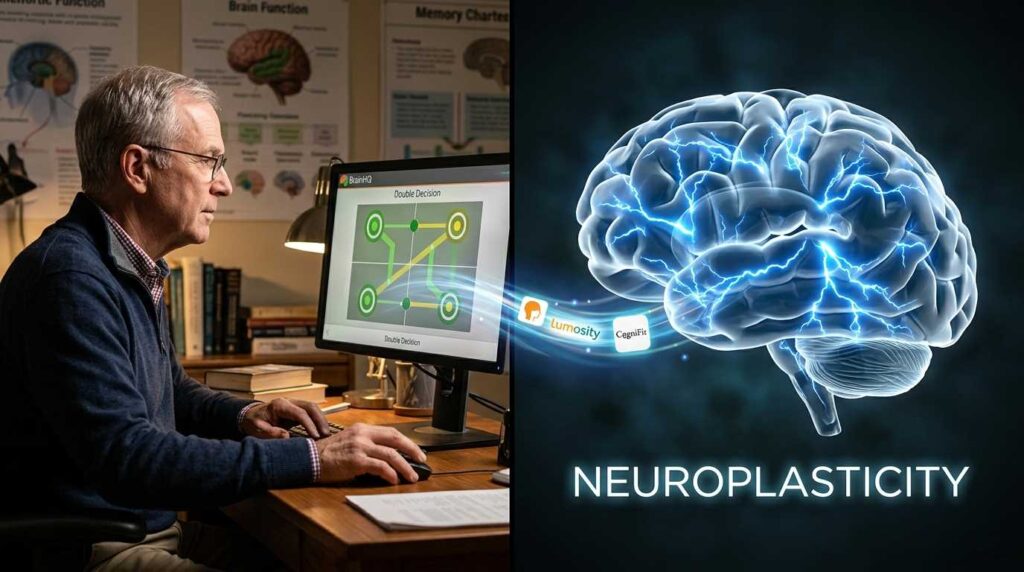
Your brain contains about 86 billion neurons — nerve cells that communicate with each other through trillions of connections. When you learn something new or engage in challenging mental activity, your brain actually builds new connections. This is called neuroplasticity.
Think of it like building a road. A new skill or mental challenge creates a new path. The more you use that path, the wider and stronger it becomes. The less you use it, the more it fades. Brain training apps — used consistently — keep those mental roads active and well-traveled.
But here’s what the research says clearly: apps work best when combined with physical activity, good sleep, social engagement, and a healthy diet. No app is a substitute for those fundamentals. It’s a package deal.
The apps on this list are tools — good ones — in a larger strategy for brain health.
Brain Health Beyond Apps: What Research Says Actually Works
Because we care about giving you complete, honest information, here’s what the science shows are the most powerful protectors of brain health after 55:
1. Physical exercise — Especially aerobic exercise (walking, swimming, cycling). Exercise increases blood flow to the brain and triggers the release of BDNF, a protein that supports neuron growth. Even 30 minutes of brisk walking five days a week makes a measurable difference.
If you want to build an active routine, our guide to morning exercises for seniors is a great starting point. For group motivation, senior walking groups can make movement something to look forward to.
2. Social connection — Research from the Journal of the International Neuropsychological Society found that socially active older adults experience 70% less cognitive decline than those who are isolated. Relationships challenge your brain, reduce stress hormones, and give you reasons to stay engaged.
3. Quality sleep — 7 to 9 hours per night. Prioritize it. Apps like Calm and Headspace directly support this.
4. Nutrition — An anti-inflammatory diet rich in omega-3s, leafy greens, berries, and whole grains feeds your brain. Our in-depth guide to the anti-inflammatory diet for seniors explains exactly how to eat for brain health. Starting each day with the right foods matters — our high-protein breakfast guide for seniors shows how to build mornings that fuel your body and mind.
5. Mental challenge — Learning new things. This is where brain apps
fit in, alongside reading, puzzles, hobbies, and even learning new tech
skills.
🧩 Try these free brain exercises right now:
> – Daily Sudoku for Seniors > — 10 minutes, no download, backed by research
> – Daily Memory Card Game — free working memory exercise for adults 55+
Quick Comparison: Which App Is Right for You?
| App | Best For | Cost | Difficulty Level | Time/Day |
|---|---|---|---|---|
| BrainHQ | Scientific results, serious users | $14/mo | Adaptive | 10–20 min |
| Lumosity | Daily habit, variety | Free / $12/mo | Adaptive | 10–15 min |
| CogniFit | Medical assessment, detailed tracking | Free / $20/mo | Moderate | 15–20 min |
| MindMate | Holistic wellness + brain games | Free / varies | Easy | 10–15 min |
| Elevate | Language and practical skills | Free / $40/yr | Adaptive | 10 min |
| Calm | Sleep, stress, anxiety | $70/yr | Very easy | 10 min |
| Headspace | Meditation beginners | $70/yr | Very easy | 5–15 min |
| AARP Staying Sharp | Free content, trusted source | Free (w/AARP) | Easy | Flexible |
| SilverMind | Family/caregiver connection | Free trial / sub | Very easy | 10–15 min |
Best Free Brain Apps for Seniors (No Credit Card Required)
Not ready to pay? You don’t have to. Here are the genuinely free options
from the list above — no trial, no credit card, no expiration:
| App | What’s Free | Limitation |
|---|---|---|
| Lumosity | 3 games per day | Can’t access full game library |
| AARP Staying Sharp | Full access with AARP membership | Requires AARP membership (~$16/yr) |
| BrainHQ | Free trial + select free exercises | Full access requires subscription |
| CogniFit | Initial cognitive assessment | Training requires subscription |
| Headspace | Basic meditations | Limited content library |
Our pick for best completely free option: If you have an AARP membership,
AARP Staying Sharp gives you real, quality content at no additional cost.
Without AARP, start with Lumosity’s free tier — three games per day is
enough to build a consistent daily habit before deciding whether to upgrade.
Already doing puzzles here? Our
Daily Sudoku for Seniors
and Memory Card Game
are completely free, run directly in your browser, and are designed
specifically for adults 55+. No download, no account required.
How to Get Started Today (Step by Step)
You don’t need to download eight apps at once. Here’s a realistic approach:
- Week 1:
Download BrainHQ or Lumosity and do the free assessment. Spend 10 minutes a day for 7 days. See how it feels.
- Week 2:
If you’re struggling with sleep or stress, add Calm or Headspace. Even 10 minutes before bed makes a difference.
- Week 3:
If you want deeper cognitive tracking or have specific health concerns, try CogniFit‘s free assessment.
- Going forward:
Pick two apps maximum — one for cognitive training, one for sleep/stress — and use them consistently. Consistency beats variety. Five minutes every day beats an hour once a week.

Frequently Asked Questions – Best Apps For Brain Health
No app can guarantee prevention of any disease, and you should be skeptical of any that claims otherwise. What research shows is that consistent cognitive training — especially speed-of-processing exercises — is associated with reduced risk of dementia over time. The 20-year ACTIVE Trial found a 25% reduction in dementia diagnoses among people who did regular speed training. That’s meaningful, but it’s not a guarantee. Lifestyle factors (exercise, sleep, diet, social connection) remain the most powerful tools available.
Many of them are. CogniFit and MindMate are specifically designed with cognitive impairment in mind. BrainHQ has been studied in populations with mild cognitive decline. That said, if you or a loved one has been diagnosed with any form of cognitive impairment, talk to your doctor before starting any new program. Share what you’re using and show them your progress data.
Most research suggests you’ll begin noticing improvements in the specific tasks you’re training after 4 to 8 weeks of regular use (3–5 sessions per week). Real-world benefits — like driving more confidently or keeping track of conversations more easily — may take longer to notice but often appear around the 3-month mark.
BrainHQ, CogniFit, AARP Staying Sharp, Calm, and Headspace all work on computers through a web browser — no smartphone required. If you prefer a larger screen and a regular keyboard, these are your best options. Lumosity and Elevate require a phone or tablet.
You can get meaningful brain training without spending a cent. BrainHQ offers a free trial, Lumosity has a free tier, AARP Staying Sharp is free for members, and Headspace offers free basics. If you want the full experience of one app, budget around $40–$70 per year — less than $6 per month. That’s cheaper than one cup of coffee per week.
BrainHQ. It’s backed by over 100 peer-reviewed studies and is the only app used in the 20-year NIH-funded ACTIVE Trial — the gold standard of cognitive training research. A 2025 McGill University study also found that 10 weeks of BrainHQ use produced measurable biochemical changes in the brain, restoring memory-related chemistry to levels a decade younger. No other consumer brain training app has this level of clinical evidence.
Yes — and for adults 55+, a tablet is often better. The larger screen makes text easier to read and buttons easier to tap. BrainHQ, CogniFit, AARP Staying Sharp, Calm, and Headspace all work on tablets. Lumosity and SilverMind also work on tablets through their apps. If you’re choosing between a phone and a tablet for brain training, go with the tablet.
The Bottom Line
Want to start today without downloading anything?
Play our Daily Sudoku
or Memory Card Game
directly in your browser — free, no account needed, designed for 55+.
The best apps for brain health are not magic. They don’t undo decades of lifestyle habits overnight. But used consistently — a little every day — the right apps can genuinely keep your mind sharper, your memory more reliable, and your mental energy more available for the things that matter most to you.
Start with one. Be consistent. Give it a month. Your brain, at any age, can still surprise you.
Learn how seniors are using today’s best digital tools to stay sharp, active, and financially free. Explore all our guides at SeniorGigGuide.com.”
Last reviewed and updated: May 19, 2026 by Ali Damar, Founder of Senior Gig Guide