

A plain-English, step-by-step guide for professionals over 55 who want to turn decades of experience into a trusted newsletter — and a steady stream of consulting inquiries.
You spent 30 years fixing broken supply chains, leading hospital departments, or closing multimillion-dollar deals. Now that you’re in or near retirement, that knowledge doesn’t just vanish — it becomes your most valuable asset. The problem? Most seniors let it sit idle.
A LinkedIn newsletter for seniors is one of the simplest, most powerful ways to put that expertise back to work — without cold-calling, without a complicated website, and without spending a single dollar. In this guide, you’ll discover exactly how it works, why it matters in 2026, and how to launch yours this week.
1. What Is a LinkedIn Newsletter — in Plain English
A LinkedIn newsletter is a free publishing tool built into LinkedIn. Every time you publish a new issue, your followers get a notification inside LinkedIn and an email directly in their inbox — automatically, at no cost to you.
Think of it like writing a column for a professional magazine — except you are the editor, you choose the topic, and LinkedIn delivers it to your readers for free. Unlike a regular LinkedIn post that disappears from feeds within hours, a newsletter issue stays visible, searchable, and shareable for months.
| Feature | Regular LinkedIn Post | LinkedIn Newsletter |
|---|---|---|
| Lifespan | ~24–48 hours in feed | Searchable for months |
| Delivery | Algorithm decides who sees it | Email + notification to every subscriber |
| Subscriber notification | ❌ No | ✅ Yes — automatic email |
| Open rate | ~5–7% of followers | ~35–42% of subscribers |
| Cost | Free | Free |
| Google indexing | Limited | ✅ Yes — appears in search results |
That 35–42% open rate is remarkable. Standard email newsletters average around 21%. LinkedIn newsletters nearly double that — because subscribers actively opted in and LinkedIn’s triple notification system (email, push, and in-app alert) ensures your issue lands in front of them.

2. Why a LinkedIn Newsletter for Seniors Is a Game-Changer in 2026
Here is a truth that the job market confirms every day: a 32-year-old applicant and a 60-year-old senior consultant are not competing for the same thing. Young professionals are selling time and energy. You are selling hard-won judgment that took three decades to develop. A newsletter is the ideal vehicle to demonstrate that difference.
The 2026 Opportunity: LinkedIn’s algorithm now rewards “depth and authority” over viral posts. Long-form content — like newsletter issues — receives 25–35% broader reach than short posts. Senior professionals who write with depth are winning, not losing, in this environment.
There is also a major gap in the market. Online content in 2026 is flooded with AI-generated articles that sound polished but lack real-world experience. Readers are hungry for the kind of insight that only comes from someone who has actually managed through a recession, rebuilt a team after a merger, or navigated regulatory change. That person is you.
Beyond attracting clients, a LinkedIn newsletter for seniors builds your digital legacy. Long after you stop actively working, your newsletter archive becomes a body of work — a library of professional wisdom that continues to attract readers and referrals on its own.
3. Step-by-Step Setup: Start Your Newsletter Today
You do not need a tech background. LinkedIn designed this tool to be as simple as writing an email. Here is how to do it from scratch:
-
1Log in and go to “Write an article.”
On your LinkedIn home page, look for the pencil icon or the “Write article” option at the top of your feed. Click it. This opens LinkedIn’s built-in article editor. -
2Look for “Create a newsletter.”
In the top-left corner of the article editor, you will see a small dropdown that says “Article.” Click it and select “Newsletter.” If you do not see this option yet, it means you need to have at least 150 followers and a complete profile — both are easy to achieve within a week. -
3Name your newsletter.
Pick a clear, descriptive title. Avoid clever puns that no one will search for. Good example: “Supply Chain Wisdom: Weekly Insights from 30 Years in Manufacturing.” It tells readers exactly what they get and positions you instantly. -
4Write a compelling “About” description.
In two or three sentences, explain who the newsletter is for and what they will learn. Mention your years of experience. Example: “Written by a 28-year HR executive, this newsletter delivers one practical lesson per week on managing people in the modern workplace.” -
5Upload a cover image.
Use a clean banner image — 1128 × 191 pixels works well. You can create one free at Canva.com. Keep it simple: your name, newsletter title, and a clean background. Avoid stock photos of handshakes. -
6Publish your first issue.
Write your first newsletter issue — aim for 600–1,000 words — and hit publish. LinkedIn will automatically notify all your existing connections. That first issue is your launchpad.
Senior-Friendly Tip: If any step above feels confusing, go to LinkedIn’s Help Center (help.linkedin.com) and search “how to create a newsletter.” They have short video walkthroughs that are very easy to follow. You can also ask a family member or friend to sit with you for the first setup — it takes about 20 minutes total.
4. Choosing the Right Niche — Your Most Important Decision
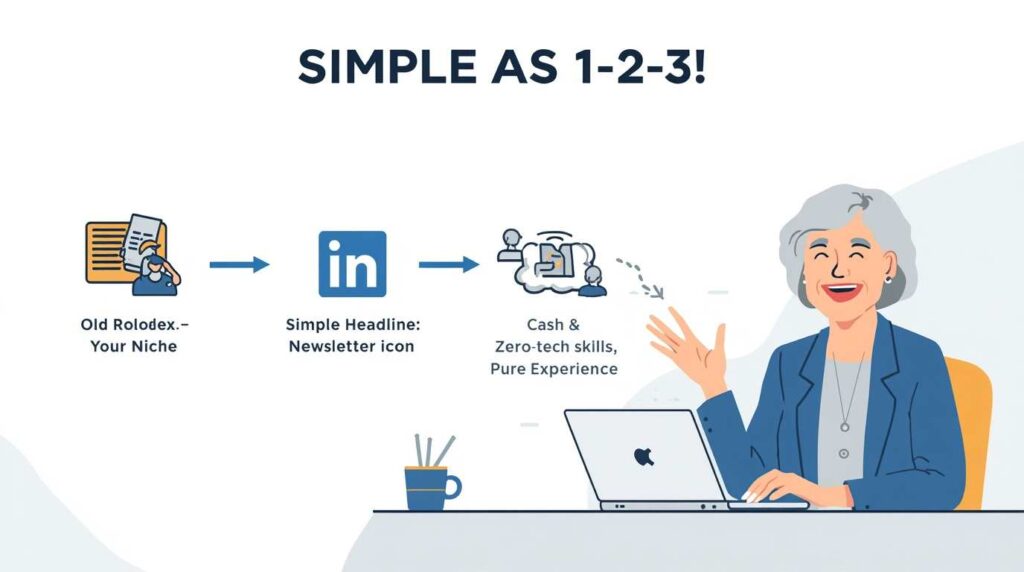
The biggest mistake seniors make when starting a LinkedIn newsletter for seniors is being too broad. “Business advice” or “Leadership tips” describes millions of newsletters. You need a lane that is specific enough to own.
Your niche should sit at the intersection of three things: what you know deeply, what companies currently need, and what you find genuinely interesting to write about week after week.
Not sure which to choose? Ask yourself: “If a CEO called me right now with an urgent problem, what would I be the most useful for?” That answer is your niche.
Once you know your niche, choosing a niche also directly strengthens your path to high-ticket consulting work. When a company has a specific crisis, they do not want a generalist — they want the person who publishes the weekly newsletter on exactly that topic.
5. What to Write: The “Weekly Lesson” Framework
Many seniors worry: “Do I have enough to say every week?” The answer is almost always yes — you have just never organized your knowledge into shareable form before. The structure below makes every issue easier to write.
The 3-Part “Weekly Lesson” Structure
| Part | What It Is | Example (HR Niche) |
|---|---|---|
| 1. The Problem | Name a real challenge your readers face right now | “Why remote teams are quietly disengaging in 2026” |
| 2. The Insight | Share your unique perspective from lived experience | “In 2009, I managed a 200-person layoff and learned this about morale…” |
| 3. The Action | Give readers 2–3 steps they can take immediately | “Try these three check-in questions with your remote team this week” |
Keep each issue between 600 and 1,000 words. That is about the length of a full magazine article — long enough to add value, short enough for a busy executive to read during their morning coffee.
Finding Topic Ideas — Never Run Dry
- ✓ Scan industry news on Google News each Monday morning and pick the story that bothers you most — then write your reaction.
- ✓ Think of the most expensive mistake you ever made at work. Write the lesson.
- ✓ Answer a question someone in your field asked you this month.
- ✓ Share a framework or checklist you developed over the years that younger professionals don’t know about.
- ✓ Write a “Then vs. Now” piece — how a specific business function has changed since you started your career.
You can also use AI tools like ChatGPT or Claude AI to help you organize your thoughts or outline an issue. The key rule: let AI help you structure, but let your voice and your stories do the real work. Readers subscribe to you, not to a machine.
6. How Often to Publish — and How to Stay Consistent
Consistency beats frequency. A newsletter published once a month for two years is vastly more effective than one published every day for three weeks and then abandoned.
| ublishing Schedule | Best For | Time Required Per Issue |
|---|---|---|
| Weekly | Fast growth, strong algorithm boost | ~2–3 hours |
| Bi-weekly | Sustainable quality + visibility balance | ~3–4 hours (deeper research) |
| Monthly | Beginners, very busy professionals | ~1.5–2 hours |
A practical approach for most seniors: start with bi-weekly (every two weeks) for the first three months. Once you have a rhythm and a backlog of ideas, upgrade to weekly. This is exactly how professional publishers ramp up — and it protects you from burnout.
Pro Tip: Write two issues ahead. Spend Sunday afternoons drafting your newsletter. When life gets busy — travel, family, health — you have a reserve ready and never miss an issue. Readers notice when creators go silent. Readers also remember when creators show up reliably.
7. How to Grow Your Subscriber List
Your first subscribers come from your existing LinkedIn connections — LinkedIn automatically notifies them when you launch. But growing beyond that first wave requires a few deliberate habits:
- Pin your newsletter to your LinkedIn profile.
In your profile’s “Featured” section, add a link to your latest newsletter issue. Every new connection who visits your profile sees it immediately.
- Post a teaser before each issue.
The day before you publish, post a short LinkedIn update: “Tomorrow I’m publishing a newsletter on why most post-merger integrations fail in the first 90 days. If that’s relevant to you, subscribe here.” This generates anticipation and new subscribers before the issue even goes out.
- Add your newsletter to your email signature.
“Read my weekly newsletter on [topic]: [link]” in your email footer is a simple, zero-effort growth tactic that works continuously.
- Respond to every comment.
LinkedIn’s algorithm rewards newsletters that generate comments. When you respond thoughtfully to every comment on your issue, the platform shows your newsletter to more people. This is free reach.
- Mention your newsletter on other profiles.
If you have an Upwork profile, a personal website, or a Substack, add a link to your LinkedIn newsletter everywhere.
8. Turning Newsletter Readers into Consulting Clients

A LinkedIn newsletter for seniors is not just a publishing hobby — it is a professional sales funnel that never feels like selling. Here is how readers naturally become paying clients:
The funnel works like this: Someone reads your newsletter issue on a problem they face right now → they click your profile → they see you offer consulting → they send you a message. You did not pitch them. You educated them, and they came to you.
| Income Stream | How the Newsletter Enables It | Typical Range |
|---|---|---|
| 1:1 Consulting | Readers see your expertise and reach out directly | $150–$400/hour |
| Fractional Executive Role | Consistent newsletter proves you’re active and current | $2,000–$8,000/month |
| Digital Products | Package newsletter content into PDF guides or courses | $47–$297/product |
| Speaking Engagements | Newsletter archive is your speaking credential | $1,500–$10,000/event |
| Paid Newsletter Tier | LinkedIn native subscriptions — you keep 70% of revenue | $5–$20/subscriber/month |
To make the funnel work, your LinkedIn profile must be optimized before you invite subscribers. Make sure your headline clearly states what you do and who you help. If you need a profile refresh first, our guide on using LinkedIn to get hired in 2026 walks you through every section.
Once you have readers reaching out, use a professional consulting contract template to close deals smoothly. And if you want to package your knowledge into downloadable products, our guide to selling digital products in retirement shows you how.
Frequently Asked Questions
Absolutely. LinkedIn’s newsletter tool is designed to be as simple as typing an email. If you can write a Word document and click a button, you can publish a LinkedIn newsletter. The setup takes about 20 minutes the first time. After that, each issue is just writing and clicking “Publish.” No coding, no website, no technical skills needed.
Most seniors see their first meaningful profile visits and connection requests within 30–60 days of consistent publishing. Actual client inquiries typically begin between months 2 and 4, once readers have seen enough issues to trust your expertise. The timeline depends heavily on your niche and how active your LinkedIn network already is. Seniors with a strong existing network often see results faster.
No. Creating and publishing a LinkedIn newsletter is completely free. LinkedIn does offer a paid subscription feature where readers can pay you directly — and if you use that option, LinkedIn keeps 30% and you keep 70%. But the core newsletter itself costs nothing. You do not even need a premium LinkedIn account.
This is the most common fear — and almost never becomes a real problem. You have 30+ years of experience to draw from. A practical trick: keep a simple notebook (or phone note) and jot down one idea every day. Within a week you’ll have 7 ideas. Within a month, 30. You’ll never catch up. Also, reading industry news for just 15 minutes a week gives you a constant stream of current events to react to from your unique perspective.
Use AI as a helper, not the author. Tools like ChatGPT or Claude AI are excellent for brainstorming topics, organizing your outline, or cleaning up grammar. But the ideas, the stories, and the professional perspective must be yours. In 2026, readers can detect AI-written content easily — and the whole point of your newsletter is to offer what AI cannot: real, lived experience. Your authentic voice is your competitive advantage.
The Bottom Line: Your Knowledge Is Worth Sharing
A LinkedIn newsletter for seniors is one of the most underused professional tools available to experienced Americans over 55 today. It is free, it reaches thousands of people directly, it builds your reputation steadily over time, and it puts your name in front of the exact companies that need what you know.
You do not need to be a writer. You do not need to be a tech expert. You need your experience, a clear topic, and the habit of showing up consistently. Everything else LinkedIn handles for you.
Start with one issue this week. It does not have to be perfect. It just has to be yours. Over time, that newsletter becomes your professional legacy — and your most reliable source of consulting clients.
If you want to explore even more ways to earn in retirement, browse our complete guide to making money online after 50 or see our breakdown of the best side hustles for retirees in 2026.
Last reviewed and updated: May 15, 2026 by the SeniorGig Team.