
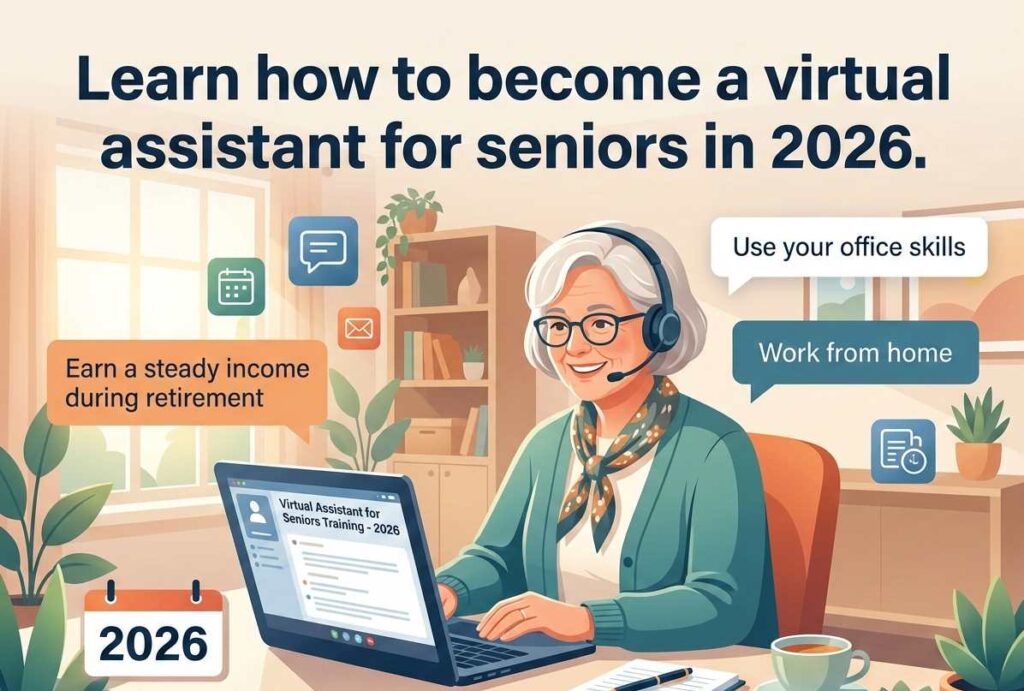
If you’ve spent decades organizing, communicating, and keeping things running smoothly — someone out there is willing to pay you good money to keep doing exactly that, from your kitchen table.
Becoming a virtual assistant for seniors is one of the most practical ways to earn $800–$1,500 a month in 2026 without going back to a 9-to-5, without a college degree, and without becoming a tech expert. This guide explains everything in plain language — what the work actually looks like, what you’ll earn, and how to land your first client within 30 days.
What Does a Virtual Assistant Actually Do? (In Plain English)
Think of the most organized person you’ve ever known. The one who remembered every appointment, handled the messy inbox, and made sure nothing fell through the cracks. That’s a virtual assistant — except you do it remotely, using email and a computer, for a business owner who’s too busy to handle those tasks themselves.
You are not writing code. You are not designing websites. You are doing the kind of work many seniors have spent 30+ years mastering: scheduling, communication, research, and keeping records straight.
Here are the tasks most clients need on day one:
| Task | What It Looks Like | Skill Required |
|---|---|---|
| Email management | Sorting inbox, flagging urgent messages, deleting spam | Basic email use |
| Calendar scheduling | Booking appointments, sending reminders | Google Calendar or similar |
| Data entry | Typing information into spreadsheets or forms | Basic typing |
| Customer follow-up | Sending thank-you emails using a template | Email + copy-paste |
| Research | Finding prices, hours, or contact info online | Google Search |
| Social media posting | Sharing pre-written content on Facebook or LinkedIn | Basic platform knowledge |
💡Notice what’s NOT on that list: coding, graphic design, video editing, or anything that sounds intimidating. If you can write a clear email and use Google, you already have the core skill set.
Who Is Hiring Virtual Assistants in 2026?
This surprises most people. The clients are not giant corporations. They are small, everyday businesses run by one or two people who are drowning in administrative work. Here’s who typically hires a virtual assistant for seniors:
These clients are not looking for someone young and fast. They are looking for someone reliable, professional, and calm under pressure. That description fits most people over 55 far better than it fits a 24-year-old.

How Much Do Virtual Assistants Earn? A Realistic Look
Let’s skip the inflated numbers and give you an honest picture.
| Experience Level | Typical Hourly Rate | Hours / Week | Monthly Estimate |
|---|---|---|---|
| Brand new (first 90 days) | $18 – $22 / hr | 10 hrs | ~$800 |
| 6 months in | $22 – $30 / hr | 15 hrs | ~$1,500 |
| Specialized (bookkeeping, project mgmt) | $35 – $55 / hr | 10–15 hrs | ~$2,000+ |
Most seniors who start as virtual assistants do NOT want full-time work. They want 10–20 hours a week — enough to cover a car payment, a vacation, or extra healthcare costs, without exhausting themselves.
⚠️If you undercharge at the start because you feel uncertain, you attract clients who will undervalue your time. Starting at $20/hour is perfectly reasonable for a first client. Just don’t go below $18.
For a deeper look at setting your rates the right way, read our guide on how to price your freelance services as a senior.
The 5 Core Tools Every Virtual Assistant Needs
You do not need to learn all of these before you start. You need to be comfortable with the first two, and learn the others as specific jobs require them.
Gmail or Outlook
Your professional email home base. Create a new address with your name — like JohnSmithVA@gmail.com. Clients judge you from the first email.
Google Calendar
Most clients use this for appointments. It connects to Gmail and is completely free. You add appointments, set reminders, and send confirmations.
Zoom
For your weekly 15–30 minute check-in with clients. You don’t need a camera, but you do need a quiet room and reliable internet.
Google Docs & Sheets
Free versions of Word and Excel. Clients share documents with you, you edit them, changes save automatically. No emailing files back and forth.
Project Management App
Asana, Trello, or Notion — these are digital to-do lists your client may use. Don’t learn these before applying. Your client will show you theirs.
If you want to get a head start on organizing your digital life, our AI digital organization guide for seniors walks through exactly how to set up clean, simple systems that work for remote work.
A Real Week in the Life: What You’ll Actually Do
Here is what a typical Tuesday looks like for a senior virtual assistant supporting a small accounting firm:
Delete obvious spam. Mark three emails as urgent — two are from clients asking about their tax returns, one is from a vendor. Draft a response to the vendor using the template your client gave you on day one.
A new client called last night and left a voicemail. You add their consultation to next Thursday at 2 PM and send them a calendar confirmation email.
Your client asked you to find three conference venues in their city with available dates in March. You spend 25 minutes on Google, compile the names, addresses, prices, and contact numbers into a Google Doc, and share it.
You’ve worked two hours and completed everything on your task list. You close your laptop and take a walk. No commute. No office politics. No dress code.
How to Find Your First Client: A 30-Day Action Plan
Most seniors overestimate how hard this step is. Here is a straightforward plan that has worked for many people in your situation.
Using AI to Work Smarter (Not Harder)
One underused advantage that virtual assistants for seniors have in 2026: AI tools like ChatGPT can dramatically speed up your work. You don’t need to understand how AI works. You just need to know a few prompts that save you time.

Prompt 1 — Drafting a Professional Email
Copy & Paste into ChatGPT“I am a virtual assistant. My client is a busy therapist. A patient emailed to reschedule their Thursday appointment. Write a professional, warm reply confirming we can move the appointment to Monday at 10 AM.”
Prompt 2 — Summarizing a Document
Copy & Paste into ChatGPT“Here is a 3-page intake form from my client’s new patient. Summarize the key health history points in 5 bullet points so my client can review it in 2 minutes before the appointment.”
Both examples show the client you’re efficient and resourceful. Our AI tools guide for senior freelancers and consultants covers the tools worth learning in plain, clear language.
5 Mistakes Seniors Make When Starting Out
- Pricing too low to “get started.”Charging $10–$12/hour does not make you easier to hire — it makes clients wonder what’s wrong. Start at $18–$20 minimum and raise your rates after your first positive review.
- Trying to learn every tool before applying.You don’t need to know Asana, Notion, Trello, and Slack before you start. Learn the one your first client uses. That’s it.
- Accepting clients who are disorganized or disrespectful.If a client sends confusing instructions or treats you poorly, move on. There are good clients. You are a professional, not a servant.
- Working without a basic written agreement.Even a simple one-page document covering your rate, payment terms, and a two-week exit notice protects both parties. See ourconsulting contract template for seniors.
- Falling for scams.Legitimate clients do not ask you to receive checks and forward money. They do not offer rates far above market for simple work. Learn the warning signs in ourremote job scam guide for seniors.
How to Specialize and Earn More Over Time
After 3–6 months of general virtual assistant work, many seniors discover a natural strength in one area. Specialization means higher rates — you’re no longer competing with every generalist VA.
$35–$55 / hr
📊 Bookkeeping & Financial Admin
If you have a background in accounting or business, this is a natural fit. You’ll use QuickBooks or Wave. Read our bookkeeping from home guide.
$28–$42 / hr
🏥 Healthcare Administration
If you worked in healthcare — as a nurse, receptionist, or administrator — managing patient schedules for a private practice is highly paid and in demand.
$25–$40 / hr
🏠 Real Estate Assistant
Real estate agents are heavy VA users. Tasks are clear: managing listings, scheduling showings, handling buyer inquiries, tracking closings.
$30–$50 / hr
🎯 Executive Assistant
Business coaches with 20+ clients need schedule management, client communication, and course material organization — all requiring judgment and discretion.
Protecting Your Health While Working from Home
Remote work is gentler on the body than commuting — but it has its own risks. Sitting in the wrong chair for two hours a day causes back pain. Staring at a screen without breaks strains your eyes.
Set up a dedicated workspace with a chair that supports your lower back. Your screen should be at eye level. Take a 5-minute break every 45–60 minutes. Drink water. Open a window.
For a complete walkthrough, our ergonomic home office setup guide for seniors covers everything from chair height to lighting to keyboard positioning.
FAQ – Virtual Assistant for Seniors
No certification is required or expected. Clients hire based on demonstrated skills, professionalism, and communication — not credentials. Your work history is your qualification.
Being comfortable with email and basic Google tools is enough to start. Most skills are learned on the job, and clients know their systems better than you do at first — they’ll show you what they need. The learning curve is shorter than you think.
As a self-employed person, you’ll pay self-employment tax and report income on Schedule C of your federal return. Set aside 25–30% of each payment for taxes. Our tax tips guide for senior freelancers explains what forms to use and what expenses you can deduct.
Yes, though there are earnings limits depending on your age and benefit type. Our guide to earning income while on Social Security explains the rules clearly so you don’t accidentally reduce your benefits.
You can end a freelance arrangement at any time. Having a basic written agreement with a two-week notice clause protects both parties. You are not an employee — you are a business owner, and you choose who you work with.
Quick-Reference: Virtual Assistant Startup Checklist
✅ Complete These Before You Send Your First Application
- Professional Gmail address created (your name in the address)
- LinkedIn profile updated with clear photo and bio
- Upwork profile created with service description
- 15-name warm outreach list written
- Service menu drafted (3–5 specific tasks you offer)
- Starting hourly rate decided ($18–$25 for beginners)
- Basic written agreement template saved
Your experience is worth more than you think. The difference between people who succeed at becoming virtual assistants and those who don’t is not talent or age — it’s whether they take the first step today.
Have a question about getting started as a virtual assistant? Leave it in the comments below — we read and respond to every one.
Last reviewed and updated: May 6, 2026 by the SeniorGig Team.