

If you are 55 or older and wondering whether making money with AI is really possible — the answer is yes. But not through hype or complicated tech. This guide shows you nine specific, beginner-friendly ways to use AI tools to earn real income from home, on your own schedule, without any prior tech experience. Every method in this guide was chosen because it fits a senior’s real life: flexible hours, no commute, no boss, and no need to learn how to code.
Here is something the big tech headlines miss: the AI income opportunity is actually bigger for people over 55 than for younger workers. Why? Because the work that pays the most with AI isn’t raw speed — it’s judgment, editing, trust, and domain knowledge. Those are things that come with decades of experience, not a computer science degree.
According to AARP research, more than half of adults 55 and older now have a side hustle — and AI is quietly becoming the tool that makes those side hustles more productive and more profitable. This guide tells you exactly where to start, what to expect to earn, and how to take your first step this week.

What You’ll Learn in This Guide
| # | Method | Realistic Monthly Earnings | Best If You Are… |
|---|---|---|---|
| 1 | AI Content Editing | $800 – $2,000 | A strong reader/writer |
| 2 | AI Transcription | $400 – $1,200 | Patient and detail-oriented |
| 3 | AI-Assisted Freelance Writing | $600 – $2,500 | A subject matter expert |
| 4 | AI Digital Products (Etsy/Gumroad) | $300 – $1,500 | Creative and craft-minded |
| 5 | AI-Powered Virtual Assistant | $900 – $2,500 | Organized and reliable |
| 6 | AI Chatbot Setup for Small Biz | $600 – $2,000 | Willing to learn one tool |
| 7 | Teaching AI to Other Seniors | $500 – $2,000 | Good at explaining things simply |
| 8 | AI Social Media Management | $1,000 – $4,000 | Social media curious |
| 9 | AI Feedback Rater (RLHF) | $200 – $800 | Starting with zero clients |
Jump to the method that interests you most, or read through in order to find your best match.
Why Seniors Have a Real Advantage with AI Income
Before diving into the methods, let’s address the elephant in the room: “Isn’t this for younger people who grew up with technology?”
The honest answer is no — and here’s why.

Every single method in this guide relies on what AI cannot do: real-world judgment. AI can produce a first draft in seconds, but it can’t tell whether that draft sounds like a real human, contains factual errors, or misses the emotional tone a real reader needs. That’s where you come in.
Your 30+ years of professional experience — whether in teaching, healthcare, finance, management, or any other field — is a genuine competitive advantage. A 25-year-old with fast typing skills can’t replicate what you bring to the table.
The tools themselves have also gotten dramatically easier. Today’s AI tools are designed for everyday users, not engineers. If you can send an email, you can use ChatGPT. If you can browse the internet, you can use Canva. We will walk you through exactly what to click, step by step, for each method.
The 9 Methods: A Senior-Friendly Breakdown
Method 1
$800 – $2,000/month
AI Content Editing and Proofreading
Here is a problem that no one talks about: companies, blogs, and businesses are pumping out enormous amounts of AI-written content every day — and most of it is mediocre. It reads like a robot wrote it. They desperately need human editors to make it sound natural, accurate, and professional.
This is arguably the single best way to make money with AI for seniors, because it requires no new technical skills at all. You read, you improve, you submit. Your ear for real language is the product.
What this looks like in practice: A client sends you an AI-written 1,000-word blog post. You spend 45–60 minutes improving the flow, correcting errors, adding real-world examples, and making it sound like a human wrote it. You submit and invoice.
- Go to chat.openai.com (free). Ask ChatGPT to write a short article on any topic you know well. Now edit it yourself. This is your practice run and your first portfolio sample.
- Create a free profile on Upwork.com. Use the title “AI Content Editor — Human Voice Specialist.” Describe specifically what you fix and why it matters.
- Start at $25–$30 per hour. After 5 reviews, raise to $35–$45.
For a full walkthrough including a sample Upwork profile, see our guide on AI Content Editing Jobs for Seniors.
Method 2
$400 – $1,200/month
AI-Assisted Transcription
Transcription means turning a recording — a podcast, a meeting, a webinar, a video — into a written document. AI tools like Otter.ai now do most of the heavy lifting automatically. Your job is to review the AI’s output, catch the mistakes it makes (and it does make mistakes, especially with accents, names, and jargon), and clean up the final document.
This is ideal if you type reasonably well and have a good ear for spoken language. You set your own hours, and one podcast episode typically takes 30–45 minutes to clean up. That’s genuinely easy part-time work that you can do from your kitchen table.
- Sign up for a free Otter.ai account at otter.ai. Upload a short audio clip (or record yourself speaking for 2 minutes). Read through the transcript Otter generates — you’ll see exactly what a human reviewer needs to fix.
- Find your first clients on Rev.com, TranscribeMe.com, or Upwork. Rev and TranscribeMe have onboarding tests you can take immediately — no profile required to start.
- Work 10–15 hours per week to reach $400–$800 per month comfortably.
Read our full breakdown in Earning Money with AI Transcription.
Method 3
$600 – $2,500/month
AI-Assisted Freelance Writing in Your Niche
This method is different from editing. Here, you use AI as a research and drafting assistant, then add your own professional knowledge and voice to produce a finished article a client can publish.
If you spent 20 years as a nurse, you can write healthcare articles that no 25-year-old can match — because you know what’s actually true, what’s oversimplified, and what patients really need to understand. AI helps you produce the draft 5x faster. Your expertise makes it worth paying for.
Profitable niches for seniors include: healthcare, personal finance, retirement planning, education, management and leadership, legal topics (non-advice), real estate, and travel.
- Choose your niche based on your career. Use ChatGPT to outline and draft your first 2 sample articles. Refine them heavily with your own voice and experience.
- Build a free portfolio page on Journo Portfolio (journoportfolio.com) — takes 20 minutes and looks professional.
- Apply on ProBlogger Job Board(problogger.com/jobs) or pitch directly to 5 websites in your niche. Personal pitches convert far better than job applications.
For tips on turning your career into writing income, see our guide on Freelancing Over 50.
Method 4
$300 – $1,500/month passive
Selling AI-Created Digital Products
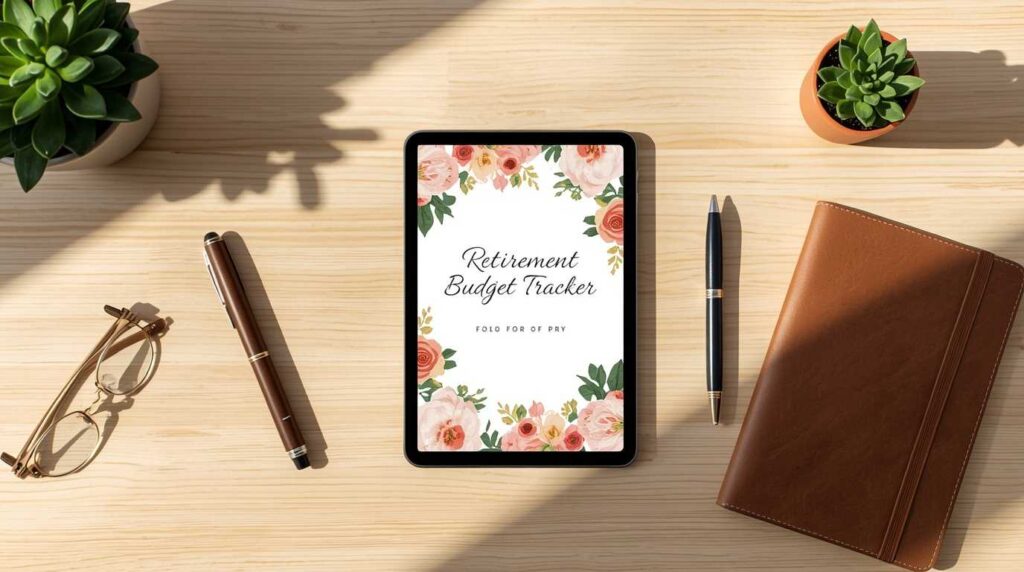
This is the one method in this guide that pays you while you sleep. You create a digital product once — a printable planner, a worksheet, a checklist, a guide — and sell it an unlimited number of times on Etsy or Gumroad. AI tools like Canva and ChatGPT make creating these products faster than ever.
The most important thing to understand: you do not need to be a graphic designer. Canva’s templates do the visual work for you. You provide the content, and ChatGPT helps you write it. Many seniors earn $300–$800 per month from a small Etsy shop they set up in a weekend.
Best-selling digital products seniors create with AI:
- Retirement budget trackers (consistently top 10 on Etsy in the “planners” category)
- Weekly meal planners for seniors with dietary restrictions
- Grandparent memory journals — prompts for writing your life story
- Guided travel packing lists by destination type
- Health symptom tracking worksheets
- Create a free Canva account at canva.com. Search “planner template” and pick one you like. Customize the colors and text.
- Use ChatGPT to generate the content that fills the planner (e.g., “Give me 30 daily retirement budget tracking categories”).
- Open a free Etsy shop. List your product at $4.99–$9.99. Bundle 3–5 related products for $14.99 for a higher conversion rate.
For more ideas and a detailed setup guide, read our Digital Products for Seniors article and our guide to Setting Up an Etsy Shop.
Method 5
$900 – $2,500/month
AI-Powered Virtual Assistant
A virtual assistant (VA) helps a business owner with tasks they don’t have time to do: scheduling, email management, research, travel booking, data entry, customer follow-ups. In 2026, AI tools let a skilled VA do twice the work in half the time — which means you can serve more clients and charge more per hour.
What makes seniors excellent VAs is the same thing that made them excellent employees: reliability, professional communication, and follow-through. Business owners pay a premium for that. Many are frankly tired of working with unreliable freelancers half their age.
- Learn the basics of ChatGPT(writing emails, summarizing documents),Google Calendar, and Canva (for simple social media graphics). You do not need to master all of these — just enough to offer value.
- Create a profile on Upwork or reach out directly to small business owners in your network. Local businesses — medical practices, law offices, real estate agents — are especially good targets.
- Charge $20–$30/hour to start. Position yourself as “AI-enhanced” — meaning you use the best available tools to deliver results faster than a traditional VA.
Our Virtual Assistant Guide for Seniors covers exactly how to land your first client in 30 days.
Method 6
$600 – $2,000/month
Setting Up AI Chatbots for Small Businesses
This one sounds technical — but it’s genuinely not, if you use the right tools. Small businesses like restaurants, salons, gyms, and dental offices want a chatbot on their website to answer common questions automatically (hours, prices, bookings). They have no idea how to set one up. You learn one tool — ManyChat or Tidio — and charge $300–$500 per setup.
The entire setup process, start to finish, takes about 3–5 hours once you know the tool. You can learn it in a weekend from free YouTube tutorials. That’s $60–$100 per hour for a local service that most small businesses desperately need.
- Create a free ManyChat account at manychat.com. Watch 2–3 of their free tutorial videos. Build a demo chatbot for a fake business to learn the tool hands-on.
- Approach 5 local businesses in person or by phone. Show them your demo on your laptop or phone. Explain it will handle “frequently asked questions automatically, 24 hours a day.”
- Charge $350–$500 for setup plus $75–$100/month for maintenance and updates. One recurring client pays $900–$1,200 per year.
Method 7
$500 – $2,000/month
Teaching AI Skills to Other Seniors
This is the most underserved niche in the entire AI income landscape — and one that is almost invisible to younger entrepreneurs. Millions of seniors want to learn how to use ChatGPT, Canva, and other AI tools. Often feeling intimidated and unsure of where to start, these learners want someone patient who speaks their language.
If you have spent a few months learning these tools yourself, you are ahead of the vast majority of your peers. That knowledge is genuinely valuable — and people your age will gladly pay $50–$75 per hour for patient, clear instruction from someone who understands their learning pace and their concerns.
- Decide on your format: private Zoom sessions, small group workshops, in-person sessions at your local library or senior center, or a simple recorded online course on Teachable (teachable.com).
- Start with one free session for a neighbor or friend. Ask for a testimonial. Use that testimonial on a simple flyer or Facebook post.
- Post in local Facebook groups for seniors, neighborhood NextDoor, and community center bulletin boards. Word of mouth grows fast in senior communities.
For more on building a teaching or consulting practice, see our How to Start Consulting for Seniors guide and our article on Teachable for Seniors.
Method 8
$1,000 – $4,000/month
AI-Enhanced Social Media Management
Small businesses know they need to post on Instagram, Facebook, and LinkedIn — but they have no time to do it consistently. With AI tools, you can create a full month of posts, captions, and graphics in a single afternoon. That makes you dramatically more productive than a traditional social media manager — and that productivity is something you can charge for.
This is a recurring income model. You land one client, and they pay you every month. Two or three clients and you have a meaningful monthly income that requires roughly 20–25 hours of work.
- Use ChatGPT to generate 30 days of social media caption ideas for a local business type (try a bakery, a yoga studio, or a bookstore as your demo). Use Canva to create 5 sample branded posts using that content.
- Create a one-page PDF showing your sample posts. This is your portfolio. It took you one afternoon. It looks professional.
- Approach local businesses by phone or in person. Quote $500–$800 per month for 3 posts per week plus a monthly report. Raise rates after your first 2 clients.
Learn how to find clients for this kind of work in our Online Networking for Seniors guide.
Method 9 — Best Starting Point
$200 – $800/month
AI Feedback Rater (RLHF — Reinforcement Learning from Human Feedback)
This is the gentlest entry point of all, and it’s one that very few senior-focused websites have mentioned. AI companies like Anthropic, OpenAI, and Google pay real people to review two AI-generated answers side by side and choose which one is better, more accurate, or more helpful. This is called RLHF — Reinforcement Learning from Human Feedback — and it is exactly how AI models learn to be useful.
The work is simple: read two answers, pick the better one, explain briefly why. No prior experience required. The main platforms for this work are DataAnnotation.tech, Scale AI (scale.com), and Outlier AI (outlier.ai). Pay typically ranges from $15–$25 per hour depending on the task complexity.
This is not going to replace a full income — but as a first step to explore AI work from home, it’s nearly risk-free. You can do it from your couch, any time of day, with nothing more than a laptop and an internet connection.
- Visit DataAnnotation.tech and complete the free qualification test. Most people pass on their first try.
- Accept tasks as they become available. Start with shorter tasks to build up your rating and access to higher-paying projects.
- Treat this as your “AI school” — while earning, you’re learning how AI actually works, which makes every other method on this list easier.
The Free AI Tools You’ll Use (Plain-English Explanations)
Every method above uses one or more of these tools. All of them have free versions that are more than sufficient to get started. Here’s what they actually are — explained simply:
| Tool | What It Does (Simply) | Website | Cost to Start |
|---|---|---|---|
| ChatGPT | Type a question or request in plain English; get a written response instantly. Think of it as the world’s most patient research assistant. | chat.openai.com | Free |
| Claude | Similar to ChatGPT but often better at long documents and nuanced writing. Excellent for editing and summarizing. | claude.ai | Free |
| Canva | A drag-and-drop design tool with thousands of ready-made templates. No design skills needed. Great for digital products and social media posts. | canva.com | Free (Pro optional) |
| Otter.ai | Records a conversation or meeting and automatically turns the spoken words into written text. You review and clean up the result. | otter.ai | Free (300 min/month) |
| ManyChat | Lets you build a chatbot for a business’s Facebook page or website by filling in templates — no coding, no tech knowledge required. | manychat.com | Free (basic bots) |
| Gumroad | A simple online store where you can sell digital files (PDFs, planners, guides). You upload your file, set a price, and Gumroad handles payment. | gumroad.com | Free (10% per sale) |
For a deeper comparison of AI tools tailored to seniors, visit our Best AI Tools for Seniors guide. And if you’re just starting out and want to understand the basics before diving into any method, our AI for Seniors Beginners Guide 2026 is the right first stop.
⚠️ A Word About Scams: Legitimate AI income opportunities will never ask you to pay money upfront to “get started,” send you a check before you’ve done any work, or promise guaranteed income of $500/day or more with no effort. If you see those red flags, walk away. All nine methods in this guide involve real work, real skill-building, and real — but not overnight — income. For more on protecting yourself, see our How to Avoid Remote Job Scams for Seniors guide.
Frequently Asked Questions – Make Money With AI For Seniors
No prior tech knowledge is needed for most of these methods. If you can send an email, browse the internet, and type on a keyboard, you have the basic skills required. ChatGPT, Canva, and Otter.ai are all designed for everyday users, not engineers. Most people over 55 are up and running with their first AI tool within an hour of deciding to try.
The fastest path is RLHF feedback rating (Method 9), where you can earn within 1–2 weeks of signing up on DataAnnotation.tech. AI content editing and transcription (Methods 1 and 2) typically produce first income within 2–4 weeks. Digital products on Etsy (Method 4) usually take 6–10 weeks to start generating consistent sales. Teaching other seniors (Method 7) can produce income within a week if you already have a network to reach out to.
It depends on your age and benefit status. If you are under your full retirement age and still receiving Social Security, earned income above a certain threshold can temporarily reduce benefits. If you have already reached full retirement age, there is no earnings limit — you can earn as much as you like. We strongly recommend reading our full article on Earning Income While on Social Security before you start, and consulting a financial advisor for your specific situation.
Move on to the next method — that’s exactly what this guide is designed for. There is no significant financial risk here because all the starting tools are free, and there’s no long-term commitment. Think of each method as a two-week experiment. Most people find their best fit by method 2 or 3. The worst outcome is that you learn something new and decide it’s not for you. The best outcome is recurring monthly income that fits your life perfectly.
The nine methods in this guide all start with free tools and free platforms. You do not need to invest any money to get started. The only cost you might encounter down the road is a paid subscription — like Canva Pro at $13/month — once you’re already earning. You should never have to spend money to access a legitimate work-from-home AI opportunity. If anyone asks you to pay upfront, that’s a scam. See our Cyber Safety Guide for Seniors for detailed protection tips.
Your First Step: This Week, Not Someday
The single biggest mistake people make when reading a guide like this is treating it as something to think about — rather than something to act on. The seniors who are earning $800, $1,500, or $2,500 a month from AI work right now did not wait until they felt fully ready. They picked one method, tried it, and adjusted from there.
Here’s a concrete action plan you can follow in the next 7 days:
- Day 1: Pick one method from the table at the top of this article — the one that matches your background most closely.
- Day 2: Sign up for the free tool listed under that method. Spend 30 minutes exploring it — just click around without pressure.
- Day 3–4: Complete one sample project. An edited article. A transcription. A Canva planner page. A demo chatbot. You’re building both skill and confidence.
- Day 5: Create a simple profile or listing on the platform recommended for that method.
- Day 6–7: Apply for your first project, list your first product, or reach out to your first potential client. One action. That’s all.
There is no need for a complex business plan, a custom website, or a course that costs $497. All you actually require is 7 days, a laptop, and an internet connection.
Ready to Explore More Ways to Earn in 2026?
Discover our full library of step-by-step income guides designed specifically for Americans over 55 — no tech jargon, no hype.
Discover the Complete Guide →Related Guides You Might Find Helpful
- ChatGPT Guide for Seniors — Start Here If You’ve Never Used It
- Best Side Hustles for Retirees in 2026
- Passive Income for Seniors: What Actually Works
- Using AI to Learn New Skills as a Senior
- Tax Tips for Senior Freelancers in 2026
- How to Supplement Retirement Income Online
Last reviewed and updated: May 18, 2026 by the SeniorGig Team.