

AI learning new skills for seniors is no longer a future possibility — it’s happening right now, and the results are genuinely remarkable. Seniors across the country are using ChatGPT, Claude, and a handful of free AI tools to learn bookkeeping software, master digital marketing, pick up new languages, understand technology platforms, and build professional skills that were previously inaccessible without enrolling in expensive courses or sitting through generic classes that move at the wrong pace.
The secret is not the AI itself. Rather, it’s that AI learns how you learn and adjusts instantly. This technology never gets impatient. You will never feel foolish for asking the same question three different ways, as the system provides explanations at exactly the level you need. It delivers information in the specific format that works for you, precisely when you are ready to receive it.
For seniors, that combination is genuinely transformative.
Why AI Learning Works Differently — and Better — for Seniors
Traditional learning environments create specific friction for seniors returning to skill development after careers. Classroom courses move at a pace set for the group, not for you. Online video courses are passive and linear — you can’t ask a follow-up question. Textbooks assume prior knowledge you may not have. And most learning platforms are designed with younger learners in mind.
AI learning for seniors eliminates every one of these friction points:
✅ What AI Learning Gives Seniors
- Infinite patience — ask anything, any number of times
- Instant personalization — explain at your exact level
- Any pace — fast or slow, your choice every session
- Zero judgment — no embarrassment, no self-consciousness
- 24/7 availability — learn when your energy is best
- Connects new concepts to your existing knowledge
⚠️ What AI Learning Cannot Replace
- Hands-on practice with physical tools or equipment
- Formal credentials and accredited certifications
- Real-world feedback from clients or colleagues
- Social learning and peer discussion
- Licensed professional guidance (legal, medical, financial)
The most effective approach combines AI learning with deliberate practice — use AI to understand the concept clearly, then apply it immediately in a real context. This cycle of explanation → practice → question → explanation is where AI-accelerated learning produces the fastest results.
The Best AI Tools for Learning New Skills as a Senior
Not all AI tools serve learning equally well. Here’s what each does best for senior learners:
🤖 Claude (claude.ai) — Best for Deep Understanding
Claude excels at explaining complex topics with nuance and patience. It’s particularly strong for seniors learning professional skills — finance, legal concepts, business strategy, writing — where depth of explanation matters more than speed. Claude handles multi-turn conversations exceptionally well, meaning you can ask follow-up questions, request different explanations, and build understanding progressively without losing context.
Best for: professional skill development, understanding complex documents, writing and editing skills, business concepts. See our complete Claude AI for Seniors guide.
🤖 ChatGPT (chat.openai.com) — Best for Structured Learning Plans
ChatGPT is particularly strong at creating structured learning curricula — give it your goal and your current knowledge level and it will produce a step-by-step learning plan you can follow systematically. It also has strong code explanation capabilities for seniors learning technology platforms and tools. See our ChatGPT Guide for Seniors for setup and usage.
🔍 Perplexity AI — Best for Research-Based Learning
Perplexity functions as an AI-powered research engine — it searches the web and synthesizes current information in response to your questions. For seniors learning skills where current information matters (tax regulations, Medicare rules, current software platforms, market trends), Perplexity provides up-to-date answers that static AI models can’t always provide. See our Perplexity AI for Seniors guide.
🎬 YouTube + AI Combination
YouTube provides the visual demonstration; AI provides the explanation when something in the video is unclear. The combination is powerful: watch a tutorial, get confused at a step, pause, ask Claude or ChatGPT to explain that specific concept, then return to the video. This back-and-forth dramatically accelerates understanding compared to either resource alone.
AI Learning New Skills for Seniors: 8 High-Value Skills Worth Learning in 2026
Not all skills are worth the same investment of learning time. Here are eight skills where AI-accelerated learning produces immediate professional and income value for seniors in 2026:
1. 📊 Bookkeeping and QuickBooks
Bookkeeping is one of the most consistently in-demand remote income skills for seniors — and one where AI learning produces results fastest because the concepts are logical and structured. Ask ChatGPT to explain double-entry accounting as if you’ve never seen it before. Ask Claude to walk you through a QuickBooks invoice process step by step. Practice with a free QuickBooks trial while asking AI to explain each feature as you encounter it.
Timeline to competence: 4–8 weeks of 30-minute daily AI-assisted learning sessions. See our Bookkeeping from Home for Seniors guide for how to monetize this skill.
2. ✍️ AI-Assisted Content Writing
Seniors who learn to use AI tools to produce high-quality written content unlock access to a large and growing freelance market. This is meta-learning: using AI to learn how to use AI for writing. The skill involves learning how to write effective prompts, how to edit AI output into genuine human-voiced content, and how to apply professional expertise to AI-generated frameworks.
For the professional application of this skill, see our AI Copywriting for Senior Consultants guide.
3. 🎨 Canva for Digital Design
Canva is a drag-and-drop design platform that seniors consistently find accessible — and AI can dramatically accelerate the learning curve. Ask Claude to explain any Canva feature you encounter. Ask ChatGPT for templates and design principles for your specific use case. Within two to three weeks of AI-assisted practice, most seniors can produce professional-quality social media graphics, PDF guides, and presentation slides. See our Making Money with Canva for Seniors guide.
4. 📱 Smartphone Photography
Modern smartphone cameras are extraordinarily capable — but most seniors use 10% of their potential. AI learning here means asking Claude or ChatGPT to explain specific photography concepts (composition, lighting, exposure) in plain language, then immediately practicing and asking follow-up questions about specific results. The feedback loop of shoot → question → learn → shoot again is perfectly suited to AI-assisted learning. See our Smartphone Photography for Seniors guide.
5. 💼 LinkedIn for Professional Engagement
LinkedIn has become essential for senior professionals building consulting practices, seeking board positions, or re-entering the workforce — yet most seniors use only a fraction of its functionality. AI can walk you through every aspect of LinkedIn optimization, content creation, and outreach strategy in a personalized, step-by-step way that generic tutorials never achieve. See our LinkedIn Profile Tips for Professionals 50+.
6. 🎙️ Podcast and Audio Production
Seniors launching podcasts, creating course audio, or building ElevenLabs voiceover practices benefit enormously from AI-assisted learning of the production workflow. Ask AI to explain recording concepts, editing techniques, and distribution platforms in the sequence that matches your current knowledge. Combined with practical tools like Audacity (free), AI learning makes professional audio production accessible within weeks. See our ElevenLabs for Seniors guide.
7. 🧮 Spreadsheet and Data Skills
Excel and Google Sheets skills open doors to remote administrative, bookkeeping, and data analysis work — and AI is an exceptional tutor for these tools. Ask Claude to explain any formula in plain English. Ask ChatGPT to build you a practice exercise for a skill you just learned. The immediate feedback AI provides (“that formula has an error because…”) dramatically outperforms trying to decipher cryptic error messages alone.
8. 🤖 AI Prompt Engineering
Learning how to communicate effectively with AI tools is itself a marketable skill in 2026. Seniors who master prompt engineering — the art of constructing AI instructions that produce high-quality, specific outputs — can offer this as a service to businesses, integrate it into consulting work, and dramatically amplify the quality of everything else they produce with AI. See our AI Prompt Engineering for Seniors guide.
The AI Learning Method That Works Best for Seniors: The ACES Framework
After experimenting with many approaches to AI-assisted learning, a consistent pattern emerges for what works best for senior learners. This four-step cycle — ACES — produces faster, deeper, more lasting skill development than any passive approach:
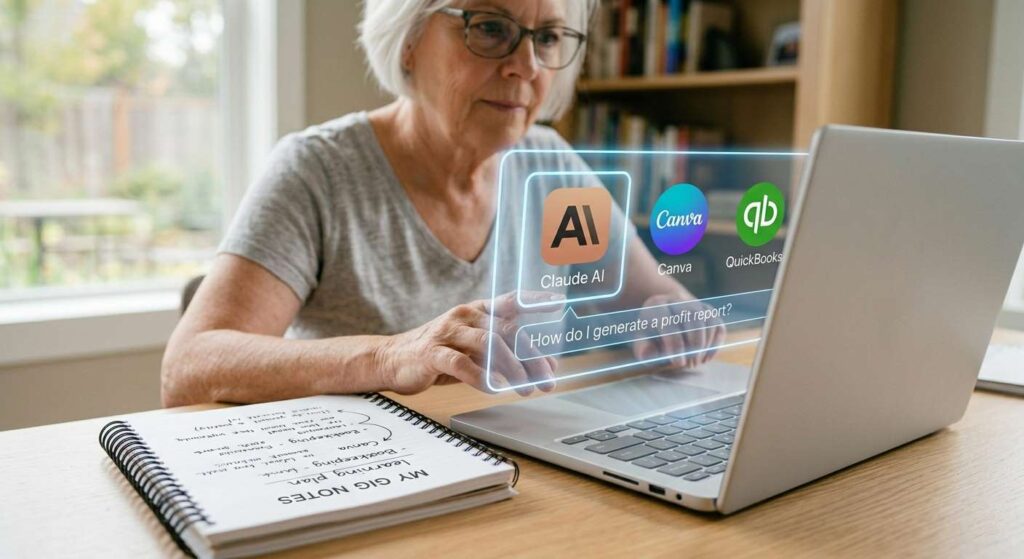
🔄 The ACES Learning Cycle
- Ask
Tell the AI your exact knowledge level and ask it to explain the concept at that level. Be specific: “Explain QuickBooks invoicing to someone who understands basic accounting but has never used the software.”
- Connect
Ask AI to connect the new concept to something you already know: “How is this similar to the accounts receivable process I used in my previous role?” This anchors new knowledge to existing experience.
- Execute
Practice the skill immediately — don’t wait. Use AI to create a practice exercise: “Give me three practice scenarios for creating invoices so I can apply what I just learned.”
- Summarize
At the end of each session, ask AI to summarize what you learned in bullet points and identify the next logical topic. This creates your ongoing curriculum automatically.
Session length recommendation: 25–35 minutes per learning session. Shorter than most traditional classes, longer than casual browsing. Cognitive absorption peaks in this range for most adults over 60.
Practical AI Learning Prompts Seniors Can Use Today
The quality of AI learning depends heavily on how you ask. Here are specific prompts that work well for senior learners — copy and adapt these:
For starting a new topic:
“I’m 65 years old with a background in [your field]. I want to learn [new skill]. I have no prior experience with it. Start from the absolute beginning and explain it the way you’d explain it to a smart person who simply hasn’t encountered this topic before.”
When something doesn’t make sense:
“That explanation didn’t quite click for me. Can you try explaining [specific concept] using a completely different analogy — maybe something related to [your professional background]?”
For creating a learning plan:
“I want to become competent enough in [skill] to [specific goal — e.g., ‘offer bookkeeping services to small businesses’] within 8 weeks, spending 30 minutes per day. Create a day-by-day learning plan with specific topics for each week.”
For practice and testing yourself:
“Quiz me on what I’ve just learned about [topic]. Give me 5 questions ranging from basic to more challenging, then tell me which answers I get right and explain anything I get wrong.”
AI Learning and the Income Connection
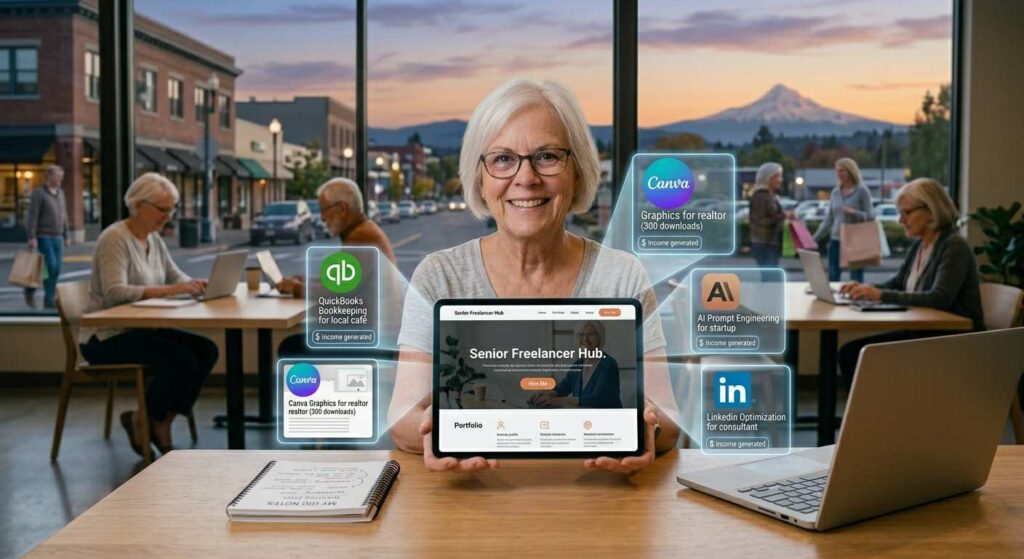
AI-accelerated skill learning is not just an intellectual exercise for seniors — it’s a direct path to new income streams. The skills most accessible through AI learning connect directly to the most in-demand remote work and freelance opportunities:
| Skill Learned via AI | Income Opportunity | Time to First Income |
|---|---|---|
| Bookkeeping / QuickBooks | Remote bookkeeping clients ($25–$50/hr) | 8–12 weeks |
| AI content writing | Freelance writing on Fiverr/Upwork ($30–$100/hr) | 4–6 weeks |
| Canva design | Social media graphics, digital products ($20–$60/hr) | 3–5 weeks |
| AI prompt engineering | AI consulting, prompt writing services ($50–$150/hr) | 6–10 weeks |
| Spreadsheet/data skills | Remote admin, data entry, analysis ($20–$45/hr) | 4–8 weeks |
For how these income streams interact with Social Security benefits, see our Earning Income While on Social Security guide. For the complete remote income landscape, see our Make Money Online After 50 Master Guide.
Common Mistakes Seniors Make When Using AI for Learning
Several patterns consistently slow down AI-assisted learning for seniors. Avoiding these accelerates results significantly:
Asking questions that are too broad. “Teach me about bookkeeping” produces a generic overview. “Explain the difference between accounts payable and accounts receivable using a small restaurant as an example” produces useful, specific learning. The more specific your prompt, the more useful the response.
Reading without doing. AI explanations feel like learning because they’re clear and logical — but reading is not practicing. After every AI explanation, do something with the information before moving on. Create an actual invoice. Write an actual paragraph. Run an actual spreadsheet formula.
Switching tools too often. Each AI tool has strengths. Choose one primary tool for each learning project and stick with it long enough to develop fluency with how to ask it questions effectively. Jumping between tools resets this fluency each time.
Not saving good explanations. When AI produces a particularly clear explanation of something that was previously confusing, save it. Copy it into a notes document. You will want to reread it in two weeks when the concept comes up again in practice.
Next Steps: Start Your First AI Learning Session Today
- Choose one skill from the list above that directly serves your income goals
- Open Claude at claude.ai or ChatGPT at chat.openai.com — both free
- Use the “starting a new topic” prompt above to begin your first session
- Set a 30-minute timer and follow the ACES cycle
- For the full AI toolkit available to senior professionals, see our Best AI Tools for Seniors guide
- For using AI specifically in consulting and professional work, see our AI Tools for Senior Consultants guide
Learning doesn’t slow down after 60. What slows down is the tolerance for learning environments that don’t adapt to you. AI eliminates that problem entirely — it adapts to you, by definition, every single session.
Open a chat window. Type your first question. The most patient, knowledgeable, infinitely available tutor you’ve ever had is waiting on the other side.
Frequently Asked Questions – Ai Learning New Skills For Seniors
Yes. The AI tools most useful for learning — Claude, ChatGPT, Perplexity — require only the ability to type a question in plain English. No technical setup, no prior software experience, and no special knowledge needed to start. The interface is a text box, and the AI handles everything else.
Most seniors reach functional competence in a practical skill within 4 to 10 weeks of 30-minute daily AI learning sessions — significantly faster than traditional courses. The combination of personalized explanation, immediate feedback, and unlimited patience removes the friction that makes traditional learning slow.
AI tools are highly reliable for conceptual explanations and general skill instruction but can occasionally produce errors on very specific factual claims. For skills involving legal, medical, or financial regulations, always verify AI explanations against official sources. For general professional skills, AI accuracy is sufficient for practical learning purposes.
Claude (claude.ai) and ChatGPT (chat.openai.com) both offer generous free tiers that are sufficient for most daily learning sessions. Claude’s free tier is particularly strong for seniors because of its nuanced explanations and patient, detailed responses to follow-up questions.