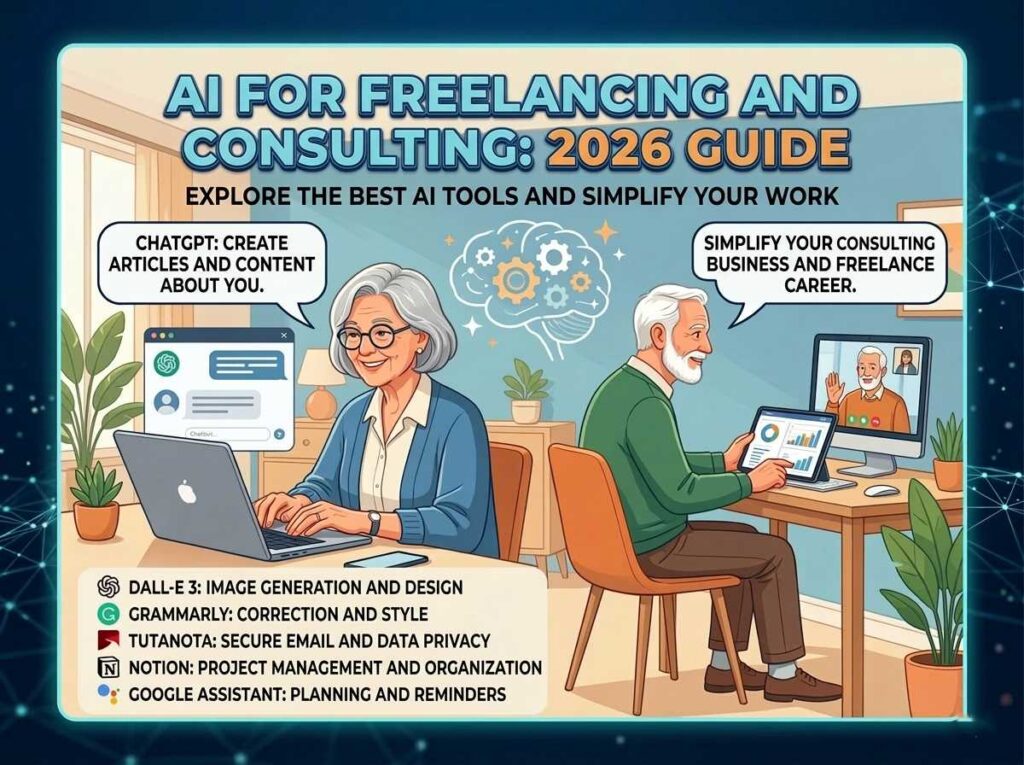
If you are looking for the Best AI Side Hustles for seniors and searching for new ways to earn income online, artificial intelligence (AI) has created some of the biggest opportunities in decades. Many seniors are now using AI tools to make money online after 50 — even with no technical background.
How AI Empowers Your Experience
The beauty of today’s technology is that AI acts as a bridge. It fills the technical gap, allowing you to focus on what really matters: your decades of professional and life experience. You don’t need to be a programmer; you just need to know how to guide the tools.
- Expert Content Creation: Use AI to draft blogs, newsletters, or LinkedIn articles based on your specific industry knowledge.
- Digital Design & Publishing: Create and sell planners, journals, or specialized e-books on platforms like Amazon KDP with the help of AI layout tools.
- Micro-Consulting: Offer your services as a consultant, using AI to quickly generate reports, data summaries, and professional presentations.
The Advantages of Starting Now
- Low Complexity: Most modern AI tools use “natural language,” meaning you interact with them just like you are having a conversation.
- Time Freedom: Tasks that used to take a full work week can now be completed in a few hours, supporting a perfect work-life balance.
- Minimal Investment: Many of the best tools offer free or low-cost versions, allowing you to start your side hustle with very little overhead.
Key Insight: AI provides the structure and speed, but your authentic voice and real-world perspective are what will truly resonate with your audience.

Best AI Tools for Senior Freelancers
- Why AI Tools Are a Game-Changer for Senior Freelancers
- How We Chose These Tools: Our Senior-Specific Criteria
- Category 1 — Best AI Writing & Editing Tools
- Category 2 — Best AI Research & Fact-Checking Tools
- Category 3 — Best AI Design & Visual Tools
- Category 4 — Best AI Organisation & Project Management Tools
- Category 5 — Best AI Communication & Meeting Tools
- Category 6 — Best AI Finance & Invoicing Tools
- The Recommended Starter Stack for Senior Freelancers
- Monthly Cost Breakdown: Free vs. Paid
- Conclusion
Make Money Chatgpt
- What Is a ChatGPT Freelance Editor — And Why Businesses Need You
- Why Seniors Are Perfectly Built for This Role
- How Much Can You Realistically Earn?
- Skills You Need — And Skills You Already Have
- Your Step-by-Step ChatGPT Editing Workflow
- The Best Niches for Senior AI Content Editors
- Practical ChatGPT Prompts for Your Editing Business
- Where to Find Your First Clients in 2026
- Social Security & Income: What You Need to Know
- Your 30-Day Getting-Started Plan
- Conclusion
Why AI Is a Game-Changer for Seniors
AI removes many traditional barriers like technical skills, speed, and complexity. Tasks that used to take hours can now be completed in minutes.
- No coding required
- Beginner-friendly tools
- Faster work = higher income potential
- Perfect for freelancing and side hustles
That’s why many seniors combine AI with freelancing to build flexible income streams.
Best AI Tools for Senior Freelancers in 2026: Boosting Your Productivity
The best AI tools for senior freelancers in 2026 are not the ones with the most features — they are the ones that are genuinely easy to use, save you the most time, and pay for themselves within the first week. According to recent industry data, 77% of freelancers now use at least one AI tool in their workflow, and those who do consistently report 20–40% productivity gains. For senior professionals working part-time from home, that kind of efficiency advantage is transformative. In this guide, we have carefully selected and tested the most practical AI tools across six essential categories — writing, research, design, organisation, communication, and finance — and evaluated each one specifically through the lens of what works best for seniors: ease of use, value for money, and real-world impact on your freelance income.
For a complete roadmap on this topic, check out our Ultimate Guide to Remote Work for Seniors.

Why the Best AI Tools for Senior Freelancers are a Game-Changer
One of the most persistent concerns among seniors entering or returning to freelance work is the worry that younger competitors have an insurmountable speed advantage. AI tools eliminate this concern almost entirely. A senior consultant who writes thoughtfully but slowly can now produce polished, professional content two to three times faster than before. A retired professional who finds invoicing and admin work tedious can automate those tasks in minutes rather than hours.
The right AI stack does not replace your experience or judgment — it amplifies it. Your decades of professional knowledge become even more valuable when you can deliver it faster, present it more polishedly, and manage the business side of your practice with far less friction. Think of these tools not as replacements but as the most efficient team of assistants you have ever had, available twenty-four hours a day at a fraction of the cost of a single part-time hire.
If you are just getting started with AI as a concept, our ChatGPT guide for seniors and our comparison of ChatGPT vs Claude for seniors are the perfect starting points before diving into the full tool list below.
Our Criteria for Selecting the Best AI Tools for Senior Freelancers
Most “best AI tools” articles are written for tech-savvy twenty-somethings with unlimited patience for learning curves. This one is different. Every tool in this guide was evaluated against four criteria that matter specifically to senior freelancers:
- Ease of onboarding: Can you be productive within one hour of signing up, without watching a dozen tutorial videos?
- Clear value for part-time work: Does it save meaningful time even if you only use it 10–15 hours per week?
- Transparent, honest pricing: No hidden fees, no sudden paywalls mid-project, no confusing credit systems.
- Reliability and stability: The tool has been around long enough to trust, with a strong track record and active development.
Every tool listed below meets all four of these criteria. We have also indicated whether a free tier is genuinely useful or merely a teaser, so you can make informed decisions about where to invest.
Let’s dive into our curated list of the best AI tools for senior freelancers currently on the market.
Category 1 — Best AI Writing & Editing Tools
Writing is the single most time-consuming task for the majority of senior freelancers — whether you are producing client deliverables, writing proposals, or managing your own content marketing. These tools cut that time dramatically without sacrificing quality.
🏆 ChatGPT (OpenAI) — Best All-Rounder
Best for: Writing drafts, brainstorming, answering questions, editing
Price: Free tier available / Plus plan at $20/month
Ease of use for seniors: ★★★★★
ChatGPT remains the most versatile AI writing assistant available in 2026. The free tier is genuinely useful for most everyday writing tasks — drafting emails, creating outlines, editing your own text, and generating first drafts of articles or proposals. The Plus tier at $20/month is worth the investment once you are using it daily, as it gives you access to the most powerful model version, faster responses, and the ability to upload documents for review.
For seniors, the chat-based interface is one of the most natural ways to interact with any AI tool — you simply type what you want as if messaging a knowledgeable assistant. There is no complex dashboard, no technical setup, and no learning curve beyond understanding how to phrase your requests clearly. Our AI prompt engineering guide for seniors will help you get significantly better results from ChatGPT within just a few hours of practice.
🥈 Claude (Anthropic) — Best for Long-Form Writing and Nuanced Editing
Best for: Long reports, detailed editing, professional tone, sensitive topics
Price: Free tier available / Pro plan at $20/month
Ease of use for seniors: ★★★★★
Claude is widely regarded as the best AI assistant for long-form writing and careful, nuanced editing. Where ChatGPT excels at versatility and speed, Claude shines in tasks that require a more thoughtful, measured approach — such as editing consulting reports, reviewing complex professional documents, or drafting sensitive client communications. Many senior freelancers who work in fields like law, healthcare, or financial planning prefer Claude for its consistently accurate, professional tone. For a detailed comparison, see our complete Claude AI guide for seniors.
🥉 Grammarly — Best for Polishing and Proofreading
Best for: Grammar, clarity, tone checking, final proofreading
Price: Free tier (sufficient for most users) / Pro at $12/month
Ease of use for seniors: ★★★★★
Grammarly is the most senior-friendly writing tool on this entire list because it works silently in the background across almost every platform you already use — Gmail, Google Docs, Microsoft Word, and LinkedIn. It flags grammar errors, suggests clearer phrasing, checks tone, and even identifies when writing sounds overly formal or unnatural. The free version is genuinely excellent for most senior freelancers. The paid Pro version adds a “full sentence rewrites” feature that can dramatically speed up editing of your own drafts or AI-generated content. It also integrates with Grammarly’s browser extension for seamless use across all your online writing.
Category 2 — Best AI Research & Fact-Checking Tools
One of the most time-consuming aspects of professional freelance work is research. Whether you are verifying claims in a client’s article, staying current in your industry, or gathering background for a consulting proposal, these tools replace hours of searching with minutes of intelligent summarisation.
🏆 Perplexity AI — Best Research Tool for Seniors
Best for: Current events, fact-checking, cited summaries, industry research
Price: Free tier available / Pro at $20/month
Ease of use for seniors: ★★★★★
Perplexity AI is unlike standard AI chatbots because every answer it gives comes with cited sources — real links to the actual websites or articles it drew from. This makes it ideal for senior freelancers who need to verify that the information they are working with is accurate and up-to-date. Simply ask Perplexity a question the same way you would type into Google, and you receive a concise, well-sourced summary rather than a list of links to sort through yourself.
The free tier covers the vast majority of everyday research needs. The Pro tier adds real-time web search, access to more powerful models, and the ability to upload documents for analysis. For seniors who frequently need to check whether ChatGPT-generated content is factually accurate before delivering it to a client, Perplexity is an essential part of the workflow. Our dedicated Perplexity AI guide for seniors walks through exactly how to get the most from it.
🥈 Google Gemini — Best for Seniors Already Using Google Workspace
Best for: Research inside Gmail, Docs, and Drive; quick answers
Price: Free (with Google account) / Advanced at $19.99/month
Ease of use for seniors: ★★★★☆
If you already use Gmail, Google Docs, or Google Drive for your freelance work, Gemini integrates directly into those tools. You can ask it to summarise a long email thread, draft a reply, find information in your Drive files, or research a topic without ever leaving the Google environment you already know. For seniors who are comfortable with Google’s interface, this is a near-zero-learning-curve research upgrade. Read more in our Gemini AI guide for retirees.
Category 3 — Best AI Design & Visual Tools
You no longer need to be a graphic designer to present your freelance work professionally. The AI-powered design tools available in 2026 allow any senior to create polished, professional visual materials in minutes — from presentation decks to social media graphics to simple logos.
🏆 Canva (with AI Magic Studio) — Best Design Tool for Non-Designers
Best for: Presentations, social media graphics, proposals, portfolios
Price: Free tier (excellent) / Pro at $15/month
Ease of use for seniors: ★★★★★
If you are looking for the best AI tools for senior freelancers who need to create visuals, Canva is the top choice
Canva’s AI Magic Studio feature, updated in 2026, allows you to generate professional-quality visuals simply by describing what you want in plain English. More importantly, its drag-and-drop interface and thousands of polished professional templates mean you can create a proposal presentation, a client report cover, or a LinkedIn banner without touching a single design setting manually.
The free tier of Canva is one of the most generous in this entire list — it gives access to hundreds of thousands of templates, basic AI tools, and unlimited personal use. If you are a senior freelancer who delivers client presentations, manages your own LinkedIn presence, or creates any kind of visual material, Canva is non-negotiable. Our in-depth guide on making money with Canva for seniors covers exactly how to use it for income generation as well as productivity.
Category 4 — Best AI Organisation & Project Management Tools
Managing multiple clients, deadlines, and deliverables is one of the most stressful aspects of freelancing — especially when you are working solo without an office support structure. These AI-powered organisation tools replace the mental overhead of juggling everything in your head or across scattered notebooks and spreadsheets.
🏆 Notion AI — Best All-in-One Workspace for Senior Freelancers
Best for: Notes, client tracking, project management, content planning
Price: Free tier available / Plus at $10/month (AI included)
Ease of use for seniors: ★★★★☆
Notion AI turns what was already an excellent workspace tool into a genuinely intelligent assistant for your freelance business. You can ask it to summarise your meeting notes, draft a project plan from a single-sentence brief, organize your client contacts, or turn a rough list of ideas into a structured proposal outline. The AI learns from everything you store in your workspace, which means it gets more useful the more you use it.
The learning curve for Notion is moderate — it takes a few days to set up your initial workspace comfortably. However, once established, most senior freelancers find it replaces at least three or four separate apps (sticky notes, spreadsheets, calendar reminders, and email folders) with a single, searchable, intelligent system. Our Notion AI guide for seniors walks through a simple setup process designed specifically for solo freelancers.
🥈 Trello (with AI features) — Best for Visual Task Management
Best for: Simple project tracking, to-do lists, client workflow visualisation
Price: Free tier (generous) / Standard at $5/month
Ease of use for seniors: ★★★★★
If Notion feels like too much to set up, Trello is the simpler alternative. Its card-and-board system mirrors the logic of physical sticky notes on a board — move tasks from “To Do” to “In Progress” to “Done” with a simple drag. Trello’s free tier is genuinely excellent for solo freelancers managing fewer than 10 active projects, and its 2026 AI features include automatic task prioritisation and deadline reminders that keep you on track without manual input.
Category 5 — Best AI Communication & Meeting Tools
Client communication is where many senior freelancers lose disproportionate amounts of time — writing follow-up emails, transcribing meeting notes, and chasing approvals. These tools automate the most tedious parts of staying in touch professionally.
🏆 Otter.ai — Best Meeting Transcription Tool
Best for: Transcribing client calls, generating meeting summaries, action item capture
Price: Free tier (300 minutes/month) / Pro at $16.99/month
Ease of use for seniors: ★★★★★
Otter.ai joins your Zoom, Teams, or Google Meet calls automatically, transcribes everything said in real time, and delivers a summary with action items within minutes of the call ending. For senior freelancers who find it difficult to take notes while simultaneously listening and contributing in a meeting, Otter is genuinely life-changing. It integrates with all major video conferencing platforms and works silently in the background without requiring any setup before each call.
The free tier’s 300 minutes per month is sufficient for most part-time senior freelancers. If you conduct more than five or six client calls per week, the Pro tier is worth the small investment.
🥈 Loom — Best for Asynchronous Client Communication
Best for: Sending video explanations, walkthroughs, feedback to clients
Price: Free tier (25 videos) / Business at $12.50/month
Ease of use for seniors: ★★★★☆
Loom allows you to record a short screen-and-voice video and share it as a link with a client. Instead of writing a long, complex email trying to explain a concept or walk through a document, you record yourself explaining it in two minutes and send the link. Clients universally find this more engaging and clearer than written explanations. For senior freelancers in consulting, coaching, or content creation, Loom dramatically reduces the number of back-and-forth emails in any given project.
Category 6 — Best AI Finance & Invoicing Tools
For senior freelancers, the administrative side of running a small business — invoicing, expense tracking, tax preparation — can easily consume as much time as the billable work itself. These tools automate the financial admin so you can focus on earning, not bookkeeping.
🏆 FreshBooks — Best Invoicing and Accounting Tool for Senior Freelancers
Best for: Invoicing, expense tracking, time tracking, basic accounting
Price: Lite plan at $17/month (sufficient for most solo freelancers)
Ease of use for seniors: ★★★★★
When it comes to the best AI tools for senior freelancers managing their own billing, FreshBooks leads the way.
FreshBooks is consistently ranked as the most user-friendly invoicing and accounting platform for independent professionals, and in 2026 its AI features have become genuinely impressive. It automatically categorises your expenses, reminds you and your clients about unpaid invoices, and generates financial reports that are simple enough to understand without an accounting background. The dashboard is clean, the interface is uncluttered, and the mobile app works seamlessly on both iPhone and Android. For senior freelancers who want to stay on top of their finances without stress, FreshBooks is the clear first choice. You will also want to read our 2026 tax tips for senior freelancers to ensure you are handling self-employment income correctly.
🥈 Wave — Best Free Accounting Tool
Best for: Zero-cost invoicing and bookkeeping for beginners
Price: Free (invoicing and accounting) / Payments add-on available
Ease of use for seniors: ★★★★☆
Wave offers completely free invoicing, receipt scanning, and basic accounting — making it the ideal starting point for seniors who are in the early stages of their freelance career and not yet generating consistent income. You can create and send professional invoices, track who has paid and who has not, and connect your bank account for automatic expense categorisation, all at no cost. When your income grows to a level where FreshBooks’ features justify the monthly fee, you can migrate your data easily.
Building Your Best AI Tools for Senior Freelancers Starter Stack
The biggest mistake new freelancers make with AI tools is subscribing to six things at once, using each one twice, and giving up in overwhelm. The smarter approach — especially when starting out — is to build your stack gradually, one tool at a time, only adding the next one once the current one is delivering clear value.
Here is our recommended progression for senior freelancers building their AI toolkit in 2026:
| Stage | Tool to Add | Why This Tool First | Monthly Cost |
|---|---|---|---|
| Start here (Week 1) | ChatGPT (free) | Covers writing, editing, brainstorming — immediate daily impact | $0 |
| Week 2 | Grammarly (free) | Runs in background; zero learning curve; instant quality improvement | $0 |
| Week 3 | Canva (free) | Polished visuals for proposals and LinkedIn without design skills | $0 |
| Week 4 | Wave (free) | Professional invoicing and expense tracking from day one | $0 |
| Month 2 | Perplexity (free tier) | Cited research for fact-checking client work | $0 |
| Month 2–3 | Otter.ai (free tier) | Auto-transcription of client calls saves hours per week | $0 |
| Month 3+ (if needed) | Claude Pro or ChatGPT Plus | Upgrade once you are generating consistent client income | $20/month |
This approach lets you build a powerful AI-powered freelance operation at zero cost for the first few months. You will likely earn enough to justify paid tiers before you even need them. For more guidance on starting from scratch, see our remote job plan for beginners over 50. You can also check our freelance productivity tips for seniors.
Monthly Cost Breakdown: Free vs. Paid Tiers
Every senior asks: “What will this cost me each month?” Here is an honest cost breakdown for different setups. We compare the zero-cost stack with a fully-equipped professional stack for senior freelancers:
| Tool | Free Tier Quality | Paid Tier Cost | Worth Paying For? |
|---|---|---|---|
| ChatGPT | Good — sufficient for casual use | $20/month (Plus) | Yes, once using daily |
| Claude | Good — great for occasional long tasks | $20/month (Pro) | Yes, for heavy writing work |
| Grammarly | Excellent — free covers 90% of needs | $12/month (Pro) | Only if editing AI content heavily |
| Perplexity | Very good — cited answers on free tier | $20/month (Pro) | Only if researching 10+ topics/week |
| Canva | Outstanding — genuinely complete | $15/month (Pro) | Only if creating premium brand assets |
| Notion AI | Limited — basic workspace is free | $10/month (Plus + AI) | Yes, once you have a regular workflow |
| Otter.ai | Good — 300 mins/month free | $16.99/month (Pro) | Only if conducting 6+ calls/week |
| Wave (accounting) | Excellent — fully free core features | Free | Start here; upgrade only if needed |
| FreshBooks | No free tier | $17/month (Lite) | Yes, once invoicing 3+ clients monthly |
Total monthly cost of the “zero-to-start” stack: $0
Total monthly cost of the “fully equipped” paid stack: approximately $65–$85/month
Even the fully paid stack represents exceptional value when you consider that these tools can realistically save a part-time senior freelancer 10 or more hours of work per week. At an average billing rate of $35/hour, that is $350 in additional billable time recovered every week — against a tool cost of roughly $20/week. The return on investment is one of the clearest in any business category.
For context on what your time as a senior freelancer is actually worth, our freelance rates guide for seniors and consulting pricing guide will help you set rates that reflect the true value of your experience.
How These Tools Connect to Your Broader Freelance Strategy
AI tools are most powerful when they are part of a coherent strategy — not a disconnected collection of subscriptions. The writing tools accelerate your client deliverables. The research tools protect your credibility. The design tools elevate how your work is perceived. The organisation tools keep you from dropping the ball on deadlines or follow-ups. The communication tools reduce friction with clients. The finance tools keep your cash flow visible and your tax obligations under control.
Together, these categories cover every significant time drain in a senior freelancer’s working week. And when you pair them with the right niche positioning and client strategy — covered in depth in our guides on choosing your consulting niche, personal brand monetisation for seniors, and building a global portfolio — they become the infrastructure of a genuinely sustainable and enjoyable freelance practice.
If you are specifically interested in how AI tools support a consulting or advisory business built on your career expertise, our guides on AI tools for senior consultants and mastering AI as a competitive edge in 2026 go deeper on the strategic side.
Conclusion
The best AI tools for senior freelancers in 2026 are not the flashiest, the most feature-packed, or the most expensive. They are the ones that genuinely fit into your working life, reduce your stress, and give you back time that you can convert into income or simply enjoy. Every tool in this guide was chosen with exactly that principle in mind.
Start with the free tier of ChatGPT and Grammarly today. Use them seriously for two weeks on real client work. Measure the time you save. Then add Canva and Wave. Build your stack deliberately, one layer at a time, and you will find yourself operating with the efficiency of a much younger, much larger team — at a fraction of the cost and with all the flexibility that makes freelancing worthwhile in the first place.
For more support on your journey, explore our complete Remote Jobs for Seniors Ultimate Guide, our best side hustles for retirees in 2026, and our hands-on guide to making money with AI as a senior. The tools are ready. The opportunity is real. The only thing left is to begin.
Make Money with ChatGPT for Seniors ($500/Month Guide)
You can make money as a ChatGPT freelance editor for seniors without any technical background, without writing from scratch, and on a schedule that fits your life. In 2026, businesses of every size are producing enormous quantities of AI-generated content — blog posts, newsletters, product descriptions, email campaigns, and website copy. The problem? That content often reads flat, sounds robotic, contains factual errors, and lacks the kind of human warmth that actually connects with readers. That is where you come in. As a freelance AI content editor, your job is to take what ChatGPT produces and transform it into something genuine, accurate, and compelling. It is a skill that perfectly suits someone with decades of professional experience, strong communication instincts, and an eye for quality.

Table of Contents
What Is a ChatGPT Freelance Editor — And Why Businesses Need You
A ChatGPT freelance editor does not write original content from a blank page. Instead, you use ChatGPT to generate a first draft quickly, then apply your judgment, knowledge, and human voice to refine it into a polished, publish-ready piece. Alternatively, some clients already have AI-generated content and simply need a skilled human editor to review and improve it before it goes live.
The demand for this service is enormous and growing. According to data from Upwork, AI-related freelance skills grew over 109% year-over-year in 2026 — and one of the fastest-growing subcategories is specifically AI content editing and review. Businesses have discovered that fully automated AI content damages their brand when it contains errors, awkward phrasing, or inaccurate claims. A skilled human editor who understands ChatGPT’s strengths and weaknesses is now considered a strategic asset, not a luxury.
There are currently over 3,800 active AI content editing jobs listed on Upwork alone, with new postings added every day. This is not a trend that is likely to reverse — the more AI content businesses produce, the more human editors they will need to keep quality standards high.
Why Seniors Are Perfectly Built for This Role
This is one of the few digital income opportunities where age is a genuine competitive advantage — not a liability. Here is why seniors are naturally better positioned than younger, less experienced freelancers when it comes to AI content editing:
- Decades of subject matter expertise. A retired nurse can instantly spot medical inaccuracies in AI health content. A former marketing director knows when a brand voice rings false. A retired teacher recognizes when writing is unclear or misleading. ChatGPT cannot replicate this kind of nuanced domain knowledge.
- Strong editorial instincts. People who have spent careers writing reports, presentations, proposals, and communications have developed a natural sense for what good writing looks and feels like — something no AI tool can fully replicate.
- Patience and attention to detail. Good editing requires careful, methodical review. These are qualities that mature professionals bring in abundance.
- Credibility with clients. Business owners, especially small business owners, feel more comfortable trusting their brand voice to someone with obvious professional experience rather than a recent graduate.
If you have spent your career in healthcare, finance, education, law, real estate, marketing, HR, or management, you already have the niche expertise that the most in-demand AI content editors are selling in 2026. You are not starting from zero. You are packaging what you already know into a new kind of service.
For more on how your existing professional background translates into valuable freelance work, read our guide on career transitions after 50 and our overview of fractional leadership for seniors.
How Much Can You Realistically Earn?
One of the most important questions for any senior considering freelance work is: “Can I earn a meaningful income without working exhausting hours?” The answer for AI content editing is a clear yes — especially once you develop a reliable workflow and a small base of repeat clients.
Here is a realistic breakdown of what senior AI content editors can expect to earn in 2026, based on current market data from ZipRecruiter and the Editorial Freelancers Association:
| Experience Level | Hourly Rate Range | Hours/Week (Part-Time) | Estimated Monthly Income |
|---|---|---|---|
| Beginner (first 3 months) | $20–$35/hr | 10–15 hours | $800–$2,100/month |
| Established (6–12 months) | $35–$55/hr | 15–20 hours | $2,100–$4,400/month |
| Specialist / Niche Expert | $55–$85/hr | 10–15 hours | $2,200–$5,100/month |
These figures assume part-time hours that are comfortable for most retirees. You are not trading your freedom for a full-time grind. Many senior freelancers work 10–15 focused hours per week and earn more than they initially expected, because the combination of ChatGPT’s speed and their own expertise creates genuine efficiency. A task that might take a junior freelancer four hours can often be completed by an experienced senior editor in ninety minutes.
For more context on sustainable part-time income strategies, see our guide to making $1,000 a month online as a senior and our overview of passive income options for seniors.
Skills You Need — And Skills You Already Have
“Many seniors hesitate before entering the AI freelance space because they assume it requires technical expertise. However, the reality is that anyone can make money with ChatGPT for seniors without needing a computer science degree. Here is an honest breakdown of what this role actually requires from you:
Skills You Likely Already Have
- Strong written English and sense of natural language flow
- Ability to spot factual inaccuracies, logical gaps, or misleading claims
- Professional communication skills and ability to give constructive feedback
- Domain knowledge in one or more industries from your career
- Comfort with email and basic word processing tools like Google Docs or Microsoft Word
- Flexibility is a key benefit when you choose to make money with ChatGPT for seniors, allowing you to work from anywhere.
Skills You Will Need to Learn (All Beginner-Friendly)
- Basic ChatGPT usage: How to write effective prompts, how to regenerate responses, how to ask ChatGPT to revise its own output. This takes most beginners less than a week to feel comfortable with.
- Understanding AI writing patterns: Learning to recognize the common tells of AI-generated text — overuse of phrases like “it is important to note,” overly uniform paragraph lengths, lack of specific examples — so you can correct them efficiently.
- Basic SEO awareness: Understanding that blog content should include keywords naturally and answer specific reader questions. You do not need to be an SEO expert, but awareness of these principles makes your editing much more valuable to clients.
- Creating a simple Upwork or Fiverr profile: A one-page digital profile is your entire storefront. Our guides to Upwork for seniors and Fiverr for seniors walk through exactly how to do this.
If you want to deepen your general understanding of how AI tools work before starting, our ChatGPT guide for seniors is the ideal starting point — written specifically for people who are new to AI tools.
Your Step-by-Step ChatGPT Editing Workflow
Having a reliable, repeatable workflow is what separates productive freelance editors from those who feel overwhelmed. Here is a practical, proven workflow for AI content editing work for retirees that you can adapt to almost any project type:
Step 1: Brief ChatGPT Thoroughly
Before generating a draft, give ChatGPT a detailed prompt. Include the topic, the target audience, the tone (professional, friendly, authoritative, casual), the approximate word count, and any specific points the content must cover. The more context you provide, the better the raw output you will have to work with — and the less editing time you will spend.
Step 2: Read the Full Draft Before Editing
Always read the entire draft before making a single change. This gives you the “big picture” view — you will identify structural problems, repetitive sections, and logical gaps that are easier to fix when you understand the whole piece first.
Step 3: Fix Structure and Logic First
Before touching individual sentences, address larger issues: Is the introduction engaging? Does the article answer the question it promised to answer? Are the subheadings logical and in the right order? Does the conclusion feel complete? These structural edits have the biggest impact on overall quality.
Step 4: Humanize the Language
This is where your experience becomes irreplaceable. Replace generic AI phrases with natural human language. Add a concrete example, a specific statistic, or a brief real-world scenario where the text feels abstract. Remove filler sentences that add length but no value — a telltale sign of AI output. Adjust the rhythm of sentences so the piece flows like a real person talking, not a machine generating tokens.
Step 5: Fact-Check Key Claims
ChatGPT makes mistakes. It sometimes invents statistics, misattributes quotes, or confidently states outdated information. As the editor, you are responsible for the accuracy of the final product. Quickly verify any specific claims, numbers, or references before delivering your work. This single habit protects both your reputation and your client’s credibility.
Step 6: Final Polish and Delivery
Run the final draft through a free tool like Grammarly for a last grammar and clarity check. Deliver your edited document in the format your client prefers — usually Google Docs or a Word file. Include a brief note summarizing the key changes you made; clients appreciate this transparency and it reinforces the value of your work.
| Workflow Step | Time Required | Key Tool |
|---|---|---|
| Brief & generate with ChatGPT | 10–15 minutes | ChatGPT (free or Plus) |
| Read full draft | 5–10 minutes | Google Docs or Word |
| Structure and logic edits | 15–20 minutes | Google Docs |
| Humanize language | 20–30 minutes | Your judgment + ChatGPT for alternatives |
| Fact-check claims | 10–15 minutes | Google, authoritative sources |
| Final polish and delivery | 10 minutes | Grammarly (free version) |
| Total per 1,000-word article | 70–100 minutes |
At this pace, a senior editor charging $40/hour can deliver a polished 1,000-word article in about 90 minutes and earn $60 per piece — working from home, on their own schedule.
The Best Niches for Senior AI Content Editors
One of the biggest mistakes new freelance editors make is trying to work with every type of client on every topic. This is a path to low rates and high stress. Instead, the smartest strategy — especially for seniors — is to specialize in the industries and topics where your own career experience gives you a natural edge. Clients in specialized fields pay significantly more for editors who genuinely understand their content.
Here are the highest-demand niches for senior AI content editors in 2026, along with why each one is a strong match for mature professionals:
| Niche | Why It Suits Seniors | Typical Rate Premium |
|---|---|---|
| Healthcare & wellness content | Medical professionals, nurses, caregivers bring accuracy and empathy | +40–60% above general rates |
| Financial planning & retirement | Finance pros understand the subject deeply; retirees understand the audience | +30–50% above general rates |
| HR, management, and leadership | Former managers and executives bring authentic professional insight | +25–45% above general rates |
| Legal and compliance content | Former lawyers, paralegals, and compliance officers add credibility | +50–80% above general rates |
| Education and e-learning | Retired teachers and educators bring clarity and instructional design knowledge | +20–35% above general rates |
| Real estate and property | Former agents and investors understand the market vocabulary and buyer psychology | +25–40% above general rates |
The logic here is simple: a healthcare business owner who needs their AI-generated patient education articles reviewed does not want a 25-year-old generalist with no medical background. They want someone who has spent decades in a clinical environment and will catch an error that could genuinely mislead a patient. That expertise is worth paying for, and most specialized clients understand this.
For more ideas on identifying the right niche for your background, see our guide on choosing your consulting niche as a senior.
Practical ChatGPT Prompts for Your Editing Business
One of the things that distinguishes a productive ChatGPT freelance editor from someone who struggles is the quality of their prompts. Here are several ready-to-use prompt templates that senior editors can adapt for their daily work:
Generating a First Draft
“Write a 900-word blog post for a small financial planning firm targeting pre-retirees aged 55–65. The topic is the pros and cons of delaying Social Security benefits. Use a warm, clear, and trustworthy tone — not overly technical. Include a brief introduction, three main sections with subheadings, and a conclusion with a call to action. Avoid jargon. Do not include any specific tax advice.”
Asking ChatGPT to Improve Its Own Output
“The above draft sounds too formal and robotic in several places. Please rewrite it so it flows more naturally, as if written by a knowledgeable human advisor speaking directly to a client. Replace any generic filler phrases with specific, concrete language.”
Checking a Client’s Existing AI Content
“Please review the following article for: (1) factual inaccuracies or unverified claims, (2) awkward or unnatural phrasing, (3) repetitive sentences, (4) places where the tone shifts inconsistently. Provide a list of suggested improvements.”
Adapting Content for a Specific Audience
“Rewrite the following section so it is appropriate for a non-specialist audience with no prior medical knowledge. Use plain English throughout and avoid all clinical terminology. The reader is a caregiver in their 50s or 60s.”
For deeper guidance on using AI tools for professional writing tasks, our AI copywriting guide for senior consultants and our article on using ChatGPT for consulting proposals offer practical, hands-on examples.
Where to Find Your First Clients in 2026
Finding clients is the part that worries most beginners most. But in 2026, the demand for AI content editing services is so strong that getting your first clients does not require aggressive marketing — it requires showing up in the right places with a clear, confident offer.
Start with Upwork
Upwork is the largest freelance marketplace in the world, holding over 61% of the global market share in 2026. It currently lists over 3,800 active AI content editing roles. Create a profile that clearly states your niche, your background, and what makes your editing different from a generalist. Read our full guide to setting up your Upwork profile as a senior before you start — a strong profile is the difference between regular work and silence.
Add a Fiverr Gig
Fiverr works differently from Upwork — instead of applying for jobs, you create “gigs” that clients find when they search. A well-crafted Fiverr gig titled something like “I will edit and humanize your AI-generated healthcare articles” can generate a steady stream of inbound inquiries from clients who already know what they need. Our Fiverr guide for seniors covers exactly how to create a gig that gets discovered.
LinkedIn Outreach
Your LinkedIn profile is a powerful asset, especially if you are positioning yourself as a niche specialist. Update your headline to include terms like “AI Content Editor | Healthcare & Wellness Writing” and start connecting with content managers, small business owners, and marketing directors in your niche. A single direct message to five targeted contacts per week can generate your first client faster than any other method. Our guides on LinkedIn profile tips for the 50+ and LinkedIn outreach for seniors will help you do this confidently.
Your Existing Network
Do not underestimate the power of your existing professional contacts. Former colleagues, bosses, clients, and associates are often the fastest path to your first paid project. A simple email or message to ten people in your network — explaining that you now offer AI content editing services — will often produce at least one or two conversations that lead to paid work.
Social Security & Income: What You Need to Know
This is a topic that very few competing guides address, but it is critically important for seniors who are already receiving or approaching Social Security benefits. Freelance income is classified as self-employment income, which has specific implications depending on your age and benefit status.
- If you are under full retirement age (FRA) and receiving Social Security benefits, there is an annual earnings limit. Earning above this limit reduces your benefit temporarily until you reach FRA. In 2026, this limit is approximately $22,320/year for those below FRA. Staying within this range while building your freelance business is a realistic strategy for many seniors.
- If you are at or past full retirement age, you can earn any amount from freelancing without affecting your Social Security benefits at all. There is no earnings cap once you reach FRA.
- Self-employment taxes apply. Freelance income is subject to self-employment tax (currently 15.3% on net earnings). Setting aside approximately 25–30% of your freelance income for taxes is a prudent habit.
For a full breakdown of how freelance income interacts with retirement benefits, read our dedicated guide on earning income while on Social Security and our 2026 tax tips for senior freelancers. We always recommend speaking with a qualified tax professional who understands the specific rules for your situation.
Your 30-Day Getting-Started Plan
One of the most common reasons people never start a freelance career is the feeling that everything needs to be perfect before they launch. It does not. Here is a simple, realistic 30-day plan specifically designed for seniors starting a ChatGPT freelance editing career:
| Week | Focus | Key Actions |
|---|---|---|
| Week 1 | Learn and experiment | Create a free ChatGPT account. Practice generating and editing 3–5 articles on topics from your career background. Read our ChatGPT guide for seniors. |
| Week 2 | Build your portfolio | Create 2–3 “before and after” editing samples — show a raw ChatGPT draft alongside your polished version. These become your proof of skill. |
| Week 3 | Set up your profiles | Create your Upwork profile and/or Fiverr gig. Update your LinkedIn headline. Message 5–10 people in your professional network about your new service. |
| Week 4 | Land your first client | Apply to 5 Upwork jobs per day. Offer a discounted first project to get your first review. Ask satisfied contacts for a testimonial or referral. |
The most important thing is to begin — even imperfectly. Your first project does not need to be at your ideal rate or with your ideal client. It needs to give you experience, a review, and the confidence to continue. Most successful senior freelancers look back and admit their only regret was not starting sooner.
For additional support on the freelancing journey, our guides on freelancing over 50, setting your freelance rates, and freelance productivity tips for seniors are all excellent companions to this article.
Conclusion
The opportunity to make money as a ChatGPT freelance editor in 2026 is real, accessible, and particularly well-suited to seniors with professional backgrounds. There is no need for a technical degree or complex coding skills to succeed in this field. Instead, what matters most is your professional judgment and a reliable workflow. By combining your decades of experience with this powerful new tool, you can build a sustainable freelance career on your own terms.
Businesses are producing more AI content than ever — and they desperately need skilled human editors who can elevate that content from functional to genuinely excellent. That gap is your opportunity. Fill it with the expertise you have already spent a career building.
Start today. Create your ChatGPT account. Edit one sample article. Then read our complete ChatGPT guide for seniors and begin building the freelance career you deserve — on your terms, from your home, at a pace that suits your life.
As we’ve explored, the opportunity to make money with ChatGPT for seniors is not just a trend but a sustainable business model for 2026.
Looking for more ways to earn online? Our best AI side hustles for beginners over 50 and our complete guide to making money with AI for seniors are your next stops.
Best AI Side Hustles for Beginners
Here are some of the most practical and beginner-friendly AI income methods:
1. AI Content Writing
Use AI tools to write blog posts, product descriptions, and website content.
2. AI Editing Jobs
Improve and refine AI-generated content. See AI content editing jobs for seniors.
3. AI Transcription
Convert audio to text using AI tools. Learn more in AI transcription guide.
4. AI Copywriting
Create sales pages and marketing content. Explore AI copywriting guide.
5. Digital Product Creation
Create ebooks, guides, or templates using AI. Combine this with digital product sales.
AI + Freelancing: The Perfect Combination
Many seniors are now combining AI tools with freelancing platforms to increase their income.
You can start by creating profiles on:
If you’re new to freelancing, read our freelancing over 50 guide.
How Much Can You Earn with AI?
Your income depends on consistency and skill level:
- Beginner: $300–$800/month
- Intermediate: $1,000–$3,000/month
- Advanced: $5,000+/month
Many seniors reach $1,000/month within a few months by combining AI tools with freelance work.
Common Mistakes to Avoid
- Trying too many tools at once
- Not focusing on one income method
- Giving up too early
- Ignoring consistency
Final Thoughts
AI has made it easier than ever to make money online after 50. You don’t need technical skills — just the willingness to learn and take action.
If you combine AI tools with freelancing, digital products, or consulting, your income potential grows significantly.
Start small, stay consistent, and build your income step by step.
FAQ Best AI Side Hustles for Beginners Over 50
Absolutely not. Many beginners start in their 60s and 70s successfully.
No. Basic typing and internet use are enough.
Most beginners see results within 2–4 weeks.
Yes, if you avoid scams and use trusted platforms.
It can supplement income first, then grow over time.